Introduction
If the Dell Precision is overheating, it may be due to the fans. Sometimes they may just need cleaned if there's something clogging the fan's motion. If this is the case, remove the fans, clean them, and try again. If they still don't work, replace them entirely.
Ce dont vous avez besoin
-
-
Open the system badge flap over to reveal the screws underneath (marked 1 on the image).
-
Remove the 12 screws that secure the base cover to the computer.
 Demander à FixBot
-
-
-
-
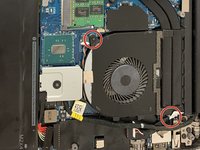
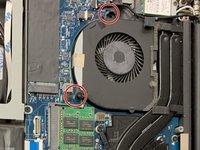
There are two screws on each fan circled in the images shown. Use a Phillips #0 screwdriver to remove all four screws.
-
-
Outil utilisé dans cette étape :Tweezers$4.99
-
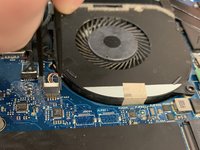
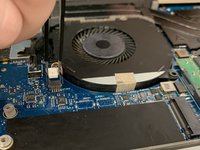
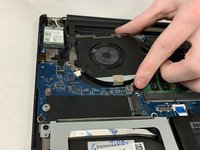
Each of the fans are plugged into the motherboard. Use tweezers to pull the plug out.
-
-
-
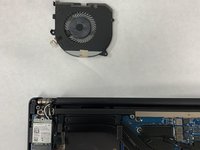
Carefully extract the fan from its housing bed. It should remove easily if all parts have been disconnected.
-






To reassemble your device, follow these instructions in reverse order.

Équipe

IUPUI, Team 2-1, Harley Spring 2022 Membre de l'équipe IUPUI, Team 2-1, Harley Spring 2022
IUPUI-HARLEY-S22S2G1
4 membres
4 tutoriels rédigés
