Aller au contenu principal
Pour réparer ensemble - Je crée un compte

HTC Vive Pro 2 All-In-One Cable Replacement

Ce dont vous avez besoin

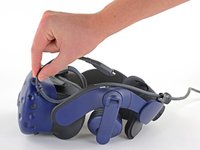
  1. HTC Vive Pro 2 All-In-One Cable Replacement, Reposition the head strap: étape 1, image 1 de 2 HTC Vive Pro 2 All-In-One Cable Replacement, Reposition the head strap: étape 1, image 2 de 2
    • Rotate the head strap forward as far as it will go.

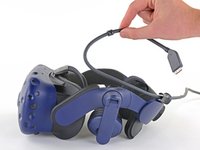
  2. HTC Vive Pro 2 All-In-One Cable Replacement, Unplug the All-In-One Cable: étape 2, image 1 de 2 HTC Vive Pro 2 All-In-One Cable Replacement, Unplug the All-In-One Cable: étape 2, image 2 de 2
    • Unplug the All-In-One Cable from your headset.

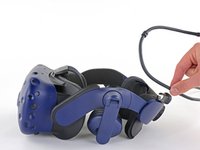
  3. HTC Vive Pro 2 All-In-One Cable Replacement, Remove the All-In-One Cable: étape 3, image 1 de 3 HTC Vive Pro 2 All-In-One Cable Replacement, Remove the All-In-One Cable: étape 3, image 2 de 3 HTC Vive Pro 2 All-In-One Cable Replacement, Remove the All-In-One Cable: étape 3, image 3 de 3
    • Remove the All-In-One Cable from the cable guides along the left side of the head strap.

    • During reassembly, connect the All-In-One Cable to the headset before routing it through the cable guides. This will ensure it has the right amount of slack.

Conclusion

To reassemble your device, follow the above steps in reverse order.

Repair didn’t go as planned? Try some basic troubleshooting, or ask our Answers community for help.


Alex Diaz-Kokaisl

Membre depuis le 01/16/22

226 874 Réputation

1 106 tutoriels rédigés

Équipe

iFixit Membre de l'équipe iFixit

Staff

124 membres

24 272 tutoriels rédigés

0 commentaires de tutoriel

Ajouter un commentaire

Nombre de vues :

Dernières 24 heures : 5

7 derniers jours : 9

30 derniers jours : 39

Total : 560