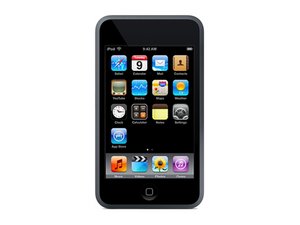
Hi there so here is my problem, I have an iPod touch first generation and I just reset it, I also downloaded iTunes for my computer *which is an hp laptop that runs on windows 8*, now when I plug my iPod into my computer iTunes comes up and says it cannot connect to this iPod touch? what do i do to fix this issue? btw it does connect to my computer but not to my iPod
Faites défiler ce fil pour trouver l'endroit approprié pour y placer ce commentaire. Cliquez ensuite sur « Ajouter un commentaire à cette contribution » pour le déplacer.
6 commentaires
"it does connect to my computer but not to my iPod" do you mean that your iPod is recognized by the computer but not by iTunes?
I just installed iTunes 12.5.4.42 on my ASUS Zenbook/Windows 10 system. Same problem. iPod Touch will not connect to iTunes. Called Apple Support - after a half hour on the phone, and trying the oldturkey03 fix, the Apple tech told me that iTunes no longer works with the old iPods - is this true? Do I have to uninstall iTunes and go back to an earlier version?
I have same issue. It looks like Apple ended all support for this device. You will need the cd to get driver or use an old mac running snow leopard to fix the issue.
Kendra, the way I understand your question is that the iPod connects to your computer but iTunes does not. If that is so, it is most likely not your dock connector or your cable, and yes, you can try a different USB port. However, I would try with these steps, since it could be a Windows 8 driver issue:"
1. Open Control Panel.
2. Select Hardware and Sound.
3. Select Devices and Printers.
4. Your iPhone or iPod should be displayed in the Unspecified section. Right-click it and select Properties.
5. Select the Hardware tab, then click the Properties button.
6. From the General tab, select the Change settings button.
7. Select the Driver tab, then select Update Driver.
8. Choose Browse my computer for driver software.
9. Select Browse… then navigate to C:\Program Files\Common Files\Apple\Mobile Device Support\Drivers
10. Click Next > Close.
Your Apple device should now be detected successfully within iTunes."
Faites défiler ce fil pour trouver l'endroit approprié pour y placer ce commentaire. Cliquez ensuite sur « Ajouter un commentaire à cette contribution » pour le déplacer.

3 commentaires:
@mayer good question.I will try and figure it out if I find my old iPhone 3G I'll give it a try. Easier for me on a Windows machine :-)
Faites défiler ce fil pour trouver l'endroit approprié pour y placer ce commentaire. Cliquez ensuite sur « Ajouter un commentaire à cette contribution » pour le déplacer.
If you can, try a mac or windows 7 computer. Also, you could have a faulty USB port on your computer. It could also be a problem with the dock connector.
Faites défiler ce fil pour trouver l'endroit approprié pour y placer ce commentaire. Cliquez ensuite sur « Ajouter un commentaire à cette contribution » pour le déplacer.
After spending most of a day upgrading my PC to Windows 10 Build 1803, 64 Bit, and, in the process, updating iTunes to the Windows app version, I was quite frustrated to learn that almost all of the newer versions of iTunes (after about 12.5, including the app on the Windows Store) will not connect with my iPod 1G. %#*@ shame as the iPod continues to work very reliably. I tried several versions of iTunes and a variety of drivers and other diagnostics. Nothing helped - until I found iTunes 12.2.2 at https://itunes-64-bits.en.uptodown.com/w.... I installed that version (run the downloaded install file As Administrator), and presto! My iPod connected and was fully functional. Yay!!
I tried a lot of different approaches but this is what finally worked for me. I hope it is of some help tom others.
Faites défiler ce fil pour trouver l'endroit approprié pour y placer ce commentaire. Cliquez ensuite sur « Ajouter un commentaire à cette contribution » pour le déplacer.
2 commentaires:
PS. Don't forget to turn Auto Update off. Otherwise, you'll get an updated version that won;t work with the iPod 1G. :-)
We have just been speaking with i tunes and they have just told us that second generation is a vintage model so will not be compatable with i tunes 12.1
Faites défiler ce fil pour trouver l'endroit approprié pour y placer ce commentaire. Cliquez ensuite sur « Ajouter un commentaire à cette contribution » pour le déplacer.
6 commentaires
"it does connect to my computer but not to my iPod" do you mean that your iPod is recognized by the computer but not by iTunes?
par oldturkey03
I have the same problem but I have a MacBook Pro and it won't connect
par Amber
I just installed iTunes 12.5.4.42 on my ASUS Zenbook/Windows 10 system. Same problem. iPod Touch will not connect to iTunes. Called Apple Support - after a half hour on the phone, and trying the oldturkey03 fix, the Apple tech told me that iTunes no longer works with the old iPods - is this true? Do I have to uninstall iTunes and go back to an earlier version?
par Chris Burkland
I have same issue. It looks like Apple ended all support for this device. You will need the cd to get driver or use an old mac running snow leopard to fix the issue.
par Brian Copeland
it's a great post admin
https://www.snapseedforpcguide.co/
par master head
Afficher 1 commentaire en plus