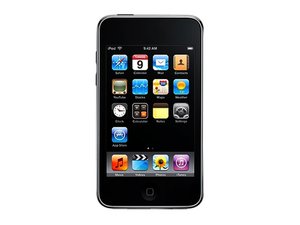
When I plug my headphones in my iPod I can only hear on the right side only. Is there something wrong with my iPod touch? I bought new headphones and it's still doing the same thing.
Faites défiler ce fil pour trouver l'endroit approprié pour y placer ce commentaire. Cliquez ensuite sur « Ajouter un commentaire à cette contribution » pour le déplacer.
2 commentaires
Exact same with me until I put pressure on the plug. Can anyone help?
I assume you'd just need to get the part but iFixit just have it.
Faites défiler ce fil pour trouver l'endroit approprié pour y placer ce commentaire. Cliquez ensuite sur « Ajouter un commentaire à cette contribution » pour le déplacer.

Strip down a Johnson & Johnson Q-tip & dip it in alcohol. Insert damp Q-tip in earphone jack and twist. This apparently cleans the contacts cause the Q-tip came out pretty dirty. This fix my static issue. jdb
Faites défiler ce fil pour trouver l'endroit approprié pour y placer ce commentaire. Cliquez ensuite sur « Ajouter un commentaire à cette contribution » pour le déplacer.
3 commentaires:
This worked perfectly for me! Thank you so much! Glad that I didn't have to take apart my ipod
Woah! This worked for me! I haven't used this iPod in years because of this issue and had tried cleaning it a few times. I guess the alcohol made the difference.
WOWWW!!! YESSS THANK YOU SO MUCH! Just like the comment above me I had this iPod damaged due to this issue for the longest time just collecting dust and even bought a new one a while ago, but then because of this suggestion I was able to hear audio from headphones once again. SUCH A RELIEF TRY THIS SUGGESTION!! ( I made an account just to post this comment) thank you so much
All I did was take a small, thin piece of a napkin, fold it once in half to fit the size of the headphone jack (making sure the strip was long enough to pull out if necessary, taping a tiny piece to the top of my iPod), and stuck it in there at the same time that I put the jack in.
It's been working perfectly fine so far, all I have to do is change the piece of napkin every week or so, to make sure it doesn't wear down.
My original problem was that I could only hear out of the right side of my headphones. I eventually noticed that the bottom right hand portion of the screen had the ability to slightly push down, making a light "clicking" noise. I thought of it as nothing, because it hadn't affected the performance of my iPod.
But recently, the above problem occurred. So that was my resolution. If any other type of suggestions aren't working (i.e., cleaning the jack with rubbing alcohol or physically taking off the screen) then try this.
It may or may not work, BUT BE CAREFUL: if you make the piece of napkin too thick and too short, it may get lodged in the very tip of the inside of the jack. Don't blame me if it doesn't work.
Faites défiler ce fil pour trouver l'endroit approprié pour y placer ce commentaire. Cliquez ensuite sur « Ajouter un commentaire à cette contribution » pour le déplacer.
2 commentaires:
I have checked every repair method and they all involved taking the iPod apart...I didn't want to do that so Breanna, you are a genious. I used a piece of napkin and my headphone jack is working perfectly. Thank you. BTW, I tossed so many pairs of ear buds thinking they were at fault..............including the nice white ones which came with my iPod Touch.
Anyone from iFixit that can help with this problem?
Another thing that might just work is a dismantle and review of the part. Might turn out there's a pin slightly pushed out of place (possible easy fix) as opposed to the ribbon cable damaged (more hassle).
Faites défiler ce fil pour trouver l'endroit approprié pour y placer ce commentaire. Cliquez ensuite sur « Ajouter un commentaire à cette contribution » pour le déplacer.
Dismantle the back(take off the back armor) and you will see two to three screws. Put on your headphones and play music while you are doing this. (do this for each screw seperately and make sure it's only the screws for the headphone jack). before very careful taking off the back also. What you need to do is while your headphones are plugged in, loosen or unscrew one of the screws. After, push in your headphones and adjust them to where both headphones work. Once both working properly, hold the headphone in place and screw back in the screw/tighten it. Once this is done for all screws, your ipod should be fixed.
Faites défiler ce fil pour trouver l'endroit approprié pour y placer ce commentaire. Cliquez ensuite sur « Ajouter un commentaire à cette contribution » pour le déplacer.
1 commentaire:
Thanks Christian, I think I'll give it a go. My iPhone 4 is more important to me now so I think I'll take a chance with opening the iPod now.
Faites défiler ce fil pour trouver l'endroit approprié pour y placer ce commentaire. Cliquez ensuite sur « Ajouter un commentaire à cette contribution » pour le déplacer.
No need to add something or clean the jack. All you need to do is to remove the glass and unscrew the jack. Look this video to know exacly what to do => http://www.youtube.com/watch?v=661_XA8s3...!
Faites défiler ce fil pour trouver l'endroit approprié pour y placer ce commentaire. Cliquez ensuite sur « Ajouter un commentaire à cette contribution » pour le déplacer.
I tried and tried all of these methods and none helped solve the problem. I developed some ideas that would help do the trick. Out of all the one to do the trick happened to be the last of my ideas.
The first step is to unscrew the two side screws that keep the audio jack in place. Make sure to have some earphones by your side. Secondly, plug those earphones into the audio jack. Once that is done put on a song, or anything that can produce music. Thirdly, get a screw and try to place it under the audio jack upside down. Should look like this _l_. Tilt the headphone jack after you have successfully inserted the screw into the last socket. Lastly, screw in the closest socket with the final screw. Should be tightly screwed on. What this accomplishes is giving elevation to your audio jack, instead of you doing it, so music can be heard from both sides. This should help, it did for me.
Faites défiler ce fil pour trouver l'endroit approprié pour y placer ce commentaire. Cliquez ensuite sur « Ajouter un commentaire à cette contribution » pour le déplacer.
All you gotta do is get a safety pin, stick it in and CAREFULLY scrape out the dust. You probably can't see the dust, but it is definitely there. I had this issue just last night and I had enough of it so I jabbed the caked in dust In my headphone jack and scraped it out. It does take about 15 minutes, but its well worth it. If you do go ahead with this be really careful not to damage the little gold dots in the jack. Screw up a tissue and make sure it's really tightly wound so its thin. Use this tissue to dust the inside of the jack. Keep doing this until the headphones click in properly. Listen to a song to see if both sides of the track are now playing.
Faites défiler ce fil pour trouver l'endroit approprié pour y placer ce commentaire. Cliquez ensuite sur « Ajouter un commentaire à cette contribution » pour le déplacer.
It turned out that mine wasn't working because the screen had broken and loosened near the headphone jack. When I pressed down on the screen near the jack, the left headphone would work again. I stuck a binder clip on it for constant pressure, and it works! BTW the clip pops off easily because the back of the device is rounded. I may tape it down in the future. Hope this helps!
Faites défiler ce fil pour trouver l'endroit approprié pour y placer ce commentaire. Cliquez ensuite sur « Ajouter un commentaire à cette contribution » pour le déplacer.
Hey guys, I had this same problem a little ago until it was just too late and the headphone jack broke in two little pieces.Can I just glue them together? what should I do?
Faites défiler ce fil pour trouver l'endroit approprié pour y placer ce commentaire. Cliquez ensuite sur « Ajouter un commentaire à cette contribution » pour le déplacer.
Go onto 'settings' then go to 'general' then go to 'accessibility' then you will see an option 'mono audio' turn it on or if it is on put the circle sliding part in the centre
Faites défiler ce fil pour trouver l'endroit approprié pour y placer ce commentaire. Cliquez ensuite sur « Ajouter un commentaire à cette contribution » pour le déplacer.
I had an issue where I needed to put pressure or have the jack halfway-ish out (by putting a wrap of thread on the jack itself) in order to have proper audio.
I cleaned the jack out using a toothpick and pulled a wad of lint out and its perfect again!
Faites défiler ce fil pour trouver l'endroit approprié pour y placer ce commentaire. Cliquez ensuite sur « Ajouter un commentaire à cette contribution » pour le déplacer.
i've had 2 Apple Ipods have this happen in the last 2 weeks.. and what is suggested here doesn't work... poor workmanship of the product as far as i am concerned.
Faites défiler ce fil pour trouver l'endroit approprié pour y placer ce commentaire. Cliquez ensuite sur « Ajouter un commentaire à cette contribution » pour le déplacer.
1 commentaire:
Removed back with extreme caution had a cursory glance decided not to poke around & put cover back on now no screen Wtf
I just used a mechanical pencil lead or tooth pick to thoroughly clean out the inside of the jack. Worked way better after and didnt have to dismantle.
Faites défiler ce fil pour trouver l'endroit approprié pour y placer ce commentaire. Cliquez ensuite sur « Ajouter un commentaire à cette contribution » pour le déplacer.
2 commentaires
Exact same with me until I put pressure on the plug. Can anyone help?
I assume you'd just need to get the part but iFixit just have it.
par John Ward
I had a similar issue then I cleaned the jack out with a toothpick and pulled some lint out and its perfect again.
par devoidv3