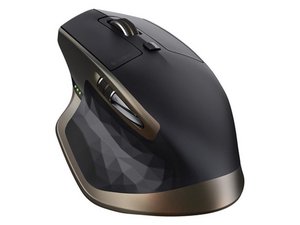
Left click doesn't work all the time
The left click doesn't work properly,
Cette question est-elle utile ?
Indice
1

Rep: 37
 2
2
 1
1
The left click doesn't work properly,
Cette question est-elle utile ?

Rep: 133
5
1
these clicky, micro buttons can often do well after applying a drop of lubricant. You can remove the top case of the mouse, exposing the guts. Disassembly often requires removing screws which are hidden beneath the low friction Teflon stickers. Remove these with the edge of a blade. Try hard to pull them off without bending or curling them. Try hard to not touch the glue surface.
Sometimes the glue is ruined and you will need to re-glue them seeing that they fall off sometimes. Which is annoying. Don't be tempted to use superglue. Choose something flexible which sets rubbery, so we might be able to pull them off again one day.
You will see clearly the micro button mechanisms for left/right, perhaps others. Take some WD40 and apply a single drop onto each micro switch.
Leave the mouse be for a about an hour. Occasionally press the buttons a few times. We're giving time for the oil to seep inside and coat the teeny tiny mechanism. It will get inside, it just takes some time. Do not apply more oil.
Reassemble the mouse and use it normally. It may take a day to achieve the full effect of the oil. It may work almost immediately. If it doesn't seem to have made any difference at all, do not repeat the procedure.
No mater the outcome, this will not damage or harm your mouse in anyway.
Cette réponse est-elle utile ?
Dernières 24 heures : 28
7 derniers jours : 177
30 derniers jours : 830
Total : 6,721

2 commentaires
My left mouse button double clicks all of the time on 2 of these mice. Will this procedure fix that issue?
par USN_Retired
It may.
if you follow what I have written you will not damage your mouse. It's low risk with a large chance of working out for you. Frankly I am surprised why such a technique is not more popular.
par Jade