Aller au contenu principal
Pour réparer ensemble - Je crée un compte

2005-2010 Hummer H3 Faulty Speaker Replacement

Ce dont vous avez besoin

    1. 2005-2010 Hummer H3 Faulty Speaker Replacement, Disconnect Battery: étape 1, image 1 de 2 2005-2010 Hummer H3 Faulty Speaker Replacement, Disconnect Battery: étape 1, image 2 de 2
      • Ensure the vehicle is turned off before accessing the battery.

      • Remove the negative terminal first, followed by the positive terminal. Removing the positive terminal first could result in a direct short to the ground.

      • Use your 10-millimeter wrench to remove the hex nuts on the negative terminal. (Image 1)

      • Once the negative terminal's hex nut is removed, we can tuck the negative terminal and cable beside the battery. (Image 2)

      • Repeat these two steps for the positive terminal.

      Demander à FixBot

      Ajouter un commentaire

    2. 2005-2010 Hummer H3 Faulty Speaker Replacement, Locate and Remove Plastic Covers: étape 2, image 1 de 3 2005-2010 Hummer H3 Faulty Speaker Replacement, Locate and Remove Plastic Covers: étape 2, image 2 de 3 2005-2010 Hummer H3 Faulty Speaker Replacement, Locate and Remove Plastic Covers: étape 2, image 3 de 3
      Outil utilisé dans cette étape :
      Tweezers
      $4.99
      • Identify plastic covers (Image 1)

      • Remove plastic covers with tweezers (Image 2 & 3)

      • Be careful not to scratch the plastic when you remove the coverings with the tweezers.

      Demander à FixBot

      Ajouter un commentaire

    3. 2005-2010 Hummer H3 Faulty Speaker Replacement, Removing the Fasteners: étape 3, image 1 de 3 2005-2010 Hummer H3 Faulty Speaker Replacement, Removing the Fasteners: étape 3, image 2 de 3 2005-2010 Hummer H3 Faulty Speaker Replacement, Removing the Fasteners: étape 3, image 3 de 3
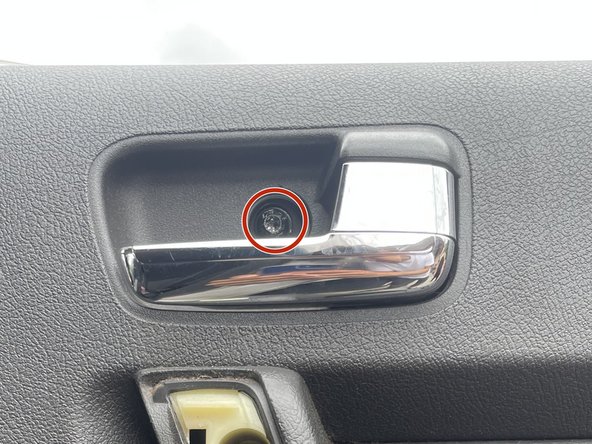
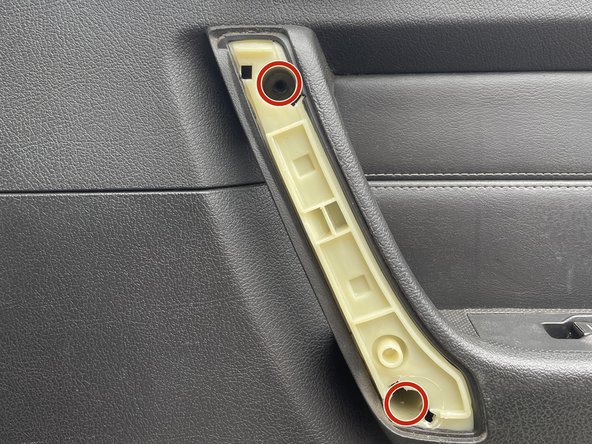
      • Remove the three highlighted fasteners with the T30 Torx Screwdriver. (Image 1 & 2)

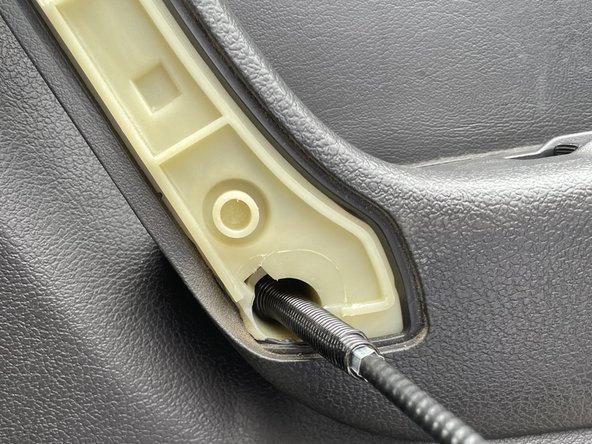
      • Use the magnetic pickup tool for loosened stubborn fasteners that are difficult to remove from the socket (Image 3)

      Demander à FixBot

      Ajouter un commentaire

    4. 2005-2010 Hummer H3 Faulty Speaker Replacement, Detaching Door Panel: étape 4, image 1 de 3 2005-2010 Hummer H3 Faulty Speaker Replacement, Detaching Door Panel: étape 4, image 2 de 3 2005-2010 Hummer H3 Faulty Speaker Replacement, Detaching Door Panel: étape 4, image 3 de 3
      • The door panel will not fully detach in this step. Do not yank after the panel is released from the frame!

      • It is recommended to have an extra helping hand for the following steps.

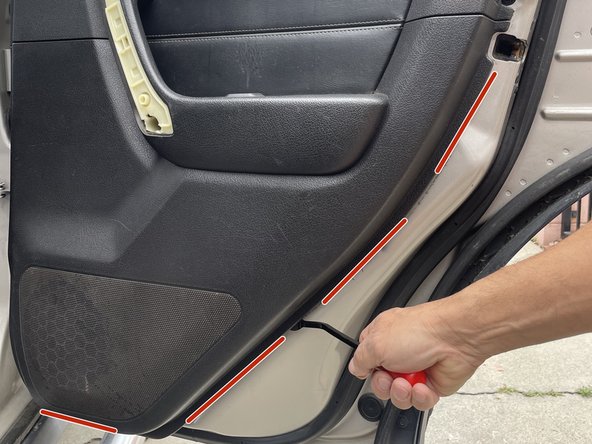
      • Shimmy the prybar along the outlined area until you feel a slight detachment from the door panel. (Image 1)

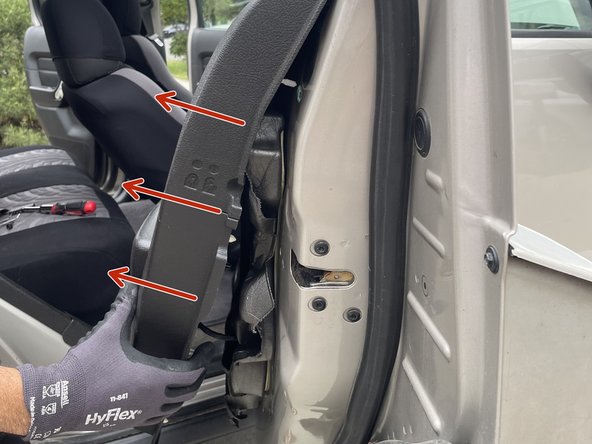
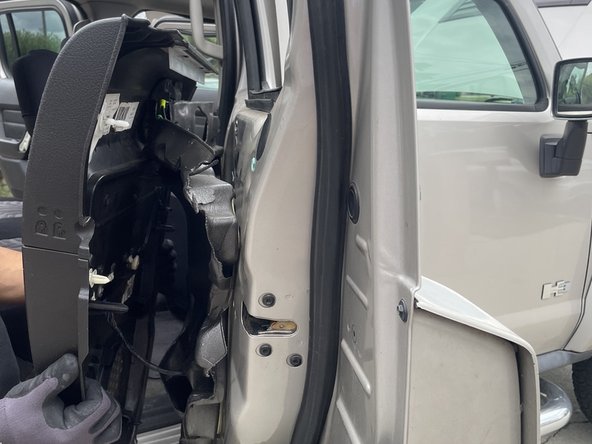
      • Grab the door panel and pull the bottom portion towards yourself slightly. (Image 2)

      • With the panel pulled slightly towards you, you can lift it, releasing it from the frame. (Image 3)

      Demander à FixBot

      Ajouter un commentaire

    5. 2005-2010 Hummer H3 Faulty Speaker Replacement, Disconnecting Cables from the Panel: étape 5, image 1 de 3 2005-2010 Hummer H3 Faulty Speaker Replacement, Disconnecting Cables from the Panel: étape 5, image 2 de 3 2005-2010 Hummer H3 Faulty Speaker Replacement, Disconnecting Cables from the Panel: étape 5, image 3 de 3
      • Do not yank the door panel.

      • Having an extra helping hand hold the panel while you complete the following steps is recommended.

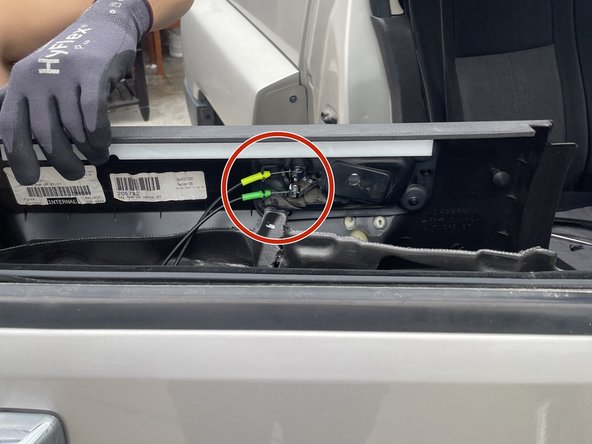
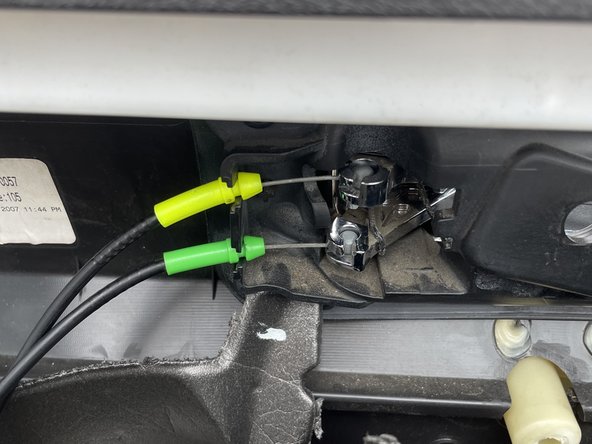
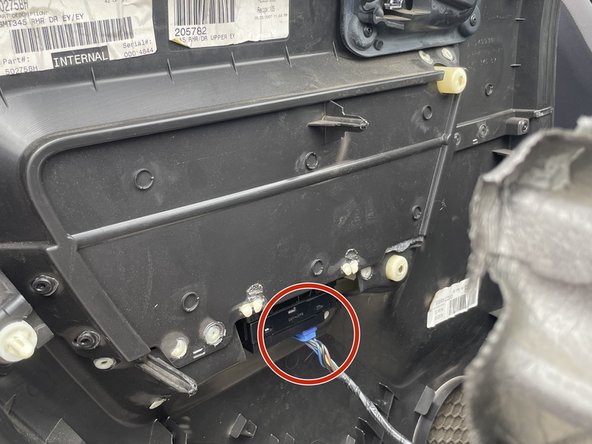
      • Locate the two metal cables used for the handle and locking mechanism attached to the ball sockets behind the door panel. (Image 1)

      • Rotate the yellow cable 90 degrees counterclockwise and lift the cable from the ball socket. Repeat for the green cable. (Image 2)

      • With both cables removed from the panel, we can now remove the Blue electrical cable.

      • Press on the clip of the blue cable and gently unplug. (Image 3)

      Demander à FixBot

      Ajouter un commentaire

    6. 2005-2010 Hummer H3 Faulty Speaker Replacement, Removing faulty rear side speaker: étape 6, image 1 de 3 2005-2010 Hummer H3 Faulty Speaker Replacement, Removing faulty rear side speaker: étape 6, image 2 de 3 2005-2010 Hummer H3 Faulty Speaker Replacement, Removing faulty rear side speaker: étape 6, image 3 de 3
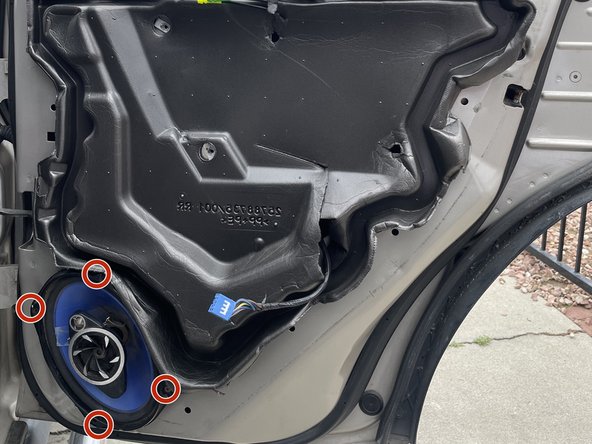
      • Locate the four fasteners that hold the speaker in place. (Image 1)

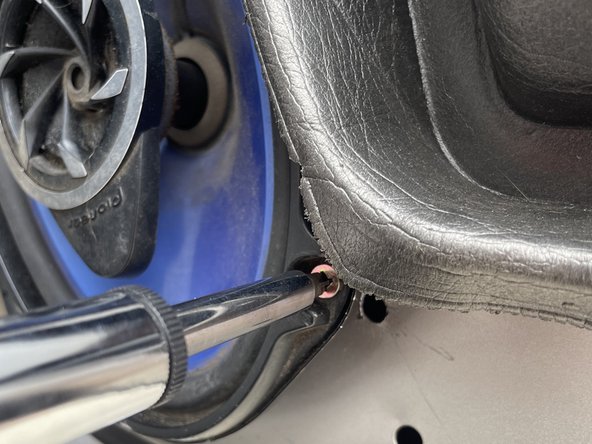
      • Use the Phillips Head Screwdriver size PH2 to remove the four fasteners (Image 2)

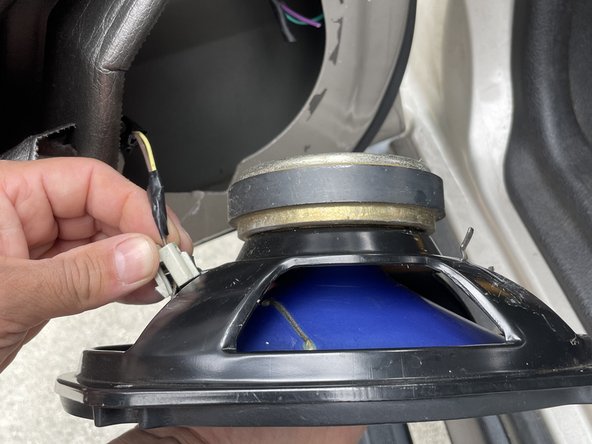
      • With the fasteners removed, we can gently pull the speaker out, which will reveal the final cable.

      • Locate the clip on the cable connected to the speaker and gently unplug it. (Image 3)

      Demander à FixBot

      Ajouter un commentaire

Conclusion

To reassemble your device, follow these instructions in reverse order.

Annulation : je n'ai pas terminé ce tutoriel.

Justin Cobian

Membre depuis le 05/04/23

133 Réputation

1 tutoriel rédigé

0 commentaires de tutoriel

Ajouter un commentaire

Nombre de vues :

Dernières 24 heures : 3

7 derniers jours : 28

30 derniers jours : 59

Total : 1,343