
2008 Toyota Corolla Battery Replacement

Lair Noriega et
Dernière mise à jour le 7 juin 2022
Vues: 8,6 k
Afficher les statistiques :
- Dernières 24 heures :
- 7
- Sept derniers jours :
- 58
- Trente derniers jours :
- 226
- Total :
- 8 586
Commentaires: 1
1 commentaire de tutoriel.
Aller aux commentaires de tutorielTerminé: 4 5
4 personnes ont marqué ce tutoriel comme « terminé ». Serez-vous la prochaine ?
5 personnes ont marqué ce tutoriel comme « terminé ». Dont vous — super travail !
Favoris: 1 2
1 personne a mis ce tutoriel en favori (et s'y est abonnée). Serez-vous la prochaine ?
2 personnes ont mis ce tutoriel en favori (et s'y sont abonnées) – dont vous !
Introduction
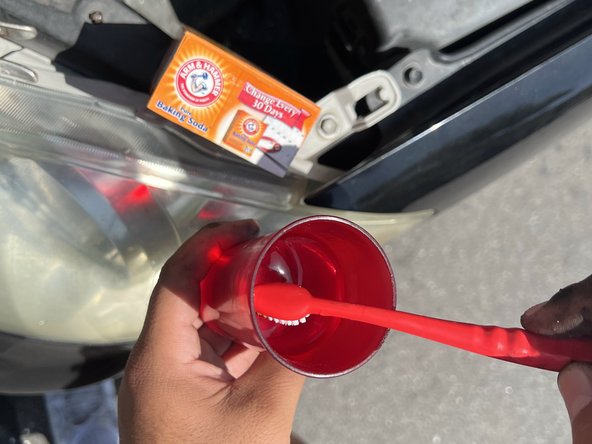
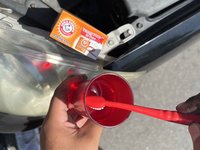
Allez à l'étape 1 ↓This guide will show you how to replace the battery in a 2008 Toyota Corolla. To get started, ensure the vehicle is parked in a safe place and turned off. Place the vehicle in park and engage the parking brake. Be sure to prepare baking soda mixed with water to clean the terminals.
Ce dont vous avez besoin
Outils


-
-
-
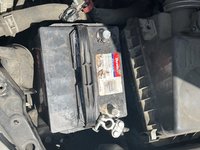
Open the car hood.
-
The battery will be located on the bottom right.
 Demander à FixBot
-
-
-
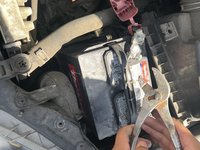
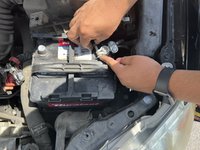
Unscrew the bolt to loosen the negative terminal.
-
Remove the negative terminal from the battery.
-
-
-
-
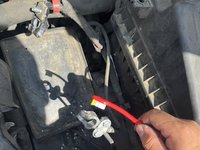
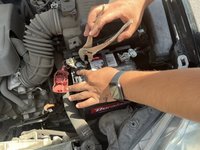
Take the red cover off the positive terminal.
-
Unscrew the bolt to remove the positive terminal.
-
-
-
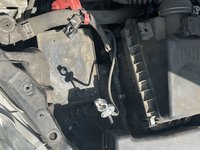
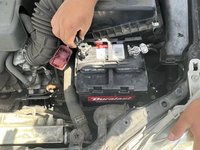
Disconnect the battery's terminals from the battery, and remove the old battery.
-
-
-
Once everything is clean, you can begin installing your new battery.
-
Install your new battery in the correct space. You will install the negative terminal first, then the positive terminal.
-
-
-
Ensure that every bolt is secured.
-
Start your car and let your car run for a couple of minutes.
-
-







Annulation : je n'ai pas terminé ce tutoriel.
4 autres ont terminé cette réparation.

Équipe

CSU Los Angeles, Team 4-84, Briggs Spring 2022 Membre de l'équipe CSU Los Angeles, Team 4-84, Briggs Spring 2022
CSULA-BRIGGS-S22S4G84
1 membre
12 tutoriels rédigés
1 commentaire de tutoriel
Just had my Toyota 2008 model battery replaced but the battery keeps draining. But when I put it on a different car it doesn't drain but it drains on mine. What could be the problem?
