Aller au contenu principal

Amazon Echo Show 10 3rd Gen Display Replacement

Ce dont vous avez besoin

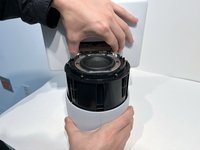
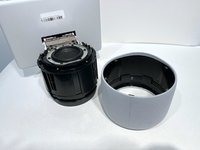
  1. Amazon Echo Show 10 3rd Gen Display Replacement, Display: étape 1, image 1 de 2 Amazon Echo Show 10 3rd Gen Display Replacement, Display: étape 1, image 2 de 2
    • With the Echo device standing upright, firmly grip the base and use the blue opening tool to gently pry the lid from the mesh speaker base.

    • Remove the lid and set aside.

  2. Amazon Echo Show 10 3rd Gen Display Replacement: étape 2, image 1 de 1
    • Use a TR8 Torx Security screwdriver to remove the six 9 mm screws from the perimeter of the plastic bezel on the top edge of the device.

  3. Amazon Echo Show 10 3rd Gen Display Replacement: étape 3, image 1 de 2 Amazon Echo Show 10 3rd Gen Display Replacement: étape 3, image 2 de 2
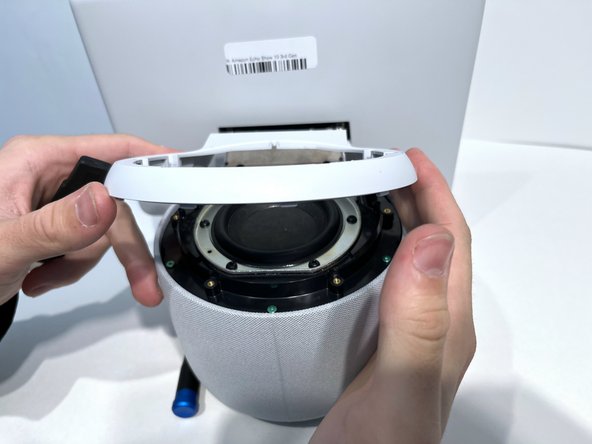
    • Release the adhesive seal connecting the bezel to the main base by inserting a Jimmy underneath the edge, and gently sliding from one side to another.

    • Lift up the outermost edge of the plastic bezel (furthest from the display) to remove it and set it aside.

    • After removing the screws in the previous step, the only thing holding this component in place is glue. You may need to apply a little force to break the seal created by any remaining glue to remove the bezel component. You could also apply a little heat with the iOpener to loosen the adhesive.

  4. Amazon Echo Show 10 3rd Gen Display Replacement: étape 4, image 1 de 1
    • Use a Torx T6 screwdriver to remove the five 10 mm screws from the perimeter of the top surface of the base.

  5. Amazon Echo Show 10 3rd Gen Display Replacement: étape 5, image 1 de 2 Amazon Echo Show 10 3rd Gen Display Replacement: étape 5, image 2 de 2
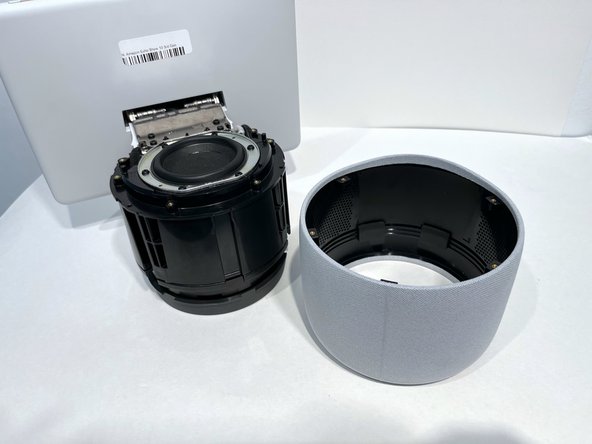
    • With one hand securely holding the neck of the display and the other holding the device base, gently lift the device out of the mesh shell.

    • Place the shell aside.

  6. Amazon Echo Show 10 3rd Gen Display Replacement: étape 6, image 1 de 1
    • Tilt the device so that the underside of the display and its neck are facing you.

    • You may need help holding it in this position. Alternatively, you could place the device on a soft surface so it doesn't get damaged.

    • Use a T6 Torx screwdriver to remove the two 5mm screws from the underside of the display neck.

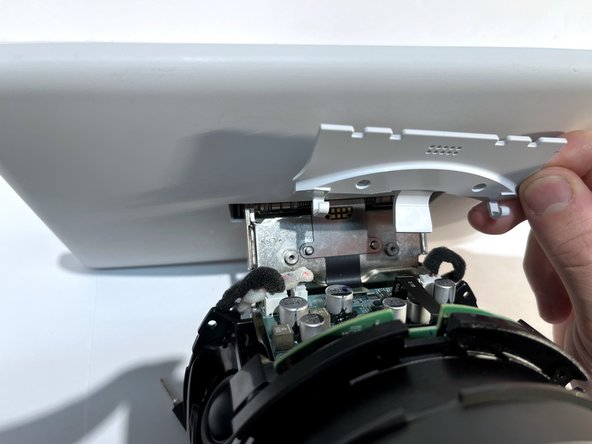
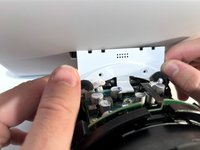
  7. Amazon Echo Show 10 3rd Gen Display Replacement: étape 7, image 1 de 2 Amazon Echo Show 10 3rd Gen Display Replacement: étape 7, image 2 de 2
    • Lift the plate up to remove it from the neck of the device.

    • Set it aside for reassembly.

  8. Amazon Echo Show 10 3rd Gen Display Replacement: étape 8, image 1 de 1
    • Use an opening tool to flip up the small locking flap on the ribbon cable connector located in the center of the exposed underside of the display neck.

    • Gently pull the cable out.

  9. Amazon Echo Show 10 3rd Gen Display Replacement: étape 9, image 1 de 1
    • Tilt the device so it is in the upright position.

    • Use a TR10 Torx Security screwdriver to remove the four 11 mm screws from the top of the display neck.

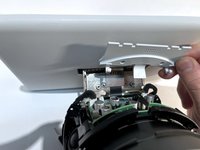
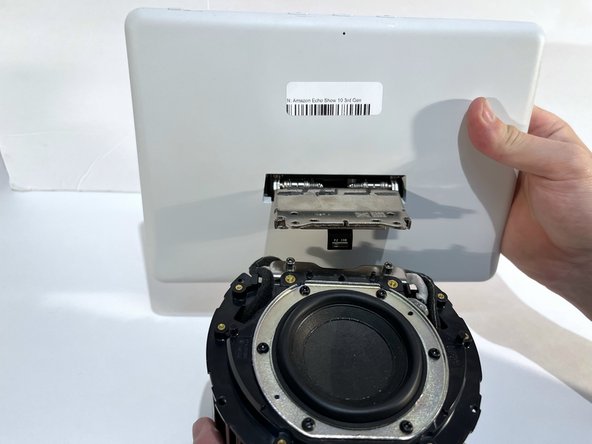
  10. Amazon Echo Show 10 3rd Gen Display Replacement: étape 10, image 1 de 2 Amazon Echo Show 10 3rd Gen Display Replacement: étape 10, image 2 de 2
    • Gently lift the display and its connecting neck off of the base.

Conclusion

To reassemble your device, follow these instructions in reverse order.

Une autre personne a terminé cette réparation.

Macy Ormand

Membre depuis le 09/13/23

1 094 Réputation

6 tutoriels rédigés

Équipe

4 commentaires de tutoriel

any idea where to purchase a replacement display?

Don Jackson - Réponse

Were you able to source a replacement display? I'm having troubles finding one. Thanks

Jeg4 -

where can I buy a replacement display for echo 10 3rd gen?

Tomasz K. - Réponse

Wenn ihr eine Quelle gefunden habt wäre eine info schön ich suche nun auch nach einem kleinen missgeschick...

Jan Pfotenhauer - Réponse

Ajouter un commentaire

Nombre de vues :

Dernières 24 heures : 5

7 derniers jours : 30

30 derniers jours : 115

Total : 1,872