Cette traduction a été générée automatiquement et n’a pas encore fait l’objet d’une relecture humaine. Vous parlez cette langue ? Relisez-la.

Changement batterie Bose SoundDock Portable v2

Evan Low et
Dernière mise à jour le 17 août 2026
Vues: 29 k
Afficher les statistiques :
- Dernières 24 heures :
- 9
- Sept derniers jours :
- 53
- Trente derniers jours :
- 194
- Total :
- 28 700
Commentaires: 8
8 commentaires de tutoriel.
Aller aux commentaires de tutorielTerminé: 4 5
4 personnes ont marqué ce tutoriel comme « terminé ». Serez-vous la prochaine ?
5 personnes ont marqué ce tutoriel comme « terminé ». Dont vous — super travail !
Favoris: 0 1
Personne n'a mis ce tutoriel en favori (ni ne s'y est abonné). Serez-vous le premier ?
1 personne a mis ce tutoriel en favori (et s'y est abonnée) – et c'est vous !
Meilleure introduction
Améliorez ce tutoriel en complétant ou modifiant l'introduction.
Ce dont vous avez besoin

-
-
-
À l'aide de votre ongle ou d'une pièce de monnaie, appuyez sur le bouton rainuré de la batterie et tournez-le dans le sens inverse des aiguilles d'une montre pour déverrouiller la batterie.
 Demander à FixBot
-
-
-
-
Sur la nouvelle batterie, assurez-vous que la fente du bouton de la batterie est en position horizontale.
-
Insérez la batterie dans le connecteur à broches.
-
-
-
Enfoncez le bouton fendu et tournez-le dans le sens des aiguilles d'une montre jusqu'à ce que la fente soit verticale. Cela verrouille la batterie en place.
-
-


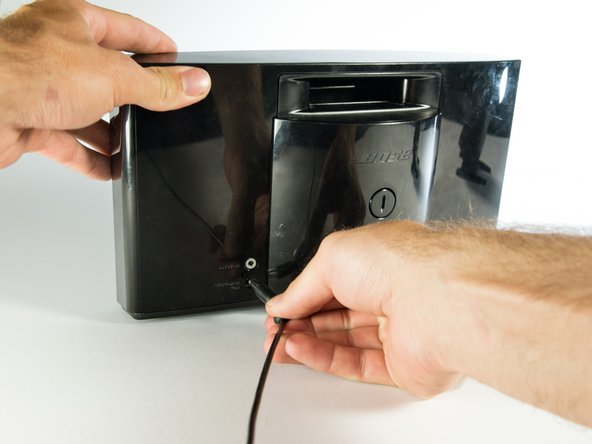
Pour remonter votre appareil, suivez ces instructions en sens inverse.
Annulation : je n'ai pas terminé ce tutoriel.
4 autres ont terminé cette réparation.

Équipe

Cal Poly, Team 4-1, Maness Spring 2015 Membre de l'équipe Cal Poly, Team 4-1, Maness Spring 2015
CPSU-MANESS-S15S4G1
4 membres
60 tutoriels rédigés
8 commentaires de tutoriel
I think it would be cool to show a Teardown of the Bose SoundDock Portable v2 Battery.
I agree. These batteries seem prone to failure and I’d like to replace the cells or whatever it is that is the failure point.
Thanks for your easy and concise help.
Battery is repairable.
There are 4 screws under plastic plugs under sticker. They are one way heads :( use force or a drill.
Locking thingy removal - push the cross pin through - pliers or vise grips to grab and pull out completely. Keep an eye on where spring went.
There may be a bit of glue or tape holding cover too.
4 x 18650 Li-ion cells in 2 banks at each side of the charging board which is held down by 5 screws. Some adhesive was used to hold the cells to the back.
Use meter to check. Mine had one cell at 0V so that was the culprit.
Remove any bad cells by cutting the glue about the temp sensors to carefully get them out of the way. Then cut the cell tags - careful not to short anything as there is charge about. I found it faster to cut tags but you could unglue all cells and lift the board and do that way. My replacement cell came from a Dell laptop pack. Glue the new battery in place (I used automotive trim tape as it was handy) and solder the new cell. Reglue temp sensors.
Reassemble with some new screws.
Hi. How do you push the cross pin through? I can’t
