Introduction
This guide provides detailed step-by-step instructions for replacing the motherboard in a Dell Latitude 9510 laptop. The motherboard serves as the main circuit board, connecting all internal components and ensuring proper system operations. Before you start, be sure the whole system is fully powered off and unplugged. Follow these steps efficiently to ensure a safe, proper replacement process and restore your device to full working condition.
Ce dont vous avez besoin
-
-
Flip the device so that the base plate is facing you.
-
Use a Phillips #0 screwdriver to remove the nine 5.5 mm screws securing the base plate.
-
-
-
Use a Phillips #0 screwdriver to remove the four 2 mm screws from the speakers.
-
-
-
-
Use a Phillips #0 screwdriver to remove the four 3.5 mm screws.
-
-
-
Use a Phillips #0 screwdriver to remove the eight screws securing the battery.
-
-
-
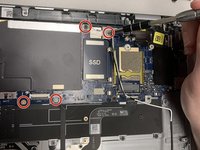
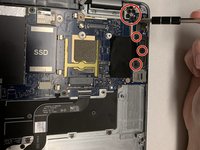
Use a Phillips #00 screwdriver to remove the four screws.
-
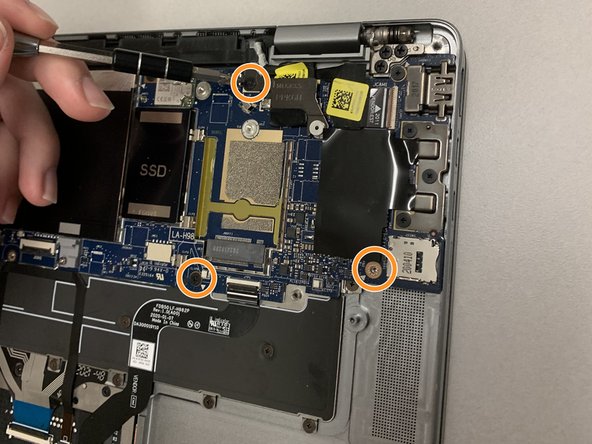
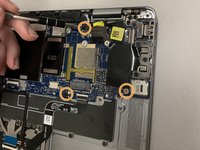
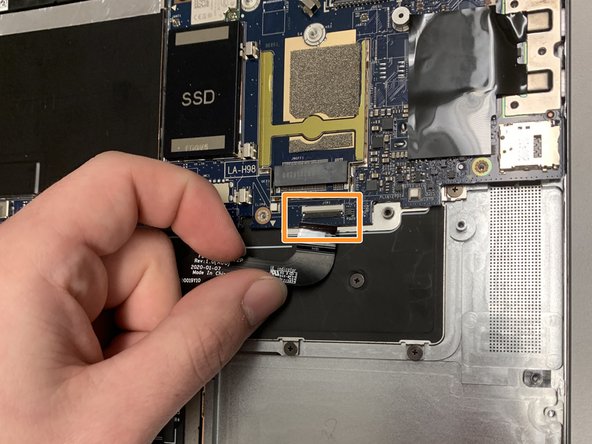
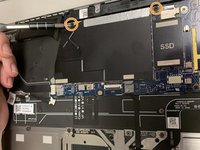
Use a Phillips #00 screwdriver to remove the three screws.
-



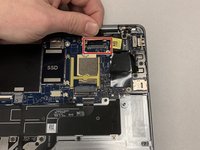
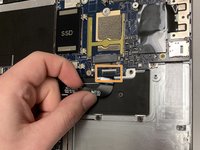



To reassemble your device, follow these instructions in reverse order.



Équipe

Western Carolina University, Team 1-5, Virtue Spring 2022 Membre de l'équipe Western Carolina University, Team 1-5, Virtue Spring 2022
WCU-VIRTUE-S22S1G5
4 membres
5 tutoriels rédigés
