Aller au contenu principal
Pour réparer ensemble - Je crée un compte

Handspring Visor Deluxe PDA Button Pad and Battery Terminal Replacement

Ce dont vous avez besoin

  1. Handspring Visor Deluxe PDA Button Pad and Battery Terminal Replacement, Outside cover and stylus: étape 1, image 1 de 2 Handspring Visor Deluxe PDA Button Pad and Battery Terminal Replacement, Outside cover and stylus: étape 1, image 2 de 2
    • Remove the outer screen cover by releasing the top clip from the main body of the device.

    Demander à FixBot

    Ajouter un commentaire

  2. Handspring Visor Deluxe PDA Button Pad and Battery Terminal Replacement: étape 2, image 1 de 3 Handspring Visor Deluxe PDA Button Pad and Battery Terminal Replacement: étape 2, image 2 de 3 Handspring Visor Deluxe PDA Button Pad and Battery Terminal Replacement: étape 2, image 3 de 3
    • Pull out the stylus from the top right corner of the device.

    Demander à FixBot

    Ajouter un commentaire

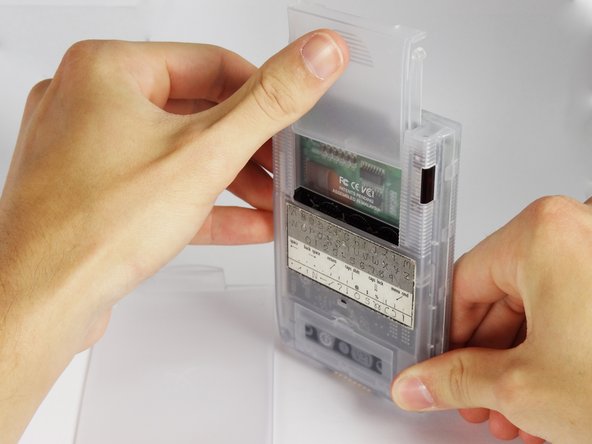
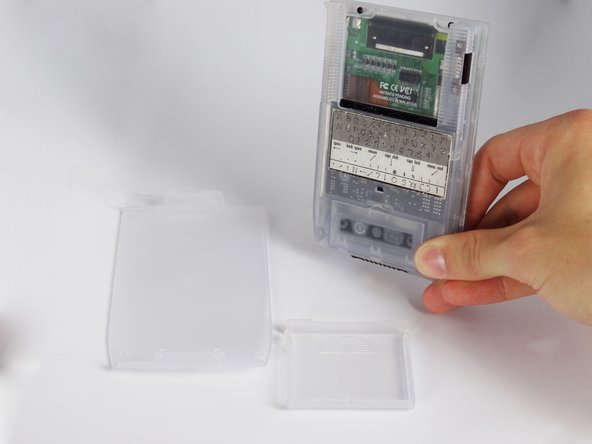
  3. Handspring Visor Deluxe PDA Button Pad and Battery Terminal Replacement: étape 3, image 1 de 3 Handspring Visor Deluxe PDA Button Pad and Battery Terminal Replacement: étape 3, image 2 de 3 Handspring Visor Deluxe PDA Button Pad and Battery Terminal Replacement: étape 3, image 3 de 3
    • Slide the memory cartridge cover up and off the device.

    Demander à FixBot

    Ajouter un commentaire

  4. Handspring Visor Deluxe PDA Button Pad and Battery Terminal Replacement, Batteries: étape 4, image 1 de 2 Handspring Visor Deluxe PDA Button Pad and Battery Terminal Replacement, Batteries: étape 4, image 2 de 2
    • Remove the battery cover by releasing the clip from the main body of the device.

    Demander à FixBot

    Ajouter un commentaire

  5. Handspring Visor Deluxe PDA Button Pad and Battery Terminal Replacement: étape 5, image 1 de 1
    • Remove the batteries from the device.

    Demander à FixBot

    Ajouter un commentaire

  6. Handspring Visor Deluxe PDA Button Pad and Battery Terminal Replacement, Back Cover: étape 6, image 1 de 1
    • Unscrew the four 2.94mm screws with a #00 Phillips screwdriver.

    • One end of the OEM stylus can unscrew and contains a mini #00 Phillips screwdriver.

    Demander à FixBot

    Ajouter un commentaire

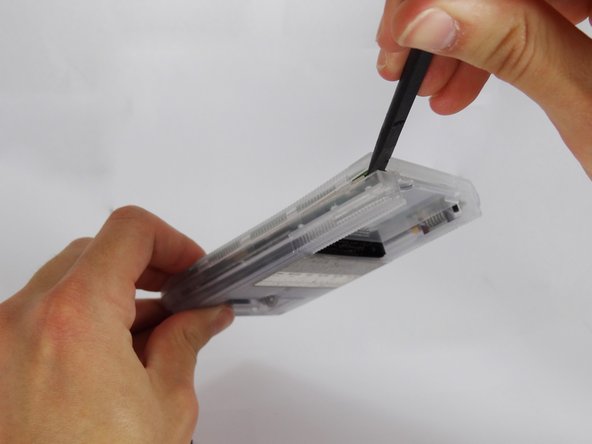
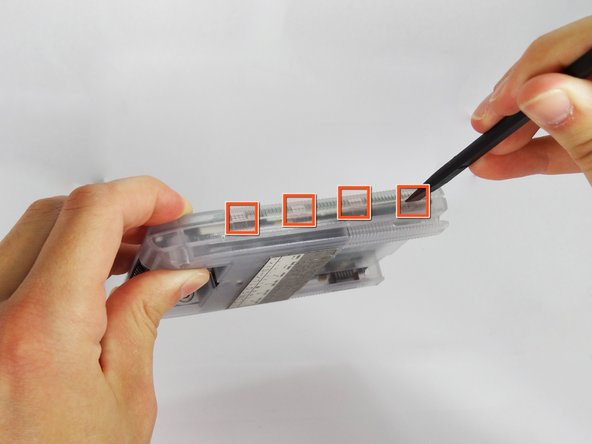
  7. Handspring Visor Deluxe PDA Button Pad and Battery Terminal Replacement: étape 7, image 1 de 3 Handspring Visor Deluxe PDA Button Pad and Battery Terminal Replacement: étape 7, image 2 de 3 Handspring Visor Deluxe PDA Button Pad and Battery Terminal Replacement: étape 7, image 3 de 3
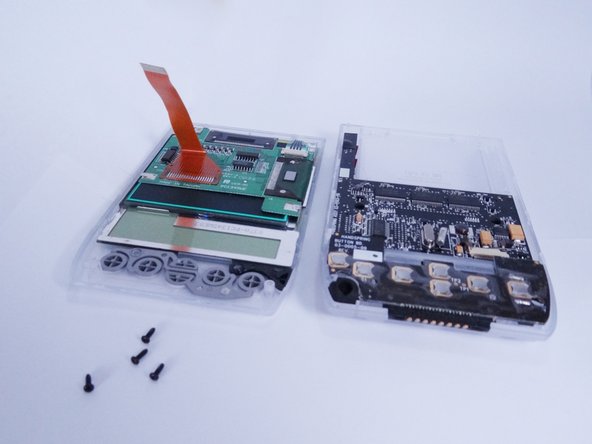
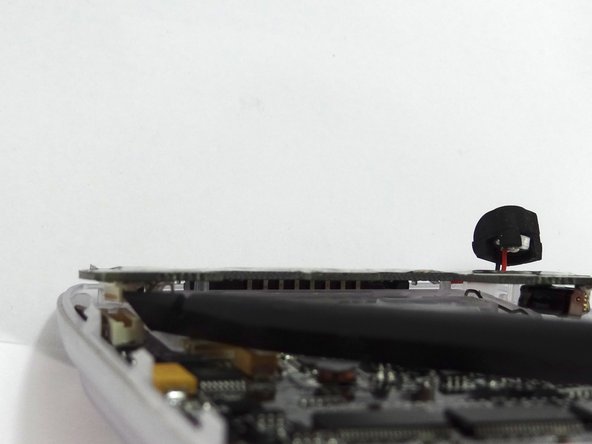
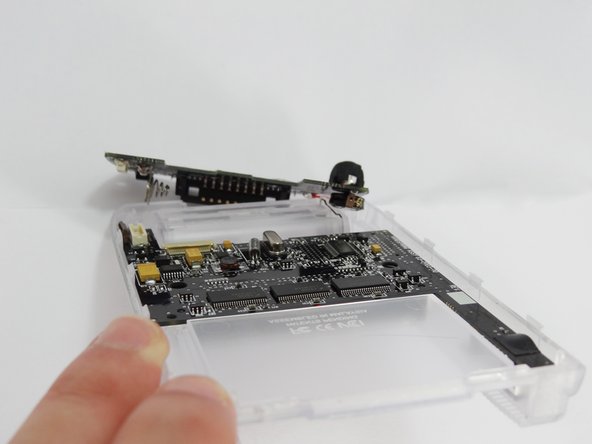
    • Use the spudger to pry open the casing by applying pressure at 4 clips on both sides of the device.

    • Be careful while opening the casing as there is a flex strip connecting the two halves.

    Demander à FixBot

    Ajouter un commentaire

  8. Handspring Visor Deluxe PDA Button Pad and Battery Terminal Replacement: étape 8, image 1 de 3 Handspring Visor Deluxe PDA Button Pad and Battery Terminal Replacement: étape 8, image 2 de 3 Handspring Visor Deluxe PDA Button Pad and Battery Terminal Replacement: étape 8, image 3 de 3
    Outil utilisé dans cette étape :
    Tweezers
    $4.99
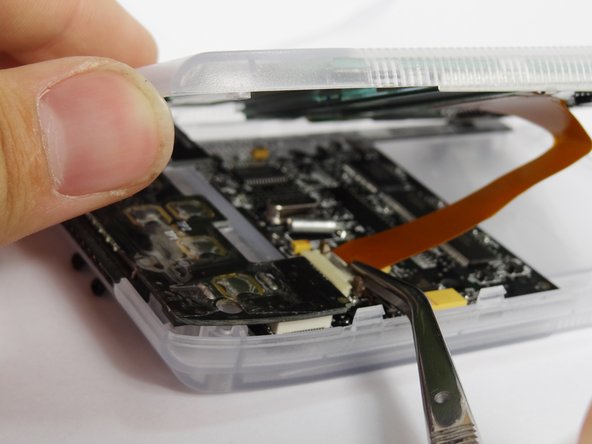
    • Disconnect the flex strip from the motherboard with tweezers.

    Demander à FixBot

    Ajouter un commentaire

  9. Handspring Visor Deluxe PDA Button Pad and Battery Terminal Replacement, Button Pad and Battery Terminal: étape 9, image 1 de 1
    Outil utilisé dans cette étape :
    Tweezers
    $4.99
    • Use tweezers to remove the power button from the back case.

    Demander à FixBot

    Ajouter un commentaire

  10. Handspring Visor Deluxe PDA Button Pad and Battery Terminal Replacement: étape 10, image 1 de 3 Handspring Visor Deluxe PDA Button Pad and Battery Terminal Replacement: étape 10, image 2 de 3 Handspring Visor Deluxe PDA Button Pad and Battery Terminal Replacement: étape 10, image 3 de 3
    • Disconnect the button pad by using the spudger to pry it off the motherboard.

    • Remove the button pad.

    Demander à FixBot

    Ajouter un commentaire

Conclusion

To reassemble your device, follow these instructions in reverse order.

Annulation : je n'ai pas terminé ce tutoriel.

David Faltemier

Membre depuis le 06/20/12

19 Réputation

5 tutoriels rédigés

Équipe

Cal Poly, Team 1-2, Regan SU 2012 Membre de l'équipe Cal Poly, Team 1-2, Regan SU 2012

CPSU-REGAN-SU12S1G2

4 membres

12 tutoriels rédigés

0 commentaires de tutoriel

Ajouter un commentaire

Nombre de vues :

Dernières 24 heures : 0

7 derniers jours : 7

30 derniers jours : 46

Total : 1,031