Aller au contenu principal

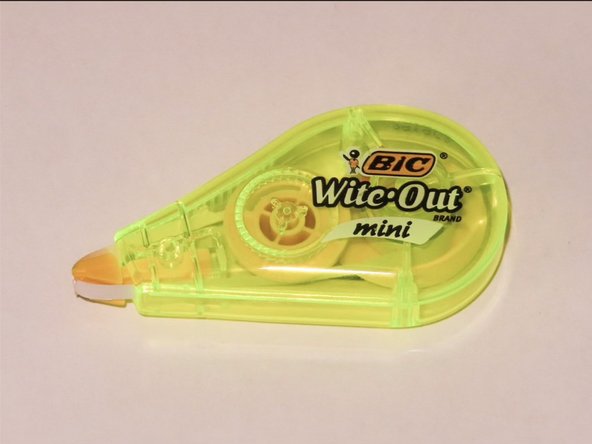
How to Fix a BIC Wite-Out Mini

Ce dont vous avez besoin

  1. How to Fix a BIC Wite-Out Mini, How to Fix a BIC Wite-Out Mini: étape 1, image 1 de 1
    • Place the dispenser component with the logo facing down, with other components laid out on a clean, flat surface.

  2. How to Fix a BIC Wite-Out Mini: étape 2, image 1 de 1
    • Stabilize the small gear with tweezers to prevent further unwinding.

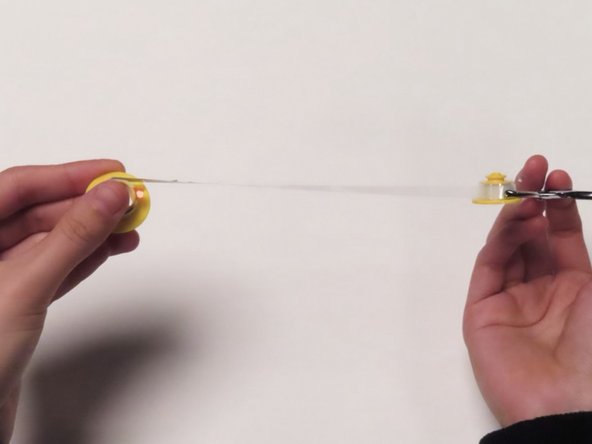
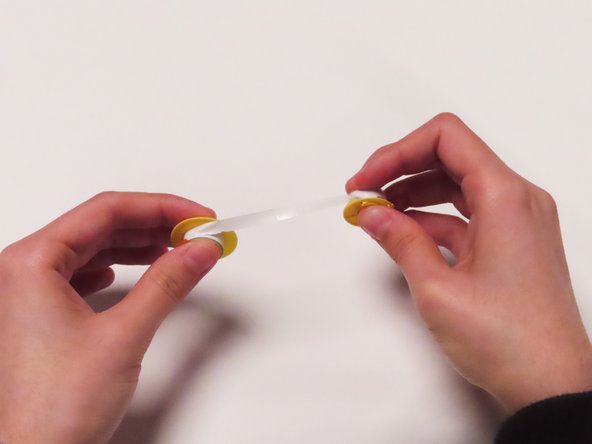
  3. How to Fix a BIC Wite-Out Mini: étape 3, image 1 de 3 How to Fix a BIC Wite-Out Mini: étape 3, image 2 de 3 How to Fix a BIC Wite-Out Mini: étape 3, image 3 de 3
    • Untangle the plastic strip by rotating the large gear in a circular motion, going in the opposite direction of the spiral.

    • Stop once the plastic strip connecting the gears is straight.

  4. How to Fix a BIC Wite-Out Mini: étape 4, image 1 de 3 How to Fix a BIC Wite-Out Mini: étape 4, image 2 de 3 How to Fix a BIC Wite-Out Mini: étape 4, image 3 de 3
    • Feed the plastic strip into the small gear until the white-out strip is visible.

    • Turn the big gear toward the small gear until they are close to each other.

  5. How to Fix a BIC Wite-Out Mini: étape 5, image 1 de 1
    • Place gears back into dispenser component with the logo.

    • Place the small gear onto the module closer to the dispensing slot.

    • Place the large gear onto module farthest from the dispensing slot.

  6. How to Fix a BIC Wite-Out Mini: étape 6, image 1 de 1
    • Hold the white-out strip with tweezers and pull to wrap the strip around the dispensing slot.

    • Make sure to stabilize the gears.

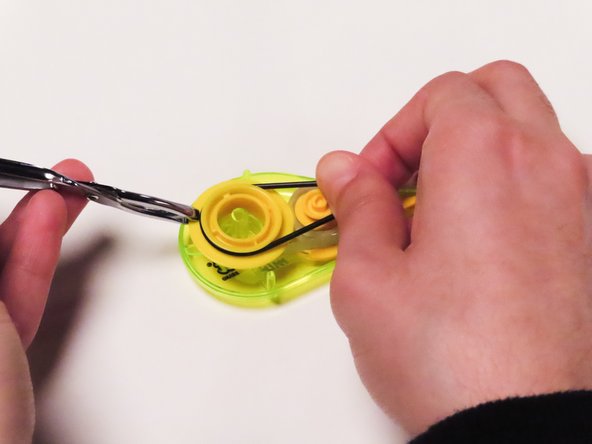
  7. How to Fix a BIC Wite-Out Mini: étape 7, image 1 de 3 How to Fix a BIC Wite-Out Mini: étape 7, image 2 de 3 How to Fix a BIC Wite-Out Mini: étape 7, image 3 de 3
    • Wrap the black band around both gears.

    • If necessary, stabilize the large gear with tweezers.

    • Wrap the band starting from large gear to small gear.

  8. How to Fix a BIC Wite-Out Mini: étape 8, image 1 de 2 How to Fix a BIC Wite-Out Mini: étape 8, image 2 de 2
    • Close the device until the side components click closed.

Conclusion

Congrats! You have just successfully repaired your BIC Wite-Out Mini!

Test your BIC Wite-Out Mini to make sure that it works correctly. If it does not work, repeat steps 1-8 and try again!

Lauren Miller

Membre depuis le 01/31/24

157 Réputation

1 tutoriel rédigé

Équipe

UC Davis, Team 3-1, Andersen Winter 2024 Membre de l'équipe UC Davis, Team 3-1, Andersen Winter 2024

UCD-ANDERSEN-W24S3G1

3 membres

1 tutoriel rédigé

0 commentaires de tutoriel

Ajouter un commentaire

Nombre de vues :

Dernières 24 heures : 7

7 derniers jours : 33

30 derniers jours : 162

Total : 1,730