Aller au contenu principal
Pour réparer ensemble - Je crée un compte

JBL Grip Battery Replacement

Ce dont vous avez besoin

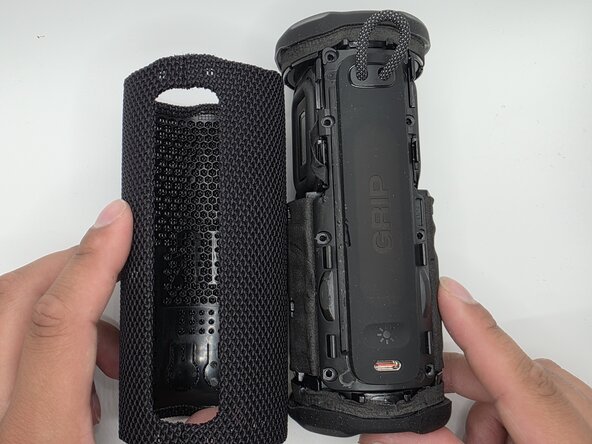
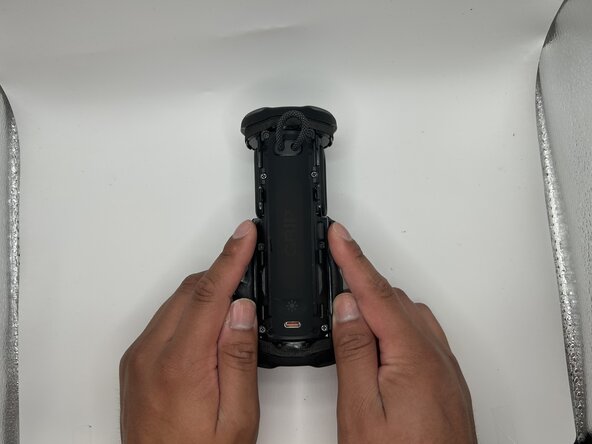
  1. JBL Grip Battery Replacement, Case: étape 1, image 1 de 2 JBL Grip Battery Replacement, Case: étape 1, image 2 de 2
    • Slide the Jimmy along the seam to separate the case.

    • Caution: Do not bend or puncture membrane.

  2. JBL Grip Battery Replacement: étape 2, image 1 de 2 JBL Grip Battery Replacement: étape 2, image 2 de 2
    • Unlatch the membrane from the rest of body.

  3. JBL Grip Battery Replacement, Charging Port Panel: étape 3, image 1 de 2 JBL Grip Battery Replacement, Charging Port Panel: étape 3, image 2 de 2
    • Remove the eight 6mm screws securing the panel with a Phillips #2 screwdriver.

  4. JBL Grip Battery Replacement: étape 4, image 1 de 3 JBL Grip Battery Replacement: étape 4, image 2 de 3 JBL Grip Battery Replacement: étape 4, image 3 de 3
    • Flip up the black latches securing the two blue cables connected to the panel.

    • Caution: Do not pull the cables by force. Ensure the latches are fully lifted.

  5. JBL Grip Battery Replacement, Battery: étape 5, image 1 de 2 JBL Grip Battery Replacement, Battery: étape 5, image 2 de 2
    • Carefully pull the detached end of the battery from the chassis.

    • Be sure not to pull too hard; the cables are fragile.

  6. JBL Grip Battery Replacement: étape 6, image 1 de 2 JBL Grip Battery Replacement: étape 6, image 2 de 2
    • Unplug the wires from their socket.

    • Be gentle; these parts are fragile.

    • Once the wire is unplugged, safely remove it.

Conclusion

To reassemble your device, follow these instructions in reverse order.

Isaac Loma

Membre depuis le 02/09/26

777 Réputation

7 tutoriels rédigés

Équipe

0 commentaires de tutoriel

Ajouter un commentaire

Nombre de vues :

Dernières 24 heures : 0

7 derniers jours : 10

30 derniers jours : 33

Total : 103