Aller au contenu principal
Pour réparer ensemble - Je crée un compte

MacBook Air 11" Early 2014 Fan Replacement

Ce dont vous avez besoin

  1. MacBook Air 11" Early 2014 Fan Replacement, Lower Case: étape 1, image 1 de 1
    Outil utilisé dans cette étape :
    P5 Pentalobe Screwdriver Retina MacBook Pro and Air
    $5.99
    • Shut down and close your computer. Lay it on a soft surface top-side down.

    • Remove the following ten screws:

    • Two 8 mm 5-point Pentalobe screws

    • Eight 2.5 mm 5-point Pentalobe screws

    • The special screwdriver needed to remove the 5-point Pentalobe screws can be found here.

    Demander à FixBot

    Ajouter un commentaire

  2. MacBook Air 11" Early 2014 Fan Replacement: étape 2, image 1 de 1
    • Wedge your fingers between the display and the lower case and pull upward to pop the lower case off the Air.

    Demander à FixBot

    Ajouter un commentaire

  3. MacBook Air 11" Early 2014 Fan Replacement, Battery Connector: étape 3, image 1 de 2 MacBook Air 11" Early 2014 Fan Replacement, Battery Connector: étape 3, image 2 de 2
    • In this step you will disconnect the battery to help avoid shorting out any components during service.

    • Use the flat end of a spudger to pry both short sides of the battery connector upward to disconnect it from its socket on the logic board.

    • Bend the battery cable slightly away from the logic board so the connector will not accidentally bend back and make contact with its socket.

    Demander à FixBot

    Ajouter un commentaire

  4. MacBook Air 11" Early 2014 Fan Replacement, I/O Board Cable: étape 4, image 1 de 2 MacBook Air 11" Early 2014 Fan Replacement, I/O Board Cable: étape 4, image 2 de 2
    • Use the flat end of a spudger to pry the left and right I/O board cable connectors up off their respective sockets on the I/O board.

    Demander à FixBot

    Ajouter un commentaire

  5. MacBook Air 11" Early 2014 Fan Replacement: étape 5, image 1 de 1
    • Lift and remove the I/O board cable.

    Demander à FixBot

    Ajouter un commentaire

  6. MacBook Air 11" Early 2014 Fan Replacement, Fan: étape 6, image 1 de 2 MacBook Air 11" Early 2014 Fan Replacement, Fan: étape 6, image 2 de 2
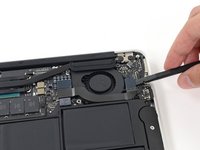
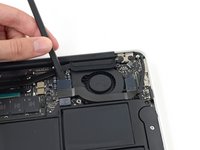
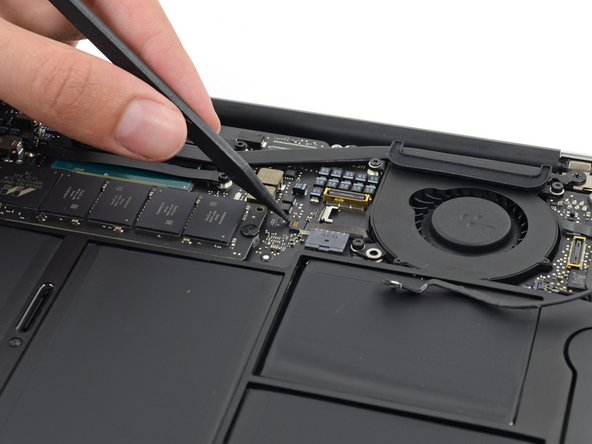
    • Use the tip of a spudger to carefully push on each side of the iSight camera cable connector to loosen it out of its socket on the logic board.

    • We recommend you gently "walk" the connector out of its socket.

    Demander à FixBot

    Ajouter un commentaire

  7. MacBook Air 11" Early 2014 Fan Replacement: étape 7, image 1 de 2 MacBook Air 11" Early 2014 Fan Replacement: étape 7, image 2 de 2
    • Peel the iSight camera cable up off the adhesive securing it to the fan.

    Demander à FixBot

    Ajouter un commentaire

  8. MacBook Air 11" Early 2014 Fan Replacement: étape 8, image 1 de 2 MacBook Air 11" Early 2014 Fan Replacement: étape 8, image 2 de 2
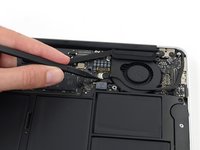
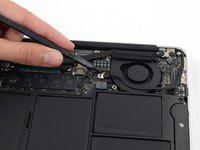
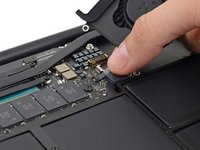
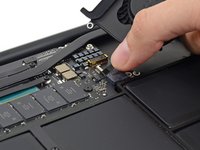
    • Use the tip of a spudger to carefully flip up the retaining flap on the fan cable ZIF socket.

    • Be sure you are prying up on the hinged retaining flap, not the socket itself.

    Demander à FixBot

    Ajouter un commentaire

  9. MacBook Air 11" Early 2014 Fan Replacement: étape 9, image 1 de 1
    • Remove the following three screws securing the fan to the upper case:

    • Two 5.5 mm T5 Torx screws

    • One 4.6 mm T5 Torx screw

    • In some models this is a 3.6 mm T5 Torx screw.

    Demander à FixBot

    Ajouter un commentaire

  10. MacBook Air 11" Early 2014 Fan Replacement: étape 10, image 1 de 3 MacBook Air 11" Early 2014 Fan Replacement: étape 10, image 2 de 3 MacBook Air 11" Early 2014 Fan Replacement: étape 10, image 3 de 3
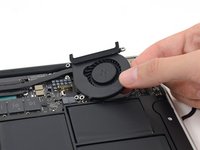
    • Lift, but do not remove the fan out of its recess in the upper case.

    • Carefully pull the fan ribbon cable out of its socket as you remove the fan from the Air.

    Demander à FixBot

    Ajouter un commentaire

Conclusion

To reassemble your device, follow these instructions in reverse order.

Annulation : je n'ai pas terminé ce tutoriel.

17 autres ont terminé cette réparation.

Sam Goldheart

Membre depuis le 10/18/12

477 361 Réputation

538 tutoriels rédigés

Équipe

iFixit Membre de l'équipe iFixit

Staff

122 membres

25 808 tutoriels rédigés

0 commentaires de tutoriel

Ajouter un commentaire

Nombre de vues :

Dernières 24 heures : 2

7 derniers jours : 13

30 derniers jours : 104

Total : 7,669