Aller au contenu principal
Pour réparer ensemble - Je crée un compte

Motion Computing LE1600 Battery Replacement

Vues: 3,4 k

Afficher les statistiques :

Dernières 24 heures :
2
Sept derniers jours :
20
Trente derniers jours :
97
Total :
3 419
Commentaires: 1

1 commentaire de tutoriel.

Aller aux commentaires de tutoriel
Terminé: 0

Personne n'a marqué ce tutoriel comme « terminé ». Serez-vous le premier ?

Favoris: 3

3 personnes ont mis ce tutoriel en favori (et s'y sont abonnées). Serez-vous la prochaine ?

Temps nécessaire: 1 minute
Difficulté: Très facile
A besoin de meilleures images

De meilleures photos amélioreront ce tutoriel. Aider en proposant de nouvelles photos!

Motion Computing LE1600 Battery Replacement

Before you start anything, you should always remove the battery. This guide will take you through this process.

    1. Motion Computing LE1600 Battery Replacement, Battery: étape 1, image 1 de 1
      • Turn the device so the screen is facing down.

      Demander à FixBot

      Ajouter un commentaire

    2. Motion Computing LE1600 Battery Replacement: étape 2, image 1 de 2 Motion Computing LE1600 Battery Replacement: étape 2, image 2 de 2
      • Slide the battery lock switch next to the power slider to the unlocked position.

      Demander à FixBot

      Ajouter un commentaire

    3. Motion Computing LE1600 Battery Replacement: étape 3, image 1 de 3 Motion Computing LE1600 Battery Replacement: étape 3, image 2 de 3 Motion Computing LE1600 Battery Replacement: étape 3, image 3 de 3
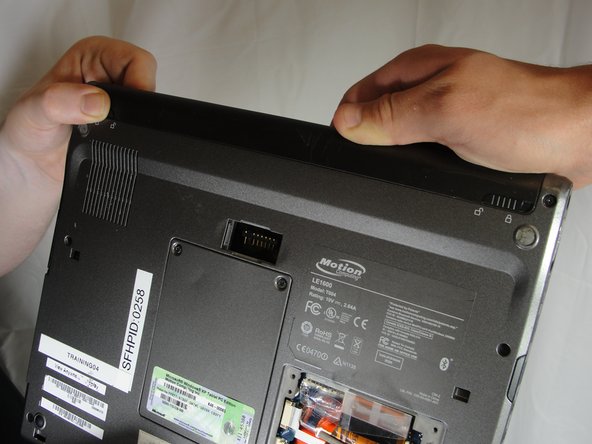
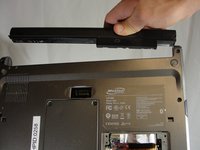
      • Slide and hold the switch by the fan vent to the unlocked position. Firmly grasp the battery and pull away from tablet.

      • When replacing the battery, place the end near the fan vent in first. Make sure to keep the other switch in the unlocked position while pushing the battery into place.

      Demander à FixBot

      Ajouter un commentaire

Conclusion

To reassemble your device, follow these instructions in reverse order.

Annulation : je n'ai pas terminé ce tutoriel.

David Troy

Membre depuis le 04/04/12

44 Réputation

3 tutoriels rédigés

Équipe

Cal Poly, Team 15-14, Forte Spring 2012 Membre de l'équipe Cal Poly, Team 15-14, Forte Spring 2012

CPSU-FORTE-S12S15G14

5 membres

60 tutoriels rédigés

1 commentaire de tutoriel

Wow that’s so cool thanks bro

Leon Byrne - Réponse Partager

Ajouter un commentaire

Nombre de vues :

Dernières 24 heures : 2

7 derniers jours : 20

30 derniers jours : 97

Total : 3,419