Aller au contenu principal
Pour réparer ensemble - Je crée un compte

PlayStation 3 Slim (CECH-300X) Fan system Replacement

Ce dont vous avez besoin

Vidéo d'introduction

    1. PlayStation 3 Slim (CECH-300X) Fan system Replacement, Fan system: étape 1, image 1 de 3 PlayStation 3 Slim (CECH-300X) Fan system Replacement, Fan system: étape 1, image 2 de 3 PlayStation 3 Slim (CECH-300X) Fan system Replacement, Fan system: étape 1, image 3 de 3
      • Disconnect the fan cable and remove the nine screws from the bottom side.

      Demander à FixBot

      Ajouter un commentaire

    2. PlayStation 3 Slim (CECH-300X) Fan system Replacement: étape 2, image 1 de 3 PlayStation 3 Slim (CECH-300X) Fan system Replacement: étape 2, image 2 de 3 PlayStation 3 Slim (CECH-300X) Fan system Replacement: étape 2, image 3 de 3
      • Remove the two heat sink clamps and bottom shield, then gently separate the motherboard off the top shield.

      Demander à FixBot

      Ajouter un commentaire

    3. PlayStation 3 Slim (CECH-300X) Fan system Replacement: étape 3, image 1 de 3 PlayStation 3 Slim (CECH-300X) Fan system Replacement: étape 3, image 2 de 3 PlayStation 3 Slim (CECH-300X) Fan system Replacement: étape 3, image 3 de 3
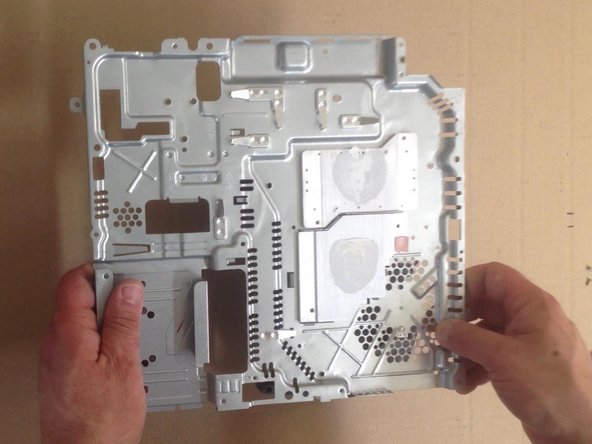
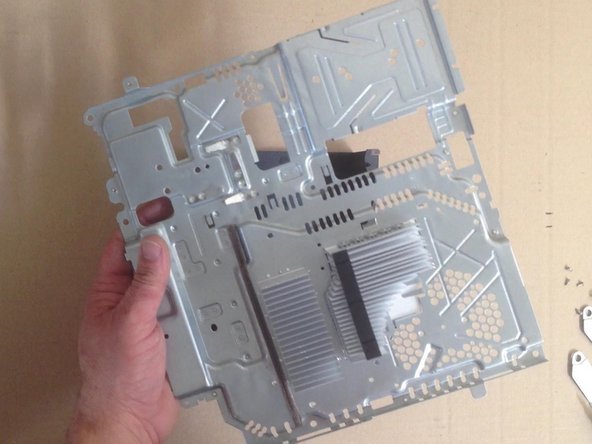
      • Remove the four Phillips screws and lift the top shield.

      Demander à FixBot

      Ajouter un commentaire

    4. PlayStation 3 Slim (CECH-300X) Fan system Replacement: étape 4, image 1 de 3 PlayStation 3 Slim (CECH-300X) Fan system Replacement: étape 4, image 2 de 3 PlayStation 3 Slim (CECH-300X) Fan system Replacement: étape 4, image 3 de 3
      • That's all.

      Demander à FixBot

      Ajouter un commentaire

Conclusion

To reassemble your device, follow these instructions in reverse order.

Annulation : je n'ai pas terminé ce tutoriel.

12 autres ont terminé cette réparation.

ZFix

Membre depuis le 12/09/13

197 480 Réputation

330 tutoriels rédigés

Équipe

Master Techs Membre de l'équipe Master Techs

Community

334 membres

6 660 tutoriels rédigés

2 commentaires de tutoriel

Awesome guide. Thank you so much. I did it, but now I just wonder what that white stuff was when I removed the motherboard. I think it's that thermal stuff people have been talking about and I suppose I have to replace that. I also hope that it's the fan that is what's causing my PS3 to say that it's overheating and shut off. I'm so glad you guys posted this. Great job. I rather do it myself than pay Sony an arm and a leg. Cheers!

chetacheez - Réponse Partager

This is CPU / GPU thermal paste / compound. I recommend you Arctic MX-2, MX-4. It is very good and not expensive.

ZFix - Réponse Partager

Ajouter un commentaire

Nombre de vues :

Dernières 24 heures : 10

7 derniers jours : 61

30 derniers jours : 343

Total : 23,098