Aller au contenu principal
Pour réparer ensemble - Je crée un compte

Samsung Galaxy Fame S6812i Motherboard Replacement

Ce dont vous avez besoin

  1. Samsung Galaxy Fame S6812i Motherboard Replacement, Remove Battery Cover: étape 1, image 1 de 2 Samsung Galaxy Fame S6812i Motherboard Replacement, Remove Battery Cover: étape 1, image 2 de 2
    • Locate the small indent in the top of the device and use your nails or a spudger to separate the cover from the mid-frame.

    Demander à FixBot

    Ajouter un commentaire

  2. Samsung Galaxy Fame S6812i Motherboard Replacement, Remove the Battery: étape 2, image 1 de 2 Samsung Galaxy Fame S6812i Motherboard Replacement, Remove the Battery: étape 2, image 2 de 2
    • Locate the indent on the bottom left corner of the battery compartment. Use your fingers or the plastic opening tool to lift the battery from the device.

    Demander à FixBot

    Ajouter un commentaire

  3. Samsung Galaxy Fame S6812i Motherboard Replacement, Remove the Mid-Frame: étape 3, image 1 de 3 Samsung Galaxy Fame S6812i Motherboard Replacement, Remove the Mid-Frame: étape 3, image 2 de 3 Samsung Galaxy Fame S6812i Motherboard Replacement, Remove the Mid-Frame: étape 3, image 3 de 3
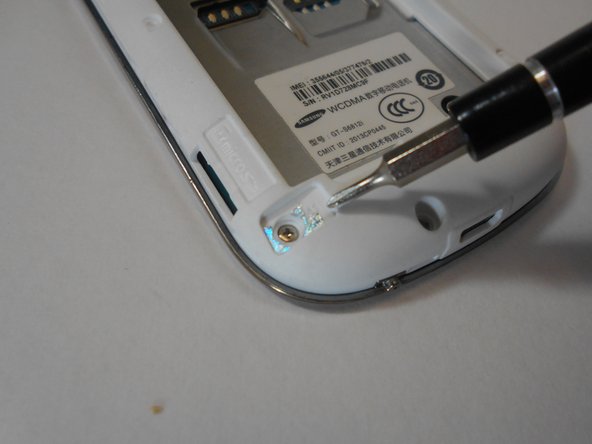
    • Remove the five 3mm screws along the top and bottom edges of the device with the Philips #00 screwdriver.

    • One of these will be hidden under a piece of reflective foil. Breaking this will void the warranty.

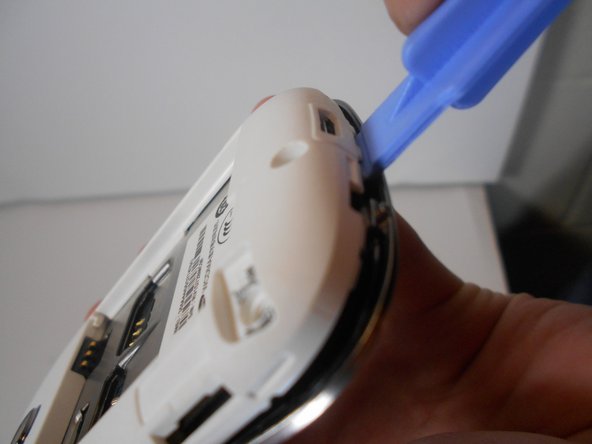
    • Use the plastic removal tool to work pry the mid-frame from the device.

    • This may take some effort, so try working around the edges slowly as to not break anything.

    Demander à FixBot

    Ajouter un commentaire

  4. Samsung Galaxy Fame S6812i Motherboard Replacement, Unplug LCD Screen from Motherboard: étape 4, image 1 de 3 Samsung Galaxy Fame S6812i Motherboard Replacement, Unplug LCD Screen from Motherboard: étape 4, image 2 de 3 Samsung Galaxy Fame S6812i Motherboard Replacement, Unplug LCD Screen from Motherboard: étape 4, image 3 de 3
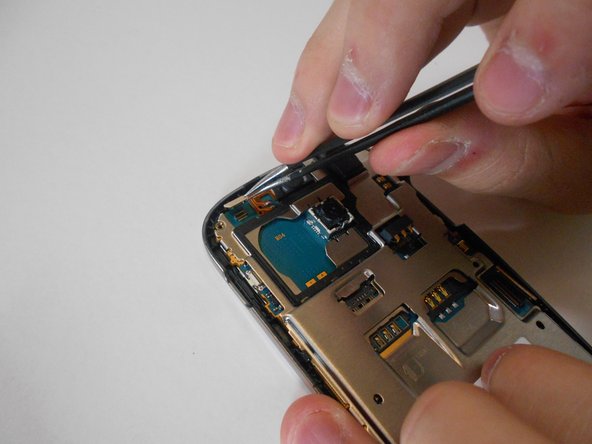
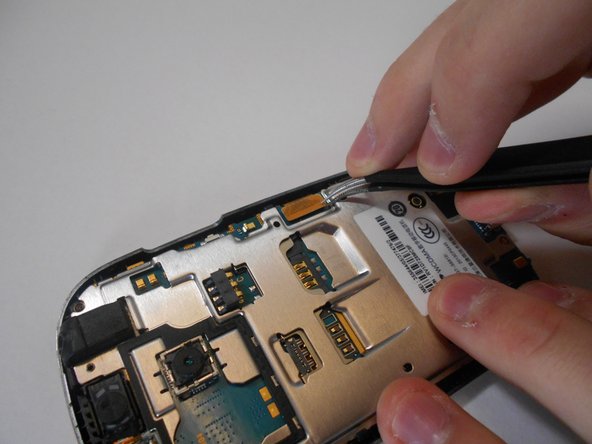
    • Locate the two ribbon cable connections on the motherboard. GENTLY use the pointed end of the spudger to disconnect the cables. Lift the motherboard out of the phone.

    Demander à FixBot

    Ajouter un commentaire

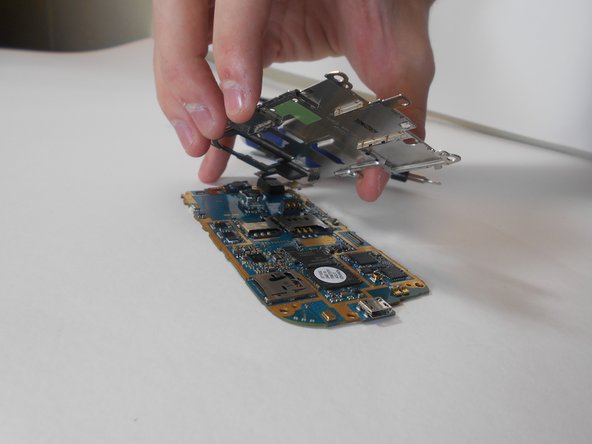
  5. Samsung Galaxy Fame S6812i Motherboard Replacement: étape 5, image 1 de 1
    • Using your fingers or a plastic opening tool, carefully lift the motherboard assembly from the phone.

    Demander à FixBot

    Ajouter un commentaire

  6. Samsung Galaxy Fame S6812i Motherboard Replacement, Chassis Removal: étape 6, image 1 de 2 Samsung Galaxy Fame S6812i Motherboard Replacement, Chassis Removal: étape 6, image 2 de 2
    • On the front face of the motherboard, locate the two #00 Phillips head screws. These hold the SIM card chassis in place.

    • Keep these screws separate from the back plate screws.

    Demander à FixBot

    Ajouter un commentaire

Conclusion

To reassemble your device, follow these instructions in reverse order.

Annulation : je n'ai pas terminé ce tutoriel.

5 autres ont terminé cette réparation.

Taylor

Membre depuis le 01/30/15

1 240 Réputation

5 tutoriels rédigés

Équipe

USF Tampa, Team 16-6, Watkins Winter 2015 Membre de l'équipe USF Tampa, Team 16-6, Watkins Winter 2015

USFT-WATKINS-W15S16G6

2 membres

9 tutoriels rédigés

1 commentaire de tutoriel

How to jumper network problem

Kshitiz khadka - Réponse Partager

Ajouter un commentaire

Nombre de vues :

Dernières 24 heures : 2

7 derniers jours : 7

30 derniers jours : 32

Total : 1,562