Aller au contenu principal
Pour réparer ensemble - Je crée un compte

Samsung Galaxy J7 V Power Button Replacement

Ce dont vous avez besoin

  1. Samsung Galaxy J7 V Power Button Replacement, Screen: étape 1, image 1 de 1
    • Be very careful during this step. The OLED (organic light-emitting diode) display is very fragile and can break easily.

    • Insert a Jimmy tool under one of the corners of the display and gently raise the display.

    Demander à FixBot

    Ajouter un commentaire

  2. Samsung Galaxy J7 V Power Button Replacement: étape 2, image 1 de 1
    • Gently slide the Jimmy tool around the entire perimeter of the phone.

    Demander à FixBot

    Ajouter un commentaire

  3. Samsung Galaxy J7 V Power Button Replacement: étape 3, image 1 de 1
    • Be extra careful with the display's ribbon cables. They are fragile.

    • Carefully lift the display to remove it.

    Demander à FixBot

    Ajouter un commentaire

  4. Samsung Galaxy J7 V Power Button Replacement, Home button: étape 4, image 1 de 1
    • Locate the socket of the home button.

    • Fit the metal spudger in between the socket and the home button.

    Demander à FixBot

    Ajouter un commentaire

  5. Samsung Galaxy J7 V Power Button Replacement: étape 5, image 1 de 1
    • Take the metal spudger and slide it underneath the home button.

    • Lift up until the home button is removed from its socket.

    Demander à FixBot

    Ajouter un commentaire

  6. Samsung Galaxy J7 V Power Button Replacement, Volume Button: étape 6, image 1 de 2 Samsung Galaxy J7 V Power Button Replacement, Volume Button: étape 6, image 2 de 2
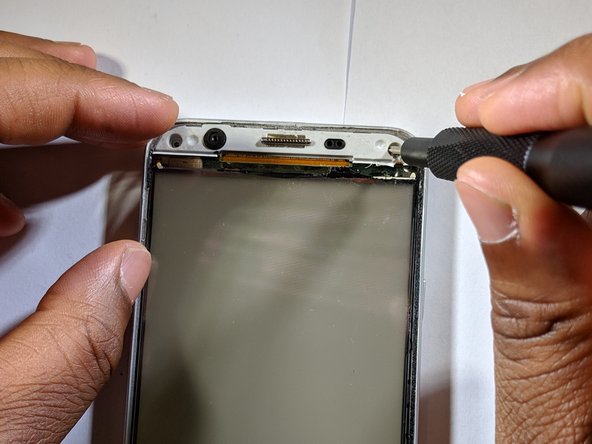
    • Remove the screws around the home button and the screws above.

    Demander à FixBot

    Ajouter un commentaire

  7. Samsung Galaxy J7 V Power Button Replacement: étape 7, image 1 de 1
    • Pull the screen away from the panel.

    Demander à FixBot

    Ajouter un commentaire

  8. Samsung Galaxy J7 V Power Button Replacement: étape 8, image 1 de 2 Samsung Galaxy J7 V Power Button Replacement: étape 8, image 2 de 2
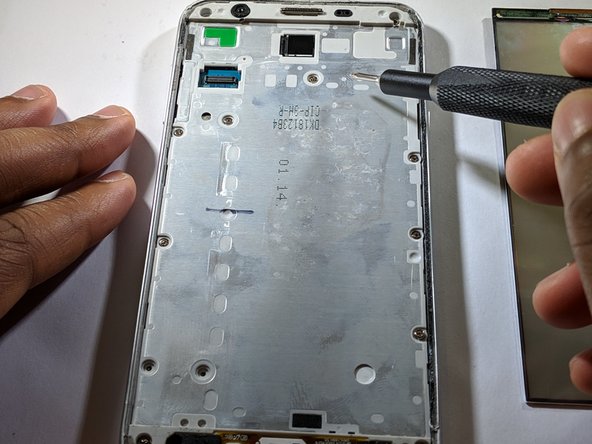
    • Remove all adjacent screws.

    Demander à FixBot

    Ajouter un commentaire

  9. Samsung Galaxy J7 V Power Button Replacement: étape 9, image 1 de 3 Samsung Galaxy J7 V Power Button Replacement: étape 9, image 2 de 3 Samsung Galaxy J7 V Power Button Replacement: étape 9, image 3 de 3
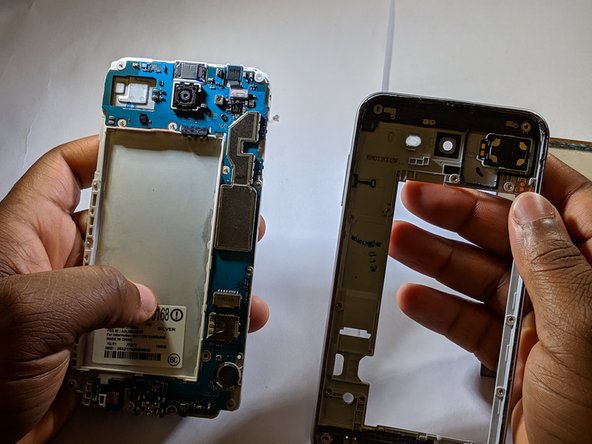
    • Pop off panel from plastic hold.

    Demander à FixBot

    Ajouter un commentaire

  10. Samsung Galaxy J7 V Power Button Replacement: étape 10, image 1 de 3 Samsung Galaxy J7 V Power Button Replacement: étape 10, image 2 de 3 Samsung Galaxy J7 V Power Button Replacement: étape 10, image 3 de 3
    • Use the pointed end of the spudger to push down the button hold, then the volume button can be removed by pushing it down.

    Demander à FixBot

    Ajouter un commentaire

  11. Samsung Galaxy J7 V Power Button Replacement, Power Button: étape 11, image 1 de 2 Samsung Galaxy J7 V Power Button Replacement, Power Button: étape 11, image 2 de 2
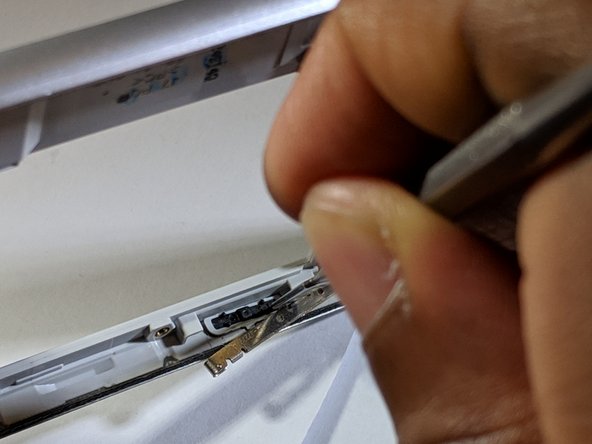
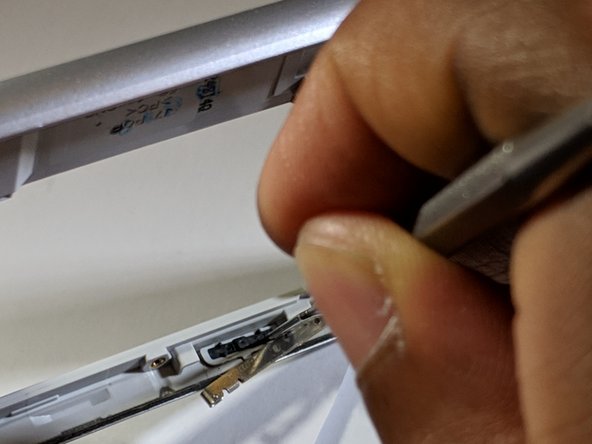
    • Use the metal spudger tool to lift the metal bar holding the button in place.

    Demander à FixBot

    Ajouter un commentaire

  12. Samsung Galaxy J7 V Power Button Replacement: étape 12, image 1 de 1
    • Use the metal spudger tool to push on the power button to remove it from the phone.

    Demander à FixBot

    Ajouter un commentaire

Conclusion

To reassemble your device, follow these instructions in reverse order. Please don't miss a screw!

Annulation : je n'ai pas terminé ce tutoriel.

3 autres ont terminé cette réparation.

Somtoo Chukwurah

Membre depuis le 03/05/19

314 Réputation

2 tutoriels rédigés

1 commentaire de tutoriel

Abi benim power ve home tuşu çıkmıştı ya ona bir tane yapabilir misin takabilir misin Neredesiniz konumu at ben gelirim

Benim home tuşu çıkmış - Réponse Partager

Ajouter un commentaire

Nombre de vues :

Dernières 24 heures : 2

7 derniers jours : 16

30 derniers jours : 66

Total : 4,529