Aller au contenu principal
Pour réparer ensemble - Je crée un compte

Sony Xperia Z1 Compact Rear Camera Replacement

Ce dont vous avez besoin

  1. Sony Xperia Z1 Compact Rear Camera Replacement, Back Cover: étape 1, image 1 de 1
    • Heat along the edges of the back cover using a heat gun to soften the glue.

    Demander à FixBot
  2. Sony Xperia Z1 Compact Rear Camera Replacement: étape 2, image 1 de 1
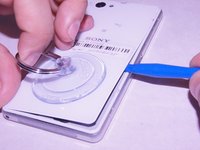
    • Attach the small suction cup to the back cover near the bottom of the phone.

    • Pull up on the suction cup and insert the plastic opening tool in between the back cover and the rest of the phone.

    Demander à FixBot
  3. Sony Xperia Z1 Compact Rear Camera Replacement: étape 3, image 1 de 2 Sony Xperia Z1 Compact Rear Camera Replacement: étape 3, image 2 de 2
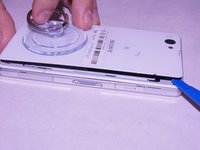
    • Move the spudger around the edge of the back cover to separate it from the black adhesive.

    • Separating the back cover from the rest of the phone ruins the adhesive which makes it no longer waterproof.

    Demander à FixBot
  4. Sony Xperia Z1 Compact Rear Camera Replacement, Battery: étape 4, image 1 de 2 Sony Xperia Z1 Compact Rear Camera Replacement, Battery: étape 4, image 2 de 2
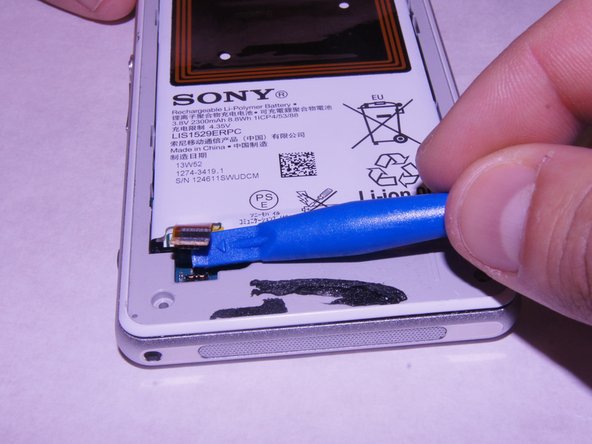
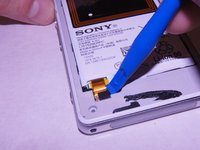
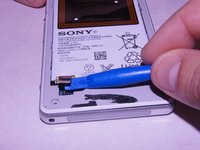
    • Carefully disconnect the battery from the logic board by using the plastic spudger as a lever.

    Demander à FixBot
  5. Sony Xperia Z1 Compact Rear Camera Replacement: étape 5, image 1 de 2 Sony Xperia Z1 Compact Rear Camera Replacement: étape 5, image 2 de 2
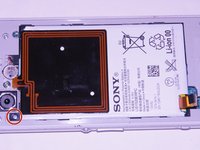
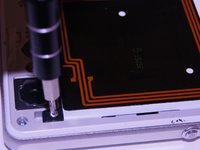
    • Remove the single 1 x 3.0 mm screw holding the battery in using the JIS #00 screwdriver.

    Demander à FixBot
  6. Sony Xperia Z1 Compact Rear Camera Replacement: étape 6, image 1 de 1
    • Pry the battery up from the ends using the plastic spudger until the battery pops out of the enclosure.

    Demander à FixBot
  7. Sony Xperia Z1 Compact Rear Camera Replacement: étape 7, image 1 de 1
    • Remove the battery from the device

    Demander à FixBot
  8. Sony Xperia Z1 Compact Rear Camera Replacement, External Speaker: étape 8, image 1 de 2 Sony Xperia Z1 Compact Rear Camera Replacement, External Speaker: étape 8, image 2 de 2
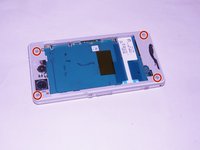
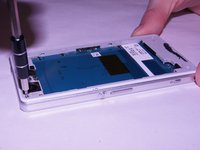
    • Unscrew the four screws on the corners of the back frame using the JIS #00 screwdriver.

    Demander à FixBot
  9. Sony Xperia Z1 Compact Rear Camera Replacement: étape 9, image 1 de 3 Sony Xperia Z1 Compact Rear Camera Replacement: étape 9, image 2 de 3 Sony Xperia Z1 Compact Rear Camera Replacement: étape 9, image 3 de 3
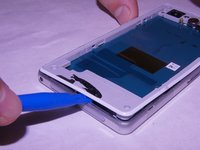
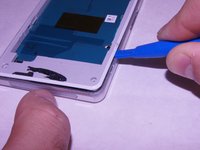
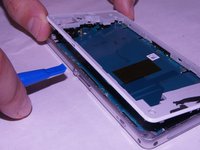
    • Wedge the plastic opening tool under the back frame. Move the plastic opening tool around the entire frame to separate it from the adhesive.

    Demander à FixBot
  10. Sony Xperia Z1 Compact Rear Camera Replacement: étape 10, image 1 de 1
    • Remove the back frame.

    Demander à FixBot
  11. Sony Xperia Z1 Compact Rear Camera Replacement: étape 11, image 1 de 2 Sony Xperia Z1 Compact Rear Camera Replacement: étape 11, image 2 de 2
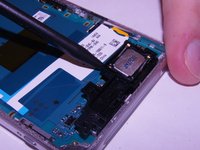
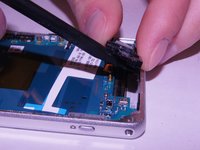
    • Wedge the spudger underneath the external speaker. Pull up on the external speaker using the spudger.

    Demander à FixBot
  12. Sony Xperia Z1 Compact Rear Camera Replacement: étape 12, image 1 de 2 Sony Xperia Z1 Compact Rear Camera Replacement: étape 12, image 2 de 2
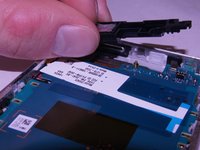
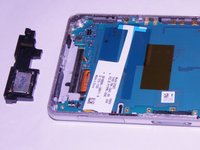
    • Remove the external speaker.

    Demander à FixBot
  13. Sony Xperia Z1 Compact Rear Camera Replacement, Motherboard: étape 13, image 1 de 2 Sony Xperia Z1 Compact Rear Camera Replacement, Motherboard: étape 13, image 2 de 2
    • Remove the square rubber gasket from the camera using the plastic spudger.

    Demander à FixBot
  14. Sony Xperia Z1 Compact Rear Camera Replacement: étape 14, image 1 de 2 Sony Xperia Z1 Compact Rear Camera Replacement: étape 14, image 2 de 2
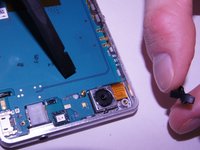
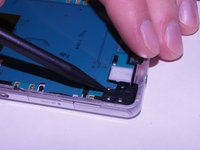
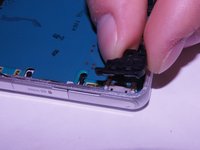
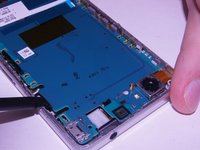
    • Remove the black plastic corner still holding in the motherboard.

    Demander à FixBot
  15. Sony Xperia Z1 Compact Rear Camera Replacement: étape 15, image 1 de 3 Sony Xperia Z1 Compact Rear Camera Replacement: étape 15, image 2 de 3 Sony Xperia Z1 Compact Rear Camera Replacement: étape 15, image 3 de 3
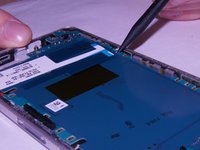
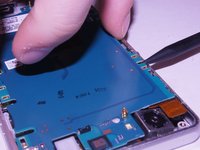
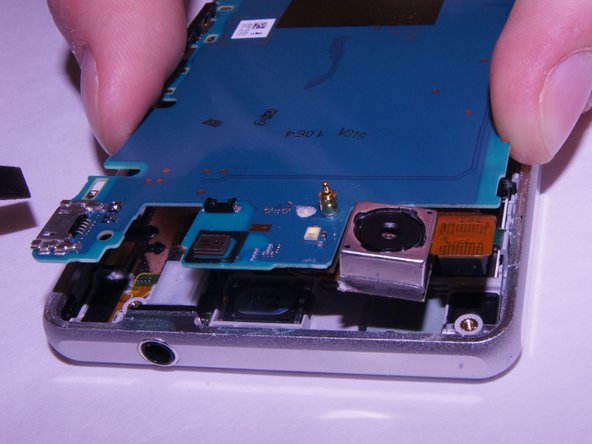
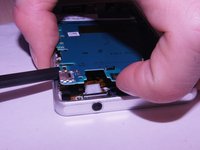
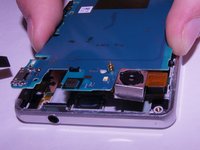
    • Carefully pry up on the four sides of the motherboard using the plastic spudger til it separates from the base of the phone.

    Demander à FixBot
  16. Sony Xperia Z1 Compact Rear Camera Replacement: étape 16, image 1 de 3 Sony Xperia Z1 Compact Rear Camera Replacement: étape 16, image 2 de 3 Sony Xperia Z1 Compact Rear Camera Replacement: étape 16, image 3 de 3
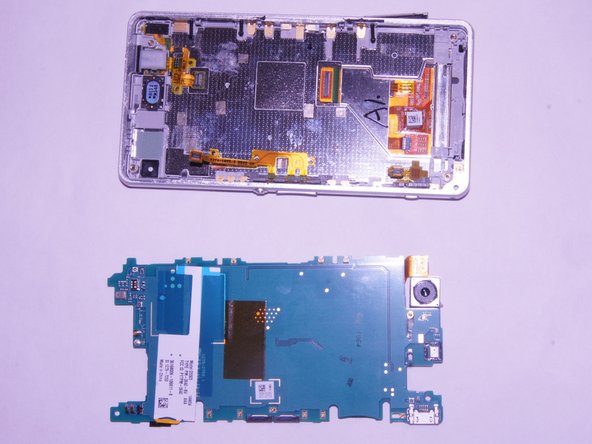
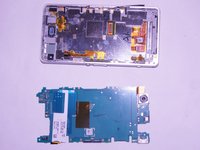
    • Remove the motherboard from the device.

    • There may be a small yellow adhesive underneath the motherboard still holding it in. Slide the tip of the spudger through it to sever it.

    Demander à FixBot
  17. Sony Xperia Z1 Compact Rear Camera Replacement, Rear Camera: étape 17, image 1 de 2 Sony Xperia Z1 Compact Rear Camera Replacement, Rear Camera: étape 17, image 2 de 2
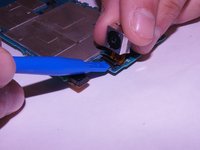
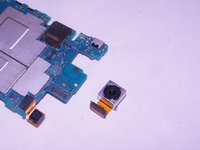
    • Disconnect the camera from the motherboard using a spudger.

    Demander à FixBot
Conclusion

To reassemble your device, follow these instructions in reverse order.

Une autre personne a terminé cette réparation.

Kevin Bergstrom

Membre depuis le 09/21/17

383 Réputation

3 tutoriels rédigés

Équipe

Washington State, Team S4-G1, Phelps-Hillen Fall 2017 Membre de l'équipe Washington State, Team S4-G1, Phelps-Hillen Fall 2017

WSU-PHELPS-HILLEN-F17S4G1

6 membres

9 tutoriels rédigés

1 commentaire de tutoriel

The trouble is that the headphones jack and the monitor cables are unplugged when removing the motherboard and I do not think it is possible to plug them back in from the back side of the phone. I think the monitor needs to be removed for them to be plugged from the front.

natuk - Réponse Partager
Ajouter un commentaire

Nombre de vues :

Dernières 24 heures : 2

7 derniers jours : 12

30 derniers jours : 58

Total : 1,206