Aller au contenu principal

iPhone 14 Screen Protector Replacement

Ce dont vous avez besoin

  1. iPhone 14 Screen Protector Replacement, Screen Protector: étape 1, image 1 de 1
    • Power the phone off.

  2. iPhone 14 Screen Protector Replacement: étape 2, image 1 de 2 iPhone 14 Screen Protector Replacement: étape 2, image 2 de 2
    • Remove the old screen protector.

  3. iPhone 14 Screen Protector Replacement: étape 3, image 1 de 1
    • Clean the phone screen.

  4. iPhone 14 Screen Protector Replacement: étape 4, image 1 de 1
    • Remove any dust with a dust removal sticker.

  5. iPhone 14 Screen Protector Replacement: étape 5, image 1 de 1
    • Peel off the screen protector adhesive film.

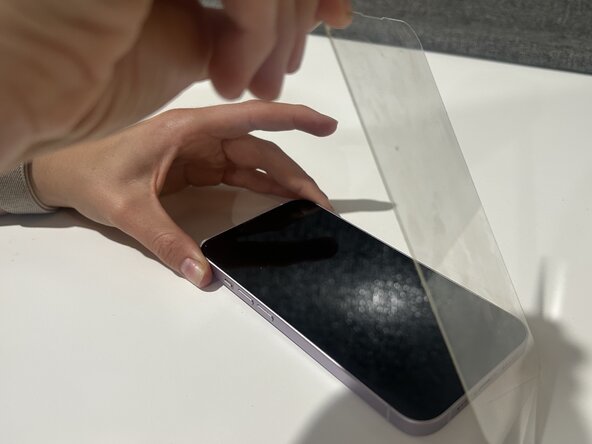
  6. iPhone 14 Screen Protector Replacement: étape 6, image 1 de 1
    • Carefully place new screen protector on the phone.

    • Ensure that all edges are properly aligned.

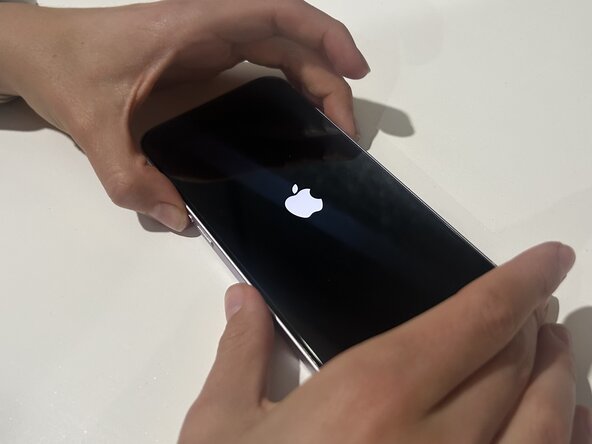
  7. iPhone 14 Screen Protector Replacement: étape 7, image 1 de 2 iPhone 14 Screen Protector Replacement: étape 7, image 2 de 2
    • Remove any air bubbles on the screen, then turn the phone back on.

Conclusion

After following these steps you should be able to fix the screen protector on your iPhone 14!

Une autre personne a terminé cette réparation.

Kaitlyn

Membre depuis le 03/12/25

177 Réputation

1 tutoriel rédigé

Équipe

Austin Community College, Team 2-3, Kapoor Spring 2025 Membre de l'équipe Austin Community College, Team 2-3, Kapoor Spring 2025

AUSTINCC-KAPOOR-S25S2G3

1 membre

3 tutoriels rédigés

0 commentaires de tutoriel

Ajouter un commentaire

Nombre de vues :

Dernières 24 heures : 2

7 derniers jours : 25

30 derniers jours : 92

Total : 784