One day several months ago, I was playing games on my iBook, and suddenly the display went white! It still "works," but it's useless to me because I can't see anything I'm doing. What's wrong with it? Can it be fixed?
Faites défiler ce fil pour trouver l'endroit approprié pour y placer ce commentaire. Cliquez ensuite sur « Ajouter un commentaire à cette contribution » pour le déplacer.
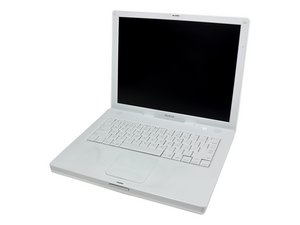
I'm pretty sure your LVDS (video) cable is disconnected from the LCD panel. Here's the procedure to reach the LVDS cable and socket via this youtube video. You'll see the LVDS cable at 1:54.
Faites défiler ce fil pour trouver l'endroit approprié pour y placer ce commentaire. Cliquez ensuite sur « Ajouter un commentaire à cette contribution » pour le déplacer.

1 commentaire:
Thanks for the suggestion. I don't have an external monitor, but I think I know where I can borrow one. I intend to update this question after I can check that. ^_^
Faites défiler ce fil pour trouver l'endroit approprié pour y placer ce commentaire. Cliquez ensuite sur « Ajouter un commentaire à cette contribution » pour le déplacer.
I am experiencing the same problem on my iBook G4 14" (1.42 GHz).
I tried accessing Open Firmware but got a white screen. I powered down, rebooted, let it power up and waited for a few minutes. I was able to hear the beeps that result from adjusting the volume with a corresponding level of loudness. I then pressed the power button and the enter key, and the iBook shut down.
I rebooted with external video ready to go.
External video works!
The primary image went directly to the external video monitor. I was not able to set up an extension to the desktop. Any changes I made to either video failed to get an image on the LCD.
I'm thinking the video cable's gone bad (or perhaps needs reseating) because a good cable would at least signal the iBook to setup extending the desktop to the external monitor. I will confirm once I get a replacement video cable and/or LCD.
Thanks for reading!
Update
I just replaced the LCD with another one. I didn't test whether the replacement was working.
Faites défiler ce fil pour trouver l'endroit approprié pour y placer ce commentaire. Cliquez ensuite sur « Ajouter un commentaire à cette contribution » pour le déplacer.
1 commentaire:
Thanks for sharing! I thought I was the only person to ever get a white screen of death! My husband has theorized that there's some kind of loose connection within the computer. Directly after the screen went white, he banged it around a lot and actually got the display back - for a second before it went white again. After that all the banging in the world won't bring any picture to that screen :\ I'm looking forward to trying an external monitor, and if that works, maybe I'll just permanently use the iBook with it.
Faites défiler ce fil pour trouver l'endroit approprié pour y placer ce commentaire. Cliquez ensuite sur « Ajouter un commentaire à cette contribution » pour le déplacer.
Although this thread is a bit old, I am really curious if anybody actually find a solution to the problem described by Ikvee.
I am experiencing exactly the same problem recently with my sisters iBook G4 14inch (late 2005). White Screen, external video OK.
Although we are not ultimately interested in repair, I am just super curious what the cause migth be. BTW: I also changed the LCD, which did not solve it.
Faites défiler ce fil pour trouver l'endroit approprié pour y placer ce commentaire. Cliquez ensuite sur « Ajouter un commentaire à cette contribution » pour le déplacer.
hi everyone, having the same problem. my ibook g4 just won't start. it's stocked with the white screen. all my important files is there and i can't work. i read the converssations here and im having a hard time understanding what that "cable" is. can somebody help me what i can do? thank you in advance.
Faites défiler ce fil pour trouver l'endroit approprié pour y placer ce commentaire. Cliquez ensuite sur « Ajouter un commentaire à cette contribution » pour le déplacer.
1 commentaire:
kristine, this is a bit old (last entry was two years ago). The best thing to do would be to ask your own question, and give as much detail as possible. http://www.ifixit.com/Answers/Ask/iBook+...
Faites défiler ce fil pour trouver l'endroit approprié pour y placer ce commentaire. Cliquez ensuite sur « Ajouter un commentaire à cette contribution » pour le déplacer.