
Aller au contenu principal

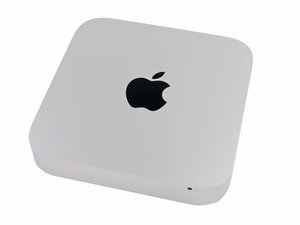
Annoncé le 16 octobre 2014, identifiable par le numéro de modèle A1347 et EMC 2840.

Upgrading from HDD to SSD

I have a late 2014 Mac Mini with HDD. I would like to upgrade to a hybrid or SSD drive.

Do I need to buy extra hard drive mounting or a different cable or can I just swap the drives?

Does upgrade kit [produit lié absent ou désactivé : IF107-122-3] seems to imply that there I just need the tools and new hard drive.

Répondu ! Afficher la réponse J'ai le même problème

Cette question est-elle utile ?

Indice 0

Ajouter un commentaire

1 Réponse

Solution retenue

The easiest upgrade is to swap out the HD for the Seagate SSHD drive or 2.5" SSD. Here's the IFIXIT guide: Mac Mini Late 2014 Hard Drive Replacement.

Your other option is to add the Apple blade SSD and keep the HD. This will require either replacing the drive frame with one that has the blade SSD ribbon cable or install the ribbon cable Blade SSD Flex Cable for Apple Mac Mini A1347 Late 2014 and then the correct SSD

Cette réponse est-elle utile ?

Indice 2

3 commentaires:

Hi Dan,

To be clear -- if swapping out for the Seagate Hybrid drive or a 2.5" SSD drive, I wouldn't need any other cables or frames, correct?

Would any 2.5" SATA SSD work, such as this one? https://www.amazon.com/Crucial-512GB-2-5...

par

Review the guide you'll see there is no other parts needed for switching the 2,5" SATA drive out. Its only if you Add the SSD blade drive will you need any other parts.

par

You may want to get this though to help you copy over your stuff to the new drive: Startech 2.5" SATA to USB adapter if you don't get the full IFIXIT kit

par

Ajouter un commentaire

Ajouter une réponse

George sera éternellement reconnaissant.
Nombre de vues :

Dernières 24 heures : 2

7 derniers jours : 12

30 derniers jours : 50

Total : 1,785