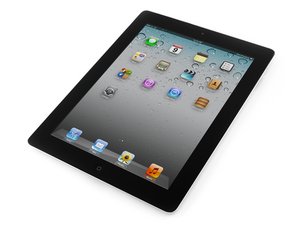
Tutoriels de réparation, informations sur le démontage et le diagnostic de la deuxième génération d'Apple iPad avec réseau de téléphonie mobile 3G GSM (AT&T), disponible avec 16, 32 ou 64 Go de stockage. Équipé d'un processeur dual-core A5. Commercialisé en mars 2011. Identifié par le numéro de modèle A1396. Les réparations nécessitent l'utilisation de chaleur et un levier prudent.
Issues with Wifi being poor after digitizer replacement
Hello, I recently took my broken glass off of my ipad 2 and let me tell ya, it wasn't as easy as i thought! But my question is, there is an antennae on the bottom right of the iPad and I damaged that... I looked online and it looks like that is for bluetooth. Is that true? I also was wondering which antenna connector it goes into, since there are 2. Is it the gold or silver one? I also disconnected the antennas on the top of the logic board (3g and wifi) and forgot what connector they go into, gold or silver. Thanks for all of your help!!
Faites défiler ce fil pour trouver l'endroit approprié pour y placer ce commentaire. Cliquez ensuite sur « Ajouter un commentaire à cette contribution » pour le déplacer.

1 commentaire:
No help. :( They don't show the antenna or coax cables. :( Thanks for the link though.
The wifi antenna is a flat piece of copper and it screws to the main body and tapes to the digitizer. If you haven't taken off a digitizer before you almost certainly tore it off.its too easy to,tear off. If you are getting a weak signal you most definitely tore it or pulled the plug,loose. Most likely tore it. The only way to fix it is to take it back apart. Changing the wifi antenna is somewhat tricky. Not that you can't do it but the digitizer cable seems easy to mess up in the process. If you aren't comfortable doing it.,there is a great place in Kalamazoo mi. That can fix you up in no time..
Which iPad do you have ? I have an extra wifi antenna if you have the ipad2
Faites défiler ce fil pour trouver l'endroit approprié pour y placer ce commentaire. Cliquez ensuite sur « Ajouter un commentaire à cette contribution » pour le déplacer.
I just finished sorting this out, hope this helps you. The antenna is almost always destroyed by removing the digitizer so plan on replacing it. It is a very inexpensive part so order it at the same time. One end attaches to the underside of the MB but can be accessed without removing the MB by removing the top shield and popping up the wireless board.
Here is what happened to me: I attached the antenna connector to the silver post and re-assembled. The wireless signal was dead awful but available if you set the iPad next to the router so I knew all the electronics were OK. Then I disassembled again, placed a piece of tape over the antenna connector at the post on the wireless board to make sure the connector does NOT touch the underside of the metal MB bracket! There is practically no room to avoid shorting the antenna post otherwise. Even though the antenna wire eventually makes contact with the metal case it must travel through the antenna first (I guess to tune the frequency better).
Faites défiler ce fil pour trouver l'endroit approprié pour y placer ce commentaire. Cliquez ensuite sur « Ajouter un commentaire à cette contribution » pour le déplacer.
1 commentaire:
Very helpful was driving me mad for days until i found this post the tape did the trick thank you
Faites défiler ce fil pour trouver l'endroit approprié pour y placer ce commentaire. Cliquez ensuite sur « Ajouter un commentaire à cette contribution » pour le déplacer.
To answer your question about where the wifi plugs into it plugs Ito the silver button not the gold after replacing mine with a new one I still was getting a weak signal I can't explain it I'll figure it out I'm sure
Faites défiler ce fil pour trouver l'endroit approprié pour y placer ce commentaire. Cliquez ensuite sur « Ajouter un commentaire à cette contribution » pour le déplacer.
2 commentaires:
Another question does the wifi antena need to be glued to the back of the digitizer in order to get reception?
No, it doesn't.but it should be taped because there isn't much tape in that area to hold the screen down tight and that can cause home button issues. I wish they would just attach it to the chassis but they tape it to help hold the digi screen down tight..
I'm also getting weak wifi after fitting a new digitizer. I would have thought if I damaged the antenna I would have had no wifi but I'm just getting weak wifi. It will work when I'm close to the wifi access point but when I move into the next room its gone. Is this indicative of me damaging the wifi adapter or cable?
Is it a new antenna I need. I'm loathed to open the iPad again because I doubt if I can get the digitizer off in one piece!
Update
P.S. I've just noticed an item on the old digitizer which sits just over the wifi antenna. Obviously this is something I've broken either when the ipad was dropped or when removing the digitizer.
Faites défiler ce fil pour trouver l'endroit approprié pour y placer ce commentaire. Cliquez ensuite sur « Ajouter un commentaire à cette contribution » pour le déplacer.
hi, i also had the same problem with weak signal after antenna replacement,after trying several different things (settings etc)there was no difference, the solution was to remove the motherboard and the top shield, fit the antenna using a pair of tweezers applying slight pressure on the connector to ensure the connector did not turn sideways but was rigid (90 degrees to the motherboard)
Faites défiler ce fil pour trouver l'endroit approprié pour y placer ce commentaire. Cliquez ensuite sur « Ajouter un commentaire à cette contribution » pour le déplacer.
2 commentaires:
Is it necessary that the connector be 90 degrees to the daughter board??
Hey chris its because the antenna flex cable tape is broken even in the guide on replacing the digitizer on the pad 2 they ripped the antenna flex or its not properly glued to the digitizer you need to buy a new one. and install it.
Faites défiler ce fil pour trouver l'endroit approprié pour y placer ce commentaire. Cliquez ensuite sur « Ajouter un commentaire à cette contribution » pour le déplacer.
I remember having this issue; it was really annoying being forced to use the new iPad, only in the same room as my wifi router because of the poor range. I've searched endlessly on Google, in the hope that someone would figure out on how to solve this, once and for all... I did a bunch of research came across WIRED magazine and found a extensive and detailed review of Pong Research cases www.pongresearch.com . These guys make a very special case which has a built-in antenna in between its layers, which redirects and boost the signal and range of your new iPad, iPhone and other devices. This solved my new iPad 3 wifi issues and now as a result, I'm able to connect to my router from further distance without a problem at all. I also enjoy a lot the Origami Smart Cover it comes with, which besides providing the classic sleep/awake function, folds and allows you to stand the iPad on 5 different positions.
Faites défiler ce fil pour trouver l'endroit approprié pour y placer ce commentaire. Cliquez ensuite sur « Ajouter un commentaire à cette contribution » pour le déplacer.
Next time an iPad 2 WiFi comes in to my shop I will do a guide on repairing the WiFi as part of the service (very straight-forward, takes 15 minutes at most on a non-shattered screen)
I just did a repair on an iPad 2 WiFi (my first one) and snapped the WiFi cable while removing the digitizer (was left on top of a car, skidded 30 metres along a street and was run over by 2 more cars) which had been shattered into hundreds of pieces, power button and chassis had been compacted ~10-20mm inwards and towards the front. Suffice to say, a difficult repair. Ended up using the Dremel to create a new home for the power button even haha.
The WiFi cable itself is an easy job to do, however, if you are not an experienced technician (an actual technician, not 'I've run a tech store outta me garage for 7 years and thusly I am the hottest of all shite' technician - MCTS, MCITP, ACMT (for those playing in Australia) Cert IV I.T etc.) you may find it a bit daunting and you may make simple errors that cause major problems (not draining the battery completely - working on a live PCB - using metal spudgers to decouple flex cables - overheating adhesive before prying iPad open and melting the home button etc. etc. etc.).
If you would still like to jump in straight away a quick Google search found a very usable Youtube tutorial:
Like I said though, if you are even slightly unsure about it, don't do it, get it done by a professional. You will know within 2 minutes of starting whether you are going to succeed or fail.
As mentioned above, within a couple of weeks (hopefully) I'll have a WiFi tutorial up on iFixit for you guys, just need someone to bring me another broken iPad 2 :)
Faites défiler ce fil pour trouver l'endroit approprié pour y placer ce commentaire. Cliquez ensuite sur « Ajouter un commentaire à cette contribution » pour le déplacer.
I had this issue. My problem was that the new antenna wasn't seated as well as it should be. After reopening the iPad and making sure that the antenna was definitely connected to the board properly, Wifi is working properly.
I was pretty sure I had connected the antenna properly the first time, but I had not. With it barely connected, it worked, but the range was terrible and it would only pick up one wireless signal.
Faites défiler ce fil pour trouver l'endroit approprié pour y placer ce commentaire. Cliquez ensuite sur « Ajouter un commentaire à cette contribution » pour le déplacer.
if the antenna doesn't seam torn, but it broke off right next to where the three screws hold it down, will i have poor connectiong when i close it up? ipad2.
i worry the screws have some kind of grounding or extention to the antenna purpose...
the main rectangular part of the antenna is untorn and the plug never got pulled out.
Faites défiler ce fil pour trouver l'endroit approprié pour y placer ce commentaire. Cliquez ensuite sur « Ajouter un commentaire à cette contribution » pour le déplacer.
i have finally a solution for the weak wifi signal for the iPad 2,
i have the same problems over and over again, after replacing the digitizer or lcd, you kill het wifi antenna (stupid construction)
this is only a solution for the people that taking there logic board out! so not the wifi/bluetooth card
first of all: your iPad 2 is a big aluminum antenna,
the problem is your logic board, when you want to get this out for replacing the antenna you need alot of force to get i out because it''s a little glued in the middle! (near by the battery connector)
what happens is that you bent your logic board a little bit!
there is a copper sticker on the backside of the logic board, that sticker is normally pushing again the aluminum body of you iPad 2 (grouding)
when you bent to much the sticker is not pushing against the frame anymore so you don't have circle or connection!
that is why you a have low or weak signal!
easy fix: just put something under the 2 srew's and metal plate that hold the logic board down (piece of paper or something else)
and add more force!
thats it..! happy repairing and cheers jorisdevet@gmail.com maby for a small donation with paypal??? other questions? feel free to ask!
Faites défiler ce fil pour trouver l'endroit approprié pour y placer ce commentaire. Cliquez ensuite sur « Ajouter un commentaire à cette contribution » pour le déplacer.
1 commentaire:
hi joris.. could u explain better? i was replace a touch and i destroy the wifi antenna... im alredy buy other wifi antena and nothing... could you post a pic or a video .. please...tks!
Faites défiler ce fil pour trouver l'endroit approprié pour y placer ce commentaire. Cliquez ensuite sur « Ajouter un commentaire à cette contribution » pour le déplacer.
Another BIG issue is that Apple used to glue the iPad 2 antennas to the bottom of the glass/digitizer from the inside. So if you broke the glass right on top of the antenna, it would damage it and tear into it. They fixed this issue on later models by not gluing the antenna to the glass. So when you took the broken glass off, it would not pull on the antenna and cause it to tear.
Also, if you don't have a lot of experience in fixing iPad 2nd Generations, it is very easy to rip the antenna during repair. The antenna is is screwed to the body of the iPad by 4 screws and it is extremely flimsy. The antenna can easily rip away from the screws and become loose. We have even seen many antennas that go bad after the repair without any physical damage visible to the antenna.
Also keep in mind that some Apple software updates do cause wifi connection issues on certain iPad models.
Faites défiler ce fil pour trouver l'endroit approprié pour y placer ce commentaire. Cliquez ensuite sur « Ajouter un commentaire à cette contribution » pour le déplacer.
2 commentaires:
Help! This is what has happened to us! What is the solution?
I had the same problem after replacing the digitiser on my ipad 2 and got here after searching relentlessly. I trashed the WiFi antenna when I opened it up and had to fit a new one. New antenna had really poor signal so I had to open it up again. I found out that with the antenna unscrewed from the chassis the signal was strong all over the house, but died whenever the antenna made contact with the chassis. I covered the "free" end of the antenna with electrical tape (and where it connects to the WiFi board to avoid shorting as someone mentioned previously). Without screwing it down at all, I tucked it between the screen and the battery! Tested it all with the ipad in bits and all was good. Still good on re-assembly. Hope this helps!
Faites défiler ce fil pour trouver l'endroit approprié pour y placer ce commentaire. Cliquez ensuite sur « Ajouter un commentaire à cette contribution » pour le déplacer.








