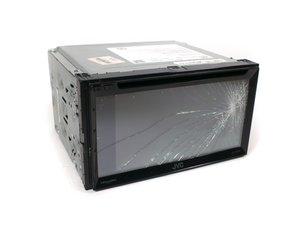

Help ...My JVC KW-V820BT stuck with firmware upgrade
My JVC KW-V820BT stuck with firmware upgrade and keeps restarting and not opening the main screen.
How can I reset it back to the original firmware or reset it?
Cette question est-elle utile ?
My JVC KW-V820BT stuck with firmware upgrade and keeps restarting and not opening the main screen.
How can I reset it back to the original firmware or reset it?
Cette question est-elle utile ?
Check on JVC's website for instructions on how to update the firmware. Also check popular car audio forums to see if this is a known issue with this model. There may be instructions on what to do when the update fails or how to revert back to an earlier version of the firmware. There might also be instructions - on JVC's website or online car audio forums - on how to hard reset the radio which could clear up the stuck firmware. If nothing seems to work, it might need a trip to an authorized JVC repair shop.
Cette réponse est-elle utile ?
One guy on a Reddit thread had the same issue with a KW-V830BT radio and got a suggestion from someone who found people who had successfully gotten around the problem.
JVC KW-V830BT Bootlooping after firmware upgrade attempt : r/CarAV
Here's the relevant part.
I found another reddit post where someone had this same exact screen and the firmware update failed like yours. They asked for help. Several people responded who had the same issue. They all said what worked was downloading the update on various flash drives and trying them all until one works. One person recommended using FAT or FAT32 only and 4gb or 8gb flash drive. I think if you have some other usb sticks available, or can get a few of them that are say 4gb or 8gb only, and format one to FAT and one to FAT32, then try each, you might have one of them work for you.
And on a different thread, the suggestions got a little more specific.
Tip: JVC Arsenal KW-V820BT update to 2.6 firmware : r/CarPlay
I searched for hours on trying to fix this on my own before calling in to tech support, figured I'd post so others looking for an answer may find this
Bought this CarPlay head unit from Crutchfield two weeks ago, it came preinstalled with firmware 2.5
I noticed on JVC's site that version 2.6 was available (includes improvements for CarPlay in the release notes), so I downloaded and and followed the directions, but the update hung up at the very end and bricked the radio.
After finding no help online about this, I called in and talked to JVC tech support, she right away told me "we've had reports of this happening, you'll need to send it in for servicing", I got pretty upset at that since I just purchased the radio, so she put me on hold for a little while and came back suggesting i try the firmware update again but to make sure I use a USB drive that is 4 gigs or less, citing that there were notes that the radio didn't handle larger drives too well.
So i copied the F/W files onto a cheap 4 gig drive i had around (the first attempt was on a Lexar 16 gig drive) and sure enough it worked. Even though the radio was locked up, it reacted to plugging in the 4 gig drive and applied the update successfully.
And a bit later in the same thread:
Good tip! I just bought this radio and it's being installed this weekend. I had originally planned to update it using a 64gb flash drive but now I know better. Did you use a usb 2.0 or usb 3.0 drive and was it formatted in NTFS or FAT32?
I'm a Mac guy so my cheapie 4 gig USB 2.0 drive that worked was formatted using Disk Utility to FAT (which I think is FAT16)
Disk utility Fat is fat 32 🙂
And one more:
I had the same problem on a KW-M875BW this weekend. I just got off the phone with a JVC tech who solved it for me. (Thanks Juan!)
Your USB drive has to be smaller than 32gb. If it's larger, the update will fail after the unit reboots.
The fix is to use a smaller flash drive, or repartition your flash drive so that it has a single partition that's smaller than 32gb. (I repartioned my 256gb drive to 16gb, which is plenty of space.) Once I did that, the update completed successfully.
So it appears the solution to this is to use a small flash drive, definitely less than 32GB, but possibly smaller than 4GB, or partition an existing drive to something like 16GB and make sure it's formatted to FAT32.
Give that a try then come on back and let us know what you find. Good luck!
Cette réponse est-elle utile ?
Dernières 24 heures : 0
7 derniers jours : 12
30 derniers jours : 37
Total : 434