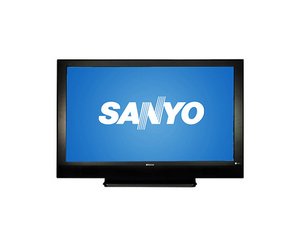
Two Vertical Lines and Dark blob on screen of 40” Sanyo Old Model HDTV
My Sanyo 40” Flat screen TV (Old Model) has two vertical lines and a red blob. A friend gave it to me saying he never used it and didn’t know if it worked. When I first turned it on, there was one line and no blob, an hour later there is two lines and a dark Blob on the screen.. Is there anyway to fix this?
Faites défiler ce fil pour trouver l'endroit approprié pour y placer ce commentaire. Cliquez ensuite sur « Ajouter un commentaire à cette contribution » pour le déplacer.
6 commentaires
@spencer22 we do need to know the exact model for your TV.
@spencerc22 that would make it a 37" diagonal screen. Sounds right? Also, that would make it a LCD TV not a Plasma. Do those lines and the blob appear immediately or does it take a bit of time to show up?
@spencerc22 okay so your TV is a LED backlight TV. The "blob" looks like a backlight that is going to go dim. In order to fix that, I would suggest to replace the LED backlight strips. Not a bad job on this panel since it is not to big. The two lines are actually more of an issue. Those look like Tab errors. Your LCD panel has driver boards that are connected to the panel via some very thin ribbon cables. Those a bonded to the panel (essentially glued). The bond is coming loose or may be corroded. Not sure how difficult it is on your TV to get to those. Here are some examples of what you are looking for
Now apply some pressure on the Tab that is located where your lines are. If those lines disappear or change, you know that this is the problem.
There is no permanent fix for it for the DIY'er. Sometimes applying a strip of thermal mat and either wedging it between the Tab and the TV bezel will apply enough pressure to continue to make contact. Sometimes you can use a piece of thermal mat and attach it with some adhesive tape Yes, duct tape would work as long as you don't tape it right on the ribbon cable. Always use something between the tape and Tab.
To repair the backlight, you will have to tear the panel down. Check something like this video Different model but in principle they all look very similar. Just take your time and if you get stuck somewhere, take some pictures and post those with your QUESTION so we can try to continue to help you along.
That is really all you can do at this time. It is not a bad fix and will keep your TV going for another couple of years.
Faites défiler ce fil pour trouver l'endroit approprié pour y placer ce commentaire. Cliquez ensuite sur « Ajouter un commentaire à cette contribution » pour le déplacer.
5 commentaires:
Is there any fix for the blob other than buying a replacement?
@spencerc22 that is your backlight array. Probably a bad LED so you would have to replace the strip. Sometimes you can replace the single LED by soldering it to the strip, but you will then have a lighter area on your screen.

 3
 1



 2,4k


6 commentaires
@spencer22 we do need to know the exact model for your TV.
par oldturkey03 Partager
@oldturkey03 how do I figure that out?
par Caiden Spencer Partager
@spencerc22 there should be some sort of label on the back of the TV.
par oldturkey03 Partager
@oldturkey03 I think it’s DP37647
par Caiden Spencer Partager
@spencerc22 that would make it a 37" diagonal screen. Sounds right? Also, that would make it a LCD TV not a Plasma. Do those lines and the blob appear immediately or does it take a bit of time to show up?
par oldturkey03 Partager
Afficher 1 commentaire en plus