Aller au contenu principal
Pour réparer ensemble - Je crée un compte

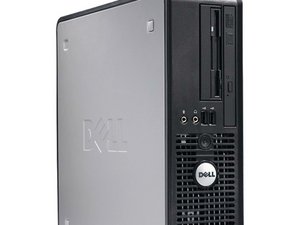
Sorti en octobre 2008, le Dell OptiPlex 760 SFF est le modèle au format compact (SFF) de la gamme OptiPlex 760 de Dell. Il est relativement simple à ouvrir et à réparer.

Load up problem in my pc when I try to go in to windows it says failed

it says failed to open then it take me to the screen where it says strike the F1 key to continue, F2 to run the setup utility Press F5 to run on board diagnostics, and when i try to run the diagnostics it starts and then stay ate 5% for memory testing

Répondre à cette question J'ai le même problème

Cette question est-elle utile ?

Indice 0

Ajouter un commentaire

3 Réponses

Are you using a “real” copy of Windows or, a “bootlegged” copy. Reload Windows. If the problem persists, do a clean reload.

# Make a DOS boot disk with format and fdisk on it.

  1. Boot from the floppy and run fdisk /u /r.
  2. Run format c:/ /s
  3. Boot from the HDD and load Windows.

Cette réponse est-elle utile ?

Indice 0
Ajouter un commentaire

Good morning sir my dell pc can't opened because while i start it's orange light continues not blink continues no display cpu motherboard power supply working what i will do

Cette réponse est-elle utile ?

Indice 0

1 commentaire:

Did it ever turn on. Have you changed any settings in the BIOS. Unplug all your drives so only the monitor is connected. Try to boot to the BIOS. Do you get a BIOS splash screen? If so, connect one item at a time until it quits working. YOu’ve found the bad device.

par

Ajouter un commentaire

it says failed to open then it take me to the screen where it says strike the F1 key to continue, F2 to run the setup utility Press F5 to run on board diagnostics, and when i try to run the diagnostics it starts and then stay ate 5% for memory testing

Cette réponse est-elle utile ?

Indice 0
Ajouter un commentaire

Ajouter une réponse

ClagsYT sera éternellement reconnaissant.
Nombre de vues :

Dernières 24 heures : 0

7 derniers jours : 3

30 derniers jours : 20

Total : 333