
Aller au contenu principal

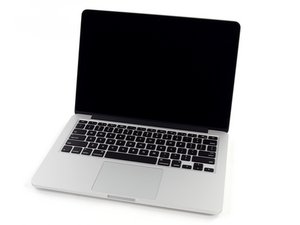
Modèle A1502 / processeur dual-core Intel Core i7 2,6 GHz (Turbo Boost jusqu'à 3,1 GHz) ou 2,8 GHz (Turbo Boost jusqu'à 3,3 GHz) avec 4 Mo de cache L3 partagé.

HDD needs to be formatted

Hello everyone!

My daughter by accident (she said that) interrupt an update of her old Mac book pro (A1502) and she got a new and I would like to install Linux in it, but during the process the HDD couldn't be accessible or formatted, what can I do?

Répondre à cette question J'ai le même problème

Cette question est-elle utile ?

Indice 0

2 commentaires:

@jesussalin4792 - Can you first tell us the model and year as different series have different requirements.

par

Model A1502 we got it in 2014 and I forgot to say that it doesn't have any utility load it in the HDD.

Than you I really apreciate your help.

par

Ajouter un commentaire

1 Réponse

Technically speaking this system has a SSD not a HDD. You should be able to access the Apple OS recovery server to at least get macOS installed again. As you need to can access to the disk utility tool it offers. Now the tricky part you need to partition the drive into two partitions the first is where macOS sits I would make is around 40GB so you have some space besides the OS and it’s needed virtual RAM space. Then you can create the second partition for Linux and do the install within it. The needed Startup command is Option-Command-R and here’s the full write up on the commands: Mac startup key combinations

To speed up the process you could leverage her new Mac but you will need to access the OS installer file directly from Apples server How to download and install macOS but the highest you can run is Big Sur on this older system download it. Then connecting the two systems together via a Thunderbolt cable you can enable Target Disk Mode Transfer files between two Mac computers using target disk mode if you don’t have a cable grab a 32GB USB thumb drive and reformat it to GUID and a journaled file system then copy the OS installer to it and then convert it to a bootable installer by following this guide Create a bootable installer for macOS

Cette réponse est-elle utile ?

Indice 0
Ajouter un commentaire

Ajouter une réponse

Jesus Salinas sera éternellement reconnaissant.
Nombre de vues :

Dernières 24 heures : 0

7 derniers jours : 1

30 derniers jours : 8

Total : 83