Aller au contenu principal
Pour réparer ensemble - Je crée un compte

HTC Vive XR Elite Rear Padding Replacement

Vues: 446

Afficher les statistiques :

Dernières 24 heures :
2
Sept derniers jours :
11
Trente derniers jours :
49
Total :
446
Commentaires: 0

Personne n'a commenté ce tutoriel. Serez-vous le premier ?

Aller aux commentaires de tutoriel
Terminé: 0

Personne n'a marqué ce tutoriel comme « terminé ». Serez-vous le premier ?

Favoris: 0

Personne n'a mis ce tutoriel en favori (ni ne s'y est abonné). Serez-vous le premier ?

Temps nécessaire: 10 - 15 minutes
Difficulté: Modérée
Tutoriel vedette

L'équipe iFixit trouve ce tutoriel particulièrement réussi.

HTC Vive XR Elite Rear Padding Replacement

Follow this guide to remove the rear padding from your HTC Vive XR Elite.

If your battery is swollen, take appropriate precautions.

Ce dont vous avez besoin

Outils

    1. HTC Vive XR Elite Rear Padding Replacement, Prepare your Vive XR Elite for disassembly: étape 1, image 1 de 1
      • Before starting this repair, discharge the batteries in your headset below 25%. A charged battery may leak dangerous chemicals or catch fire if damaged.

      • Playing Half Life: Alyx will do the trick!

      • The Vive XR Elite has a proximity sensor that puts the headset in standby mode to save battery when it isn't in use. To drain the battery faster you'll need to use the headset.

      Demander à FixBot

      Ajouter un commentaire

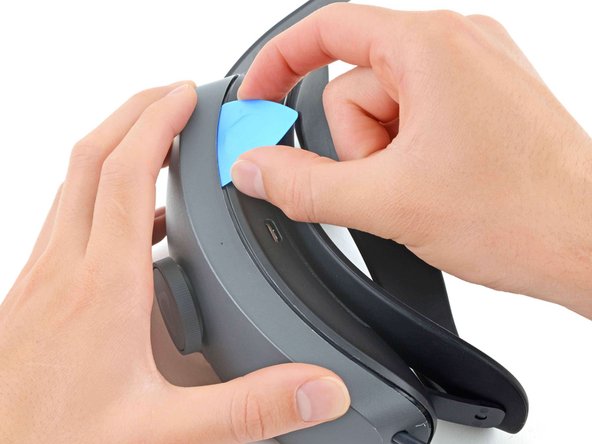
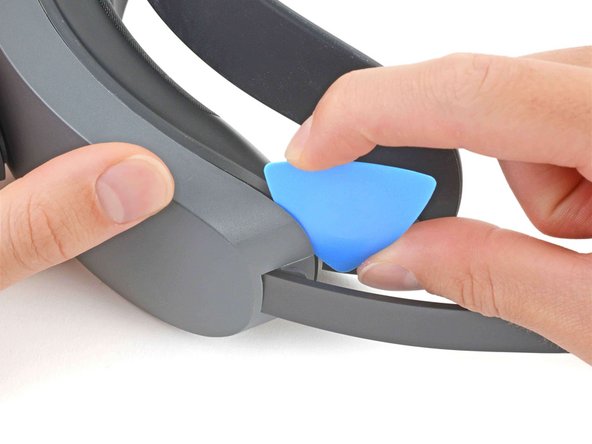
    1. HTC Vive XR Elite Rear Padding Replacement, Insert an opening pick: étape 2, image 1 de 2 HTC Vive XR Elite Rear Padding Replacement, Insert an opening pick: étape 2, image 2 de 2
      • Insert a long edge of an opening pick in the gap between the two halves of the battery cradle, near the USB-C cable.

      Demander à FixBot

      Ajouter un commentaire

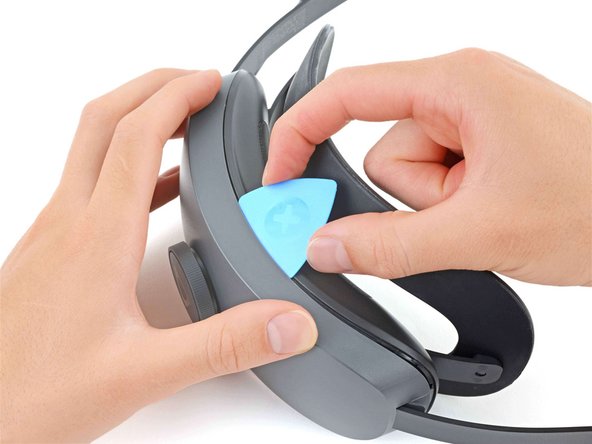
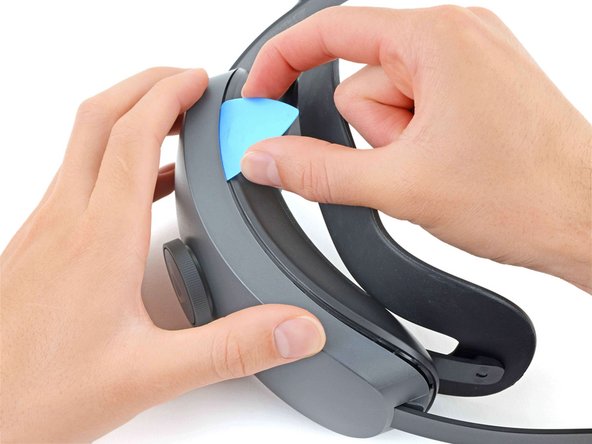
    2. HTC Vive XR Elite Rear Padding Replacement, Release the top clips: étape 3, image 1 de 3 HTC Vive XR Elite Rear Padding Replacement, Release the top clips: étape 3, image 2 de 3 HTC Vive XR Elite Rear Padding Replacement, Release the top clips: étape 3, image 3 de 3
      • Slide the opening pick along the top edge of battery cradle to release its plastic clips.

      Demander à FixBot

      Ajouter un commentaire

    3. HTC Vive XR Elite Rear Padding Replacement: étape 4, image 1 de 2 HTC Vive XR Elite Rear Padding Replacement: étape 4, image 2 de 2
      • Flip the battery cradle over.

      • Insert the long edge of an opening pick in the gap between the two halves of the battery cradle.

      Demander à FixBot

      Ajouter un commentaire

    4. HTC Vive XR Elite Rear Padding Replacement, Release the bottom clips: étape 5, image 1 de 3 HTC Vive XR Elite Rear Padding Replacement, Release the bottom clips: étape 5, image 2 de 3 HTC Vive XR Elite Rear Padding Replacement, Release the bottom clips: étape 5, image 3 de 3
      • Slide the opening pick along the bottom edge of battery cradle to release its plastic clips.

      Demander à FixBot

      Ajouter un commentaire

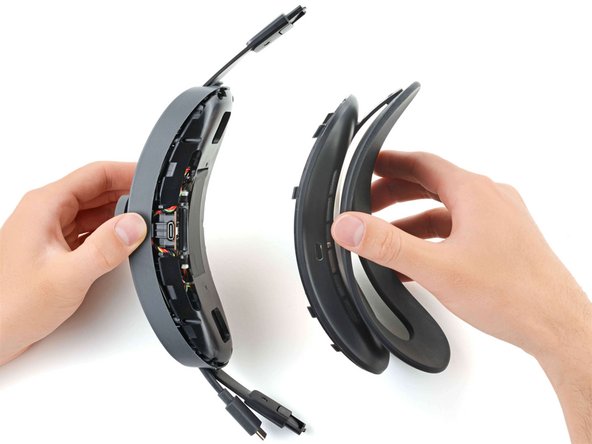
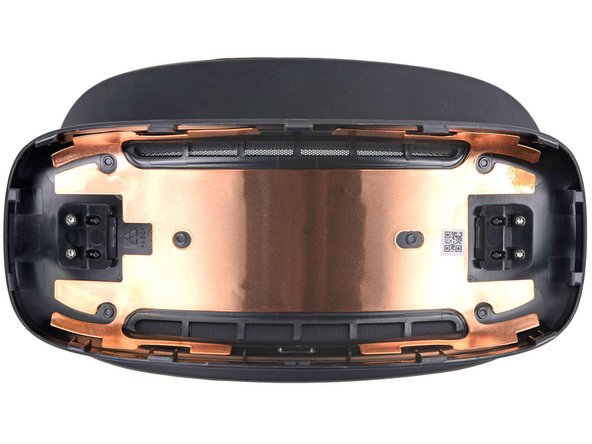
    5. HTC Vive XR Elite Rear Padding Replacement, Separate the battery cradle halves: étape 6, image 1 de 2 HTC Vive XR Elite Rear Padding Replacement, Separate the battery cradle halves: étape 6, image 2 de 2
      • Pull apart the two halves of the battery cradle to completely separate them.

      Demander à FixBot

      Ajouter un commentaire

    1. HTC Vive XR Elite Rear Padding Replacement, Unfasten the rear padding: étape 7, image 1 de 2 HTC Vive XR Elite Rear Padding Replacement, Unfasten the rear padding: étape 7, image 2 de 2
      Outil utilisé dans cette étape :
      FixMat
      $36.95
      • Use a T5 Torx screwdriver to remove the four 4.9 mm-long screws securing the rear padding.

      • Throughout this repair, keep track of each screw and make sure it goes back exactly where it came from.

      Demander à FixBot

      Ajouter un commentaire

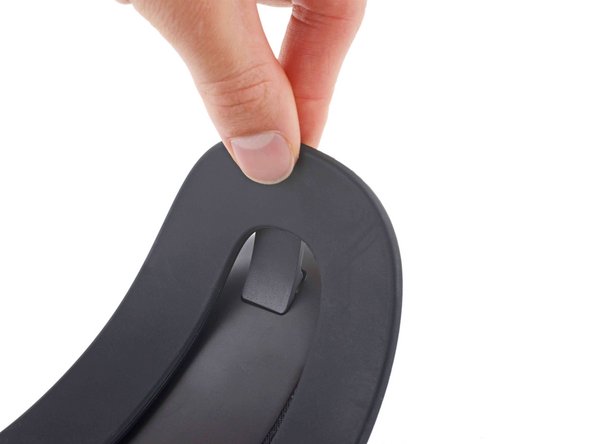
    2. HTC Vive XR Elite Rear Padding Replacement, Unclip the rear padding: étape 8, image 1 de 3 HTC Vive XR Elite Rear Padding Replacement, Unclip the rear padding: étape 8, image 2 de 3 HTC Vive XR Elite Rear Padding Replacement, Unclip the rear padding: étape 8, image 3 de 3
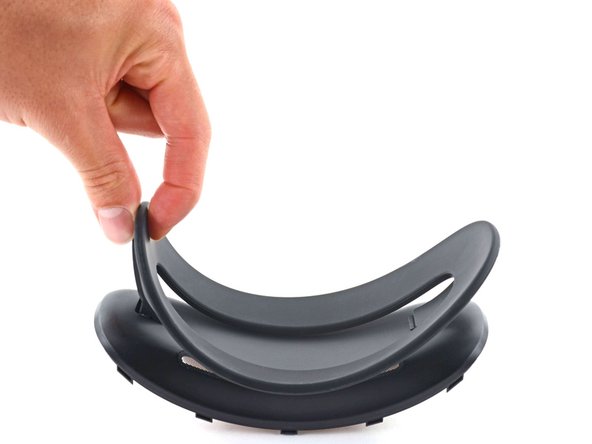
      • Pivot one of the rear padding clips toward the center of the frame.

      • Lift the rear padding up to unclip it.

      Demander à FixBot

      Ajouter un commentaire

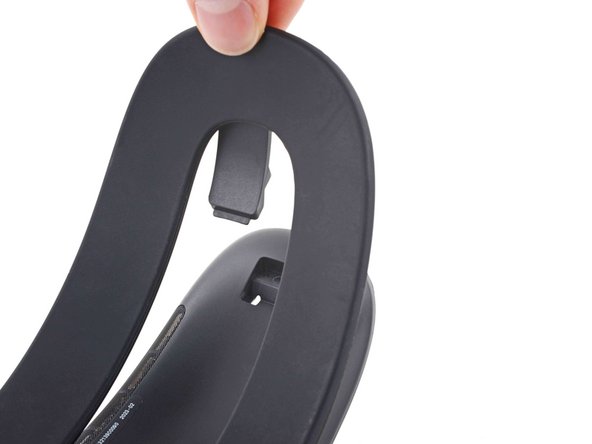
    3. HTC Vive XR Elite Rear Padding Replacement, Remove the rear padding: étape 9, image 1 de 3 HTC Vive XR Elite Rear Padding Replacement, Remove the rear padding: étape 9, image 2 de 3 HTC Vive XR Elite Rear Padding Replacement, Remove the rear padding: étape 9, image 3 de 3
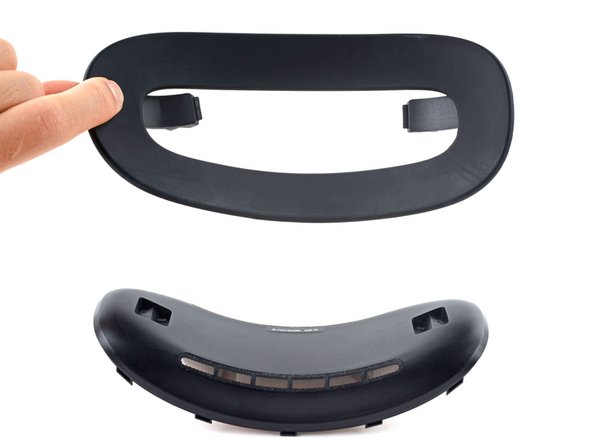
      • The rear padding is not symmetrical. Note its orientation before continuing.

      • Unclip the remaining rear padding clip.

      • Remove the rear padding.

      Demander à FixBot

      Ajouter un commentaire

Conclusion

Compare your new replacement part to the original part—you may need to transfer remaining components or remove adhesive backings from the new part before installing.

To reassemble your device, follow these instructions in reverse order.

Take your e-waste to an R2 or e-Stewards certified recycler.

Repair didn’t go as planned? Try some basic troubleshooting, or ask our Answers Community for help.

Annulation : je n'ai pas terminé ce tutoriel.

Chayton Ritter

Membre depuis le 08/21/20

27 833 Réputation

105 tutoriels rédigés

Équipe

Guide Team Membre de l'équipe Guide Team

Staff

10 membres

62 142 tutoriels rédigés

0 commentaires de tutoriel

Ajouter un commentaire

Nombre de vues :

Dernières 24 heures : 2

7 derniers jours : 11

30 derniers jours : 49

Total : 446