Aller au contenu principal
Pour réparer ensemble - Je crée un compte

How to Apply New Bottom Speaker Adhesive in Your Google Pixel Fold

Ce dont vous avez besoin

    1. How to Apply New Bottom Speaker Adhesive in Your Google Pixel Fold, Remove the old adhesive: étape 1, image 1 de 1
      Outil utilisé dans cette étape :
      Tweezers
      $4.99
      • Use tweezers, or your fingers, to peel off the adhesive strip from the bottom speaker.

      Demander à FixBot

      Ajouter un commentaire

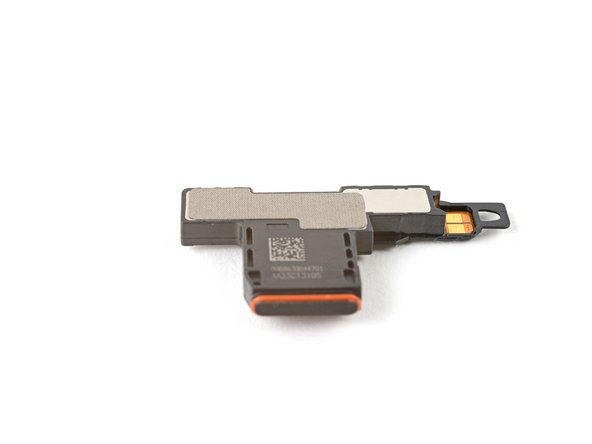
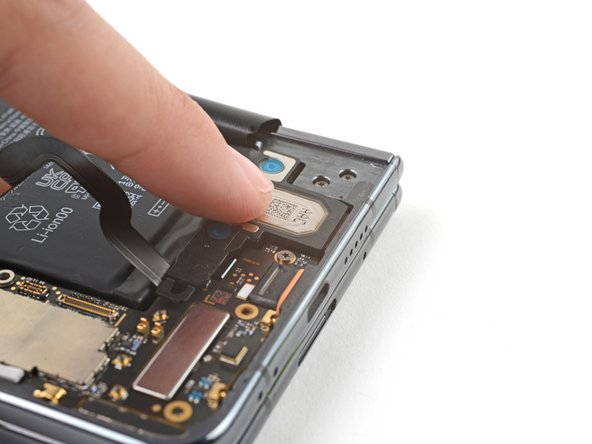
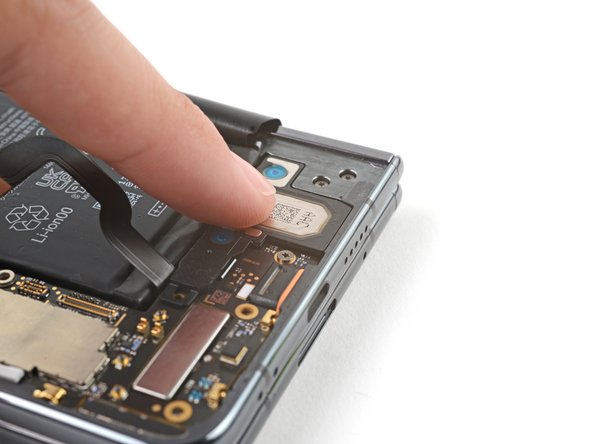
    2. How to Apply New Bottom Speaker Adhesive in Your Google Pixel Fold, Apply the adhesive: étape 2, image 1 de 3 How to Apply New Bottom Speaker Adhesive in Your Google Pixel Fold, Apply the adhesive: étape 2, image 2 de 3 How to Apply New Bottom Speaker Adhesive in Your Google Pixel Fold, Apply the adhesive: étape 2, image 3 de 3
      • Peel off the new adhesive strip from its liner and apply the sticky side to the bottom speaker.

      • Use a spudger, or your fingers, to press down the adhesive and ensure a good seal.

      Demander à FixBot

      Ajouter un commentaire

    3. How to Apply New Bottom Speaker Adhesive in Your Google Pixel Fold, Expose the adhesive: étape 3, image 1 de 2 How to Apply New Bottom Speaker Adhesive in Your Google Pixel Fold, Expose the adhesive: étape 3, image 2 de 2
      • Use tweezers, or your fingers, to pull off the tab and expose the top layer of adhesive.

      Demander à FixBot

      Ajouter un commentaire

    4. How to Apply New Bottom Speaker Adhesive in Your Google Pixel Fold, Secure the bottom speaker: étape 4, image 1 de 3 How to Apply New Bottom Speaker Adhesive in Your Google Pixel Fold, Secure the bottom speaker: étape 4, image 2 de 3 How to Apply New Bottom Speaker Adhesive in Your Google Pixel Fold, Secure the bottom speaker: étape 4, image 3 de 3
      • Insert the bottom speaker at a shallow angle into its recess in the frame.

      • Push the speaker towards the bottom edge of the phone until it sits flat in the frame.

      • Push down on the speaker to ensure a good seal in the adhesive.

      Demander à FixBot

      Ajouter un commentaire

Conclusion

Repair didn’t go as planned? Try some basic troubleshooting, or ask our Google Pixel Fold Answers Community for help.

Annulation : je n'ai pas terminé ce tutoriel.

Alex Diaz-Kokaisl

Membre depuis le 01/16/22

247 338 Réputation

1 203 tutoriels rédigés

Équipe

iFixit Membre de l'équipe iFixit

Staff

123 membres

73 315 tutoriels rédigés

0 commentaires de tutoriel

Ajouter un commentaire

Nombre de vues :

Dernières 24 heures : 2

7 derniers jours : 7

30 derniers jours : 34

Total : 467