Introduction
Use this guide to replace the battery for your Casio G-Shock GA201-1A watch.
G-Shock watches are popular watches designed to resist stress, shock, water, and vibration. The lithium battery needed for this watch replacement is long-lasting, depending on the usage for the watch. Typically, the lithium battery provided in G-Shock watches lasts two to six years. The lifespan depends on how often you use the alarm or the backlight features. Frequently using either will drain the battery pretty fast and cause the need for replacement.
This guide is needed for all G-Shock owners because maintaining our watches improves the quality and experience. This brand of watches is long-lasting and durable, but it's essential to know how to take care of it in the event of overuse.
This guide will show a detailed and easy process to carefully replace the battery for this particular model. This is a user-friendly and straightforward process that anyone can accomplish to restore their watch.
Once you have completed the guide, your watch will reset. Be sure to check out the G-Shock GA201-1A user manual to properly set to the correct timezone and date.
Ce dont vous avez besoin
-
-
Remove back cover by removing the four 6.2 mm Phillips #0 screws with the screwdriver.
-
-



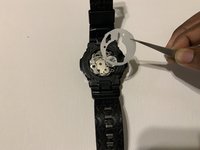


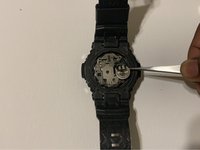
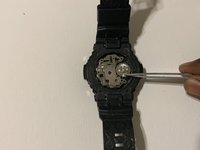



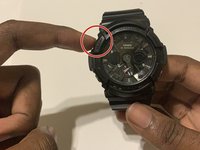
To reassemble your watch, follow these instructions in reverse order.
For optimal performance, after completing this guide, calibrate your newly installed battery.
Take your e-waste to an R2 or e-Stewards certified recycler.



Équipe

University of North Texas, Team 1-11, Friess Fall 2021 Membre de l'équipe University of North Texas, Team 1-11, Friess Fall 2021
UNT-FRIESS-F21S1G11
1 membre
2 tutoriels rédigés
