Introduction
If your RetroMini Miyoo Mini Plus seems to not hold a charge or turns off frequently. If so here is a guide to replacing the battery. While the guide can be done with only your hands, it may be easier with a small flat head screwdriver or IFixit Opening Tool.
Ce dont vous avez besoin


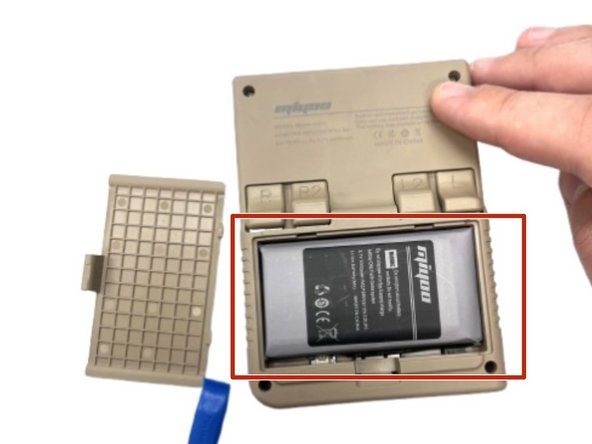


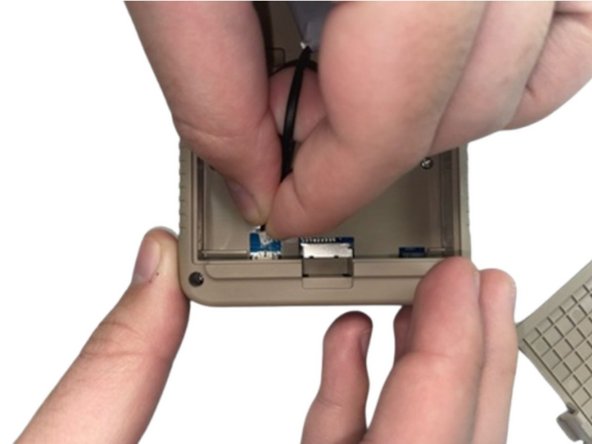

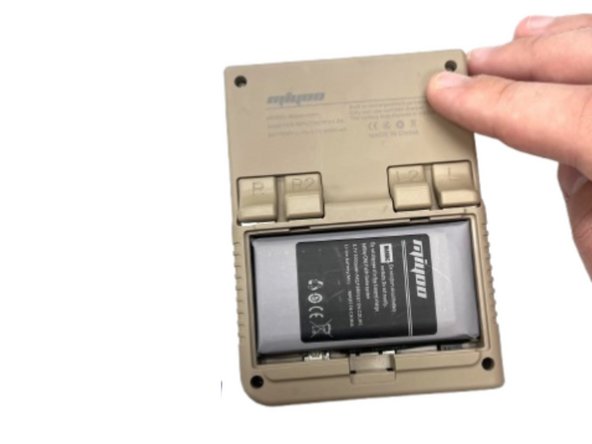
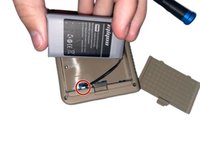
To reassemble your device, follow the above steps in reverse order.
For optimal performance, after completing this guide, calibrate your newly installed battery.
Take your e-waste to an R2 or e-Stewards certified recycler.
Repair didn’t go as planned? Try some basic troubleshooting, or ask our Steam Deck answers community for help.
Annulation : je n'ai pas terminé ce tutoriel.
Une autre personne a terminé cette réparation.


Équipe

University of North Texas, Team 5-2, Kilpatrick Fall 2024 Membre de l'équipe University of North Texas, Team 5-2, Kilpatrick Fall 2024
UNT-KILPATRICK-F24S5G2
4 membres
4 tutoriels rédigés
