Introduction
This guide shows you how to access the LCD display inside your phone.
Ce dont vous avez besoin
-
-
Just below the phone's camera, press the button and hold it
-
While the button is held down, slide the back panel off to remove it completely.
 Demander à FixBot
-
-
-
Grasp the bottom corners of the battery with two fingers and gently lift.
-
Gently lift the battery and remove it from the phone.
-
-
-
Remove the rubber screw cover in the top left corner by prying upwards with an opening tool.
-
-
-
Use a Phillips #00 screwdriver to remove the six screws on the back of the phone.
-
-
-
-
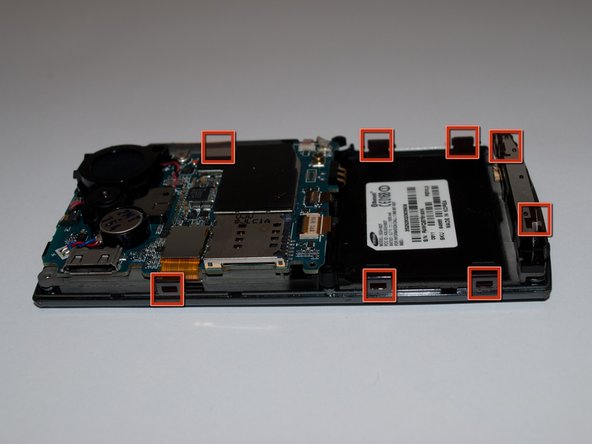
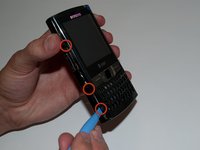
Slide the opening tool along the seam on the side of the phone and turn it slightly to unhook the eight clips.
-
-
-
Once all eight of the clips have been unhooked, lift the back panel off of the phone.
-
-
-
Using an opening tool, undo the ZIF connector halfway up the right side.
-
-
-
Remove the front faceplate by lifting it off of the phone chassis.
-
-
-
Using an opening tool or spudger, pry under the lower left and right corners of the LCD screen.
-




To reassemble your device, follow these instructions in reverse order.
Annulation : je n'ai pas terminé ce tutoriel.
Une autre personne a terminé cette réparation.

Équipe

Cal Poly, Team 15-15, Regan Spring 2011 Membre de l'équipe Cal Poly, Team 15-15, Regan Spring 2011
CPSU-REGAN-S11S15G15
5 membres
5 tutoriels rédigés
