Cette traduction a été générée automatiquement et n’a pas encore fait l’objet d’une relecture humaine. Vous parlez cette langue ? Relisez-la.
Introduction
Mettez à niveau ou remplacez le combo ou le SuperDrive.
Ce dont vous avez besoin
-
-
-
Éteignez votre Mac mini, déconnectez tous les câbles et retournez-le.
-
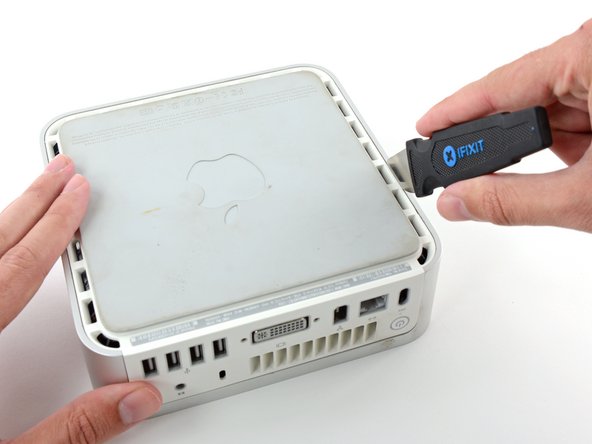
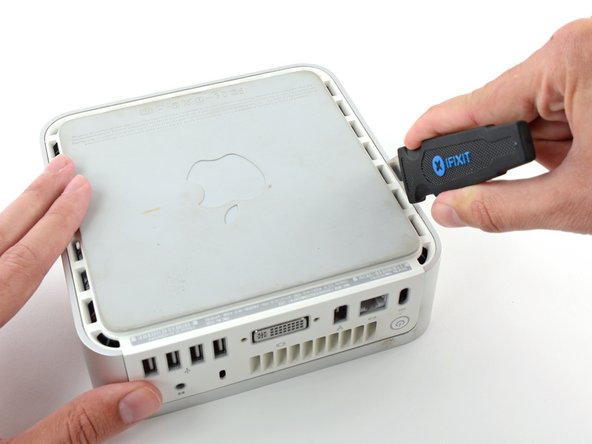
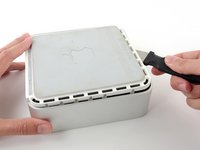
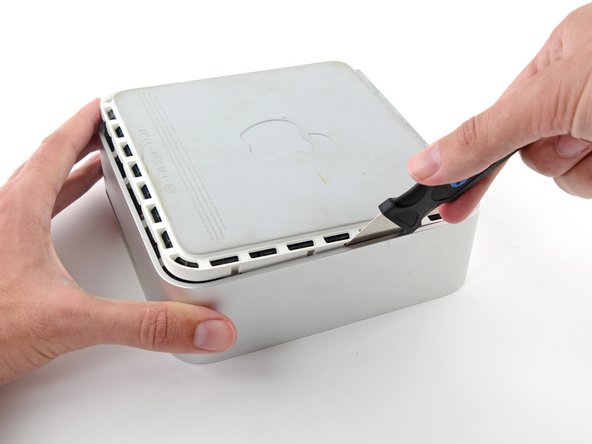
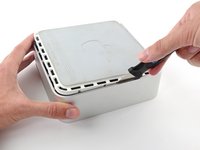
Insérez la spatule Jimmy dans la jointure entre l'aluminium du couvercle supérieur e de la partie inférieure en plastique.
-
La spatule doit s'enfoncer d'environ 9 mm.
 Demander à FixBot
-
-
-
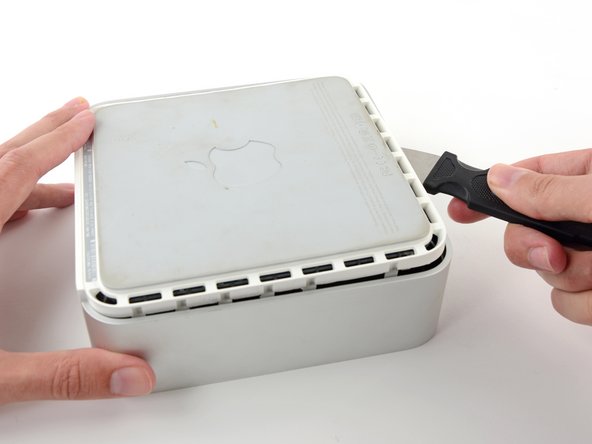
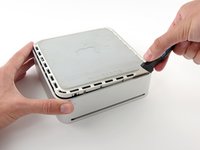
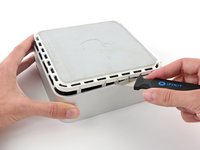
Penchez légèrement la spatule vers l'extérieur pour faire levier et élargir la fente et soulevez légèrement le boîtier inférieur.
-
-
-
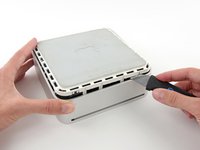
Une fois que vous avez libéré le premier côté, faites pivoter le Mac mini et commencez à faire levier sur le bord avant.
-
Utilisez le même mouvement de levier pour replier les clips vers l’intérieur et soulever le boîtier inférieur afin de le sortir du boîtier supérieur.
-
-
-
Vous devrez peut-être déplacer la spatule le long du bord pour ouvrir tous les clips. Soyez prudent et progressez petit à petit.
-
-
-
Continuez à travailler autour du périmètre, en détachant les clips le long du dernier bord.
-
-
-
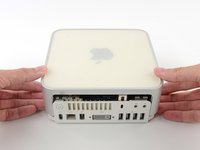
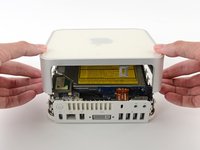
Retournez le Mac mini et soulevez le boîtier supérieur du boîtier inférieur.
-
-
-
-
-
Nous allons d'abord retirer l'antenne AirPort, située dans le coin inférieur gauche de cette image.
-
-
-
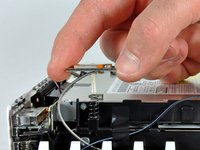
Pressez légèrement les deux onglets de retenue l'un vers l'autre et soulevez l'antenne AirPort de son emplacement.
-
-
-
-
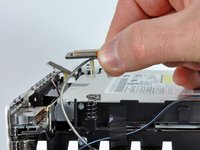
Saisissez l'antenne Bluetooth le plus près du côté des ports de l'ordinateur, par les bords de la carte et soulevez-la tout droit vers le haut pour la retirer du cadre interne.
-
-
-
Retirez la carte d'antenne près de l'avant du Mini en la soulevant vers le haut pour la retirer du cadre interne.
-
Si nécessaire, retirez le morceau de ruban adhésif fixant les fils d'antenne au cadre interne.
-
-
-
Utilisez l'extrémité plate d'un spudger pour retirer le connecteur de la nappe audio de la carte audio.
-
-
-
Retirez les quatre vis suivantes, fixant le cadre interne au boîtier inférieur :
-
Trois vis cruciformes #00 de 6,7 mm
-
Une vis cruciforme #00 de 9,5 mm
-
-
-
Soulevez le cadre interne du boîtier inférieur, en commençant par le bord arrière, jusqu'à ce que vous sentiez que le connecteur caché dans le rebord de la carte mère se déconnecte. Ensuite, soulevez tout droit, en faisant attention aux câbles d'antenne Bluetooth et 802.11.
-
-
-
-
-
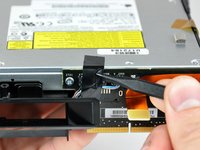
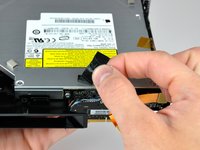
Utilisez la pointe d'une spatule (spudger) pour retirer le ruban adhésif isolant noir qui recouvre la carte d'interconnexion et le lecteur optique.
-
-
-
Avec l'extrémité plate d'une spatule (spudger), déconnectez la nappe audio de la carte d'interconnexion.
-
-
-
Si nécessaire, retirez le ruban adhésif kapton jaune qui recouvre le châssis interne et le lecteur optique.
-
-
-
Retirez les deux vis cruciformes qui fixent le lecteur optique au châssis interne.
-
-
-
Tournez le mini de 180 degrés et retirez les deux vis cruciformes qui fixent le lecteur optique au châssis interne de l'autre côté.
-
-
-
Retirez les deux vis cruciformes qui fixent la carte d'interconnexion au lecteur optique.
-
-
-
Insérez l'extrémité plate d'une spatule (spudger) dans la fente située entre le lecteur optique et la carte d'interconnexion.
-
Élargissez délicatement la fente pour déconnecter le lecteur optique de la carte d'interconnexion.
-
-
-
Soulevez délicatement le lecteur optique hors du châssis interne.
-
-
-
-
-
Transférez les quatre gâchettes hautes en mousse sur le lecteur optique de rechange.
-
-













Pour remonter votre appareil, suivez ces instructions en sens inverse.
Annulation : je n'ai pas terminé ce tutoriel.
65 autres ont terminé cette réparation.

6 commentaires de tutoriel
I found that it's entirely possible to remove the optical drive without removing the whole subframe. You can remove the four screws on the sides of the drive quite easily, remove the other end of the audio cable then unscrew the two screws on the back of the drive holding the interconnect board to the drive (the only fiddly bit as it's hard to get a a good angle onto those two screws), then gently lift the front of the drive and pull it forward.
Can anyone tell me now that I have replaced the optical drive, why if only accepts dvd's being put into it when I have first turn on the computer?? If I do it when the computer is already on, no matter how far I try and push in the DVD it doesn't grab it and pull it in properly. No trouble playing them once in.
Please help! Can anyone tell me now that I have replaced the optical drive, why if only accepts dvd's being put into it when I have first turn on the computer?? If I do it when the computer is already on, no matter how far I try and push in the DVD it doesn't grab it and pull it in properly. No trouble playing them once in.
Hi!
Is is correct about the optibay i need to replace a DVD up to SSD:
- the inside connector of this optibay is SATA 3 witch is compatible for a modern SSD, like this one - https://ru.aliexpress.com/item/Newest-Go...
- the outside that goes to a motherboard - what is it - i can't really understand - is it eSATA or it it mSATA or smth else?
Thanks for your reply in advance!
I also had n0o need to remove the frame. To use a screwdriver that is magnetized made some undesirable problems. Overall, the optical drive was replaced -that is , put in as the former drive was removed by someone else.
