Cette traduction a été générée automatiquement et n’a pas encore fait l’objet d’une relecture humaine. Vous parlez cette langue ? Relisez-la.
Introduction
Si vous utilisez votre appareil régulièrement, remplacez ses filtres tous les 2 mois. Ce tutoriel vous explique comment changer les filtres de votre iRobot Roomba 770.
Ce dont vous avez besoin
-
-
-
Orientez le Roomba de manière à ce que le « bouton Clean » soit orienté vers le haut, et que les inscriptions soient dans le bon sens.
-
Appuyez sur le gros bouton situé sur la partie du Roomba la plus proche de vous. Tirez l'arrière du Roomba (le bac à poussière) pour le sortir.
 Demander à FixBot
-
-
-
-
Prenez le collecteur de poussière et orientez-le de sorte que la partie incurvée soit tournée vers l'opposé et que la partie transparente soit orientée vers le haut.
-
Poussez la petite languette jaune vers l'intérieur, puis faites-la pivoter vers vous.
-
-
-
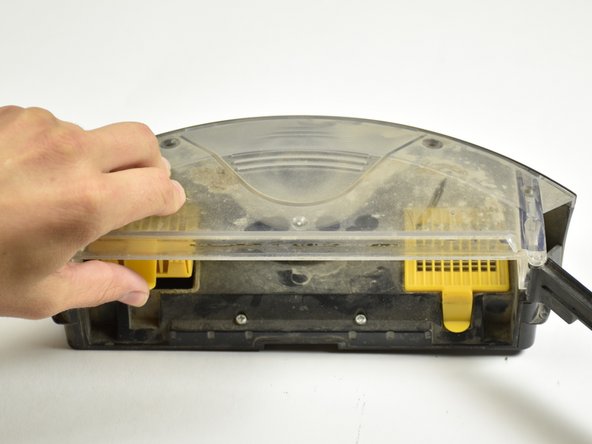
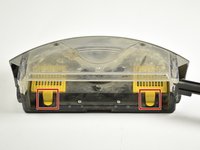
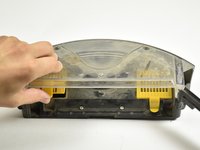
Poussez vers le haut sur les languettes d'extraction jaunes situées sur les filtres jaunes, et retirez les deux filtres.
-
-


Pour remonter votre appareil, suivez ces instructions en sens inverse.
Annulation : je n'ai pas terminé ce tutoriel.
2 autres ont terminé cette réparation.

Équipe

Cal Poly, Team 15-3, Livingston Fall 2016 Membre de l'équipe Cal Poly, Team 15-3, Livingston Fall 2016
CPSU-LIVINGSTON-F16S15G3
3 membres
60 tutoriels rédigés
