Aller au contenu principal
Pour réparer ensemble - Je crée un compte

Repair information for Sharp televisions.

My TV has stopped responding to both my remote and onboard buttons.

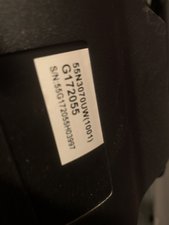
My Sharp TV (LC55P6000U, G172055) suddenly stopped responding to remote commands with the exception of the power button. Now the onboard controls as well (except power). I did a hard reset on both the TV and the remote. It powers up, but if any button is pressed (whether remote or onboard) a spinning icon (waiting/busy/buffering) appears for a few minutes and then just disappears.

If I have my Xbox turned on, the TV will display it when powered up. But I can’t change volume or access menu etc… The remote has good batteries and the IR is working (checked through phone camera). I’m stumped! Is this a failing board? A known quirk?? Any help is greatly appreciated!

Block Image
Block Image
Block Image
Répondre à cette question J'ai le même problème

Cette question est-elle utile ?

Indice 3

6 commentaires

I am having same issue, did it fix for you? If yes, how?

par

i’m also having this issue. any fixes?

par

Must be common. Happening to mine too. Any suggestions appreciated. I feel I've tried everything.

par

Same problem just starting on Apr-30-2023. Any help? Leo Chapa.

par

@lodegariochapa same TV? Error like this is usually caused by a bad IR board.

par

Afficher 1 commentaire en plus

Ajouter un commentaire

3 Réponses

Réponse la plus utile

Hi @nickydanger ,

Try a factory reset and check if that works.

Take heed of the information at the top of the page about how doing this will delete all personal info, customized settings and installed apps in the TV and restore it to its factory default condition

Cette réponse est-elle utile ?

Indice 1

2 commentaires:

this is not working for me. i think since the tv isn’t responding to the onboard buttons, this is not a viable option for me. :( PLEASE HELP

par

Did you ever find a solution?

par

Ajouter un commentaire

Hello, I'm unsure if you still have your TV. Mines did the same thing the other day. I called customer service today which didn't help. My 20 yr. Old came in the living room while I was on the phone and said did you try to unplug the TV for at least 30 sec. I hadn't done so yet. I just messed with the remote and the TV bottoms. He unplugged it and it's working again.

Cette réponse est-elle utile ?

Indice 1

2 commentaires:

@neish52055

I do still have mine, but it still doesn't work. At first unplugging it did work, but it would stop within a few days. After the third time I was never able to get it to work again. I was quoted $200 from a local repair shop so I just went out and bought a hisense for less on black friday... it's a shame that it's uneconomical to keep old devices running but it is what it is I guess.

par

I have the same problem for almost 2 years on 70 inch sharp aquas. Need to unplug and replug every day.

Tried factory reset , works for sometime but again back to not responding

par

Ajouter un commentaire

Can't control my sharp tv buttons on my tv nor the remote tried all the restart video I get message saying . The operation with control panel is prohibited and when I press buttons on my remote it says, no input selection available. Please is there someone that can help me?

Cette réponse est-elle utile ?

Indice 0

1 commentaire:

Hi @elizabethj37864

What is the model number of the TV?

par

Ajouter un commentaire

Ajouter une réponse

Nicholas Armstrong sera éternellement reconnaissant.
Nombre de vues :

Dernières 24 heures : 2

7 derniers jours : 19

30 derniers jours : 148

Total : 7,413