Aller au contenu principal
Pour réparer ensemble - Je crée un compte

Altec Lansing Mini Lifejacket 2 Battery Replacement

Ce dont vous avez besoin

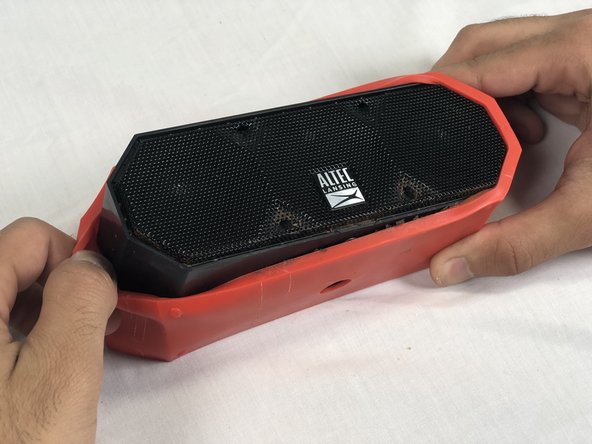
    1. Altec Lansing Mini Lifejacket 2 Battery Replacement, Back Panel: étape 1, image 1 de 3 Altec Lansing Mini Lifejacket 2 Battery Replacement, Back Panel: étape 1, image 2 de 3 Altec Lansing Mini Lifejacket 2 Battery Replacement, Back Panel: étape 1, image 3 de 3
      • Use the spudger to remove the eight black pins from the front and back of the wire screens.

      Demander à FixBot

      Ajouter un commentaire

    2. Altec Lansing Mini Lifejacket 2 Battery Replacement: étape 2, image 1 de 3 Altec Lansing Mini Lifejacket 2 Battery Replacement: étape 2, image 2 de 3 Altec Lansing Mini Lifejacket 2 Battery Replacement: étape 2, image 3 de 3
      • Detach the eight secondary pins from the front and back of the wire mesh plates with a spudger.

      • Removing the secondary pins from the rubber casing is optional.

      Demander à FixBot

      Ajouter un commentaire

    3. Altec Lansing Mini Lifejacket 2 Battery Replacement: étape 3, image 1 de 2 Altec Lansing Mini Lifejacket 2 Battery Replacement: étape 3, image 2 de 2
      • Remove both black and orange layers from the speaker body.

      Demander à FixBot

      Ajouter un commentaire

    4. Altec Lansing Mini Lifejacket 2 Battery Replacement: étape 4, image 1 de 3 Altec Lansing Mini Lifejacket 2 Battery Replacement: étape 4, image 2 de 3 Altec Lansing Mini Lifejacket 2 Battery Replacement: étape 4, image 3 de 3
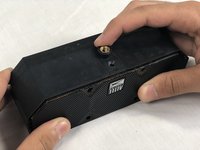
      • Remove the single 7.8mm Phillips #2 screw from the mounting plate located under the device.

      • Slide the mounting plate out to remove it.

      Demander à FixBot

      Ajouter un commentaire

    5. Altec Lansing Mini Lifejacket 2 Battery Replacement: étape 5, image 1 de 2 Altec Lansing Mini Lifejacket 2 Battery Replacement: étape 5, image 2 de 2
      • Pry off the wire mesh on both sides using a metal spudger.

      • Be gentle to avoid bending the mesh.

      Demander à FixBot

      Ajouter un commentaire

    6. Altec Lansing Mini Lifejacket 2 Battery Replacement: étape 6, image 1 de 2 Altec Lansing Mini Lifejacket 2 Battery Replacement: étape 6, image 2 de 2
      Outil utilisé dans cette étape :
      Tweezers
      $4.99
      • Using tweezers, remove the four rubber stoppers in each corner of the rear panel.

      Demander à FixBot

      Ajouter un commentaire

    7. Altec Lansing Mini Lifejacket 2 Battery Replacement: étape 7, image 1 de 1
      • Remove the four 13.7mm Phillips #1 screws located underneath the rubber stoppers.

      Demander à FixBot

      Ajouter un commentaire

    8. Altec Lansing Mini Lifejacket 2 Battery Replacement: étape 8, image 1 de 1
      • Pull the case apart to access the interior components.

      Demander à FixBot

      Ajouter un commentaire

    9. Altec Lansing Mini Lifejacket 2 Battery Replacement: étape 9, image 1 de 3 Altec Lansing Mini Lifejacket 2 Battery Replacement: étape 9, image 2 de 3 Altec Lansing Mini Lifejacket 2 Battery Replacement: étape 9, image 3 de 3
      • To remove the back panel, gently pull out its wire harness.

      Demander à FixBot

      Ajouter un commentaire

    1. Altec Lansing Mini Lifejacket 2 Battery Replacement, Battery: étape 10, image 1 de 3 Altec Lansing Mini Lifejacket 2 Battery Replacement, Battery: étape 10, image 2 de 3 Altec Lansing Mini Lifejacket 2 Battery Replacement, Battery: étape 10, image 3 de 3
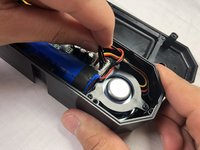
      • Disconnect the battery from the motherboard.

      • The battery is not secured within the case and can be removed after detaching its wiring from the circuit board.

      Demander à FixBot

      Ajouter un commentaire

Conclusion

To reassemble your device, follow these instructions in reverse order.

Annulation : je n'ai pas terminé ce tutoriel.

8 autres ont terminé cette réparation.

Stephen Albrecht

Membre depuis le 02/14/18

1 053 Réputation

4 tutoriels rédigés

Équipe

USF Tampa, Team S3-G2, Nance Spring 2018 Membre de l'équipe USF Tampa, Team S3-G2, Nance Spring 2018

USFT-NANCE-S18S3G2

4 membres

12 tutoriels rédigés

13 commentaires de tutoriel

Where can you get the batteries? Altec Lansing doesn’t carry them.

alanp5 - Réponse Partager
Search for MCR18650 battery. They are available.

F Hickisch - Réponse Partager

Hickisch, I appreciate your guide on replacing this battery, but I beg to differ that replacement batteries are “available.” I keep getting sent batteries with 3-wire connectors instead of 2-wire. Plz send me a link, plz. Gracias.

rudy.ch.garcia - Réponse Partager

Sounds like you need to find another source instead of aliexpress or ebay. Digikey has them with the correct 2 wire connection. It's just a standard 18650 battery with the wires spot welded to the positive and negative terminals. Anything with a 3rd wire is likely meant as a charge sensing wire for a batter that has on board circuitry.

rchuncleskeleton - Réponse Partager

for the mini life jacket 3, the motherboard is upside down so you need to remove it to unplug the battery.

Edgar Corral (Tramarius) - Réponse Partager

Ajouter un commentaire

Nombre de vues :

Dernières 24 heures : 3

7 derniers jours : 19

30 derniers jours : 106

Total : 24,537