Introduction
If the Astro A20 does not have any audio transmitting from the speaker then you will need to follow these steps to replace the speaker.
Ce dont vous avez besoin
-
-
-
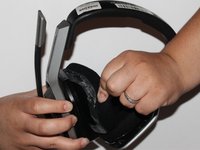
Place one hand on the hard side of the headset ear portion and on the cushion.
-
Lift the small portion on the edge of the cushion.
 Demander à FixBot
-
-
-
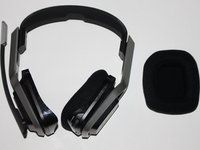
Slide the metal spudger underneath the lift part of the ear cushion.
-
Pull the ear cushion while wedging the spudge around the edge of the ear cushion.
-
-
-
-
-
-
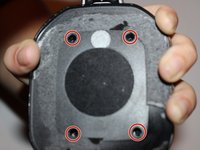
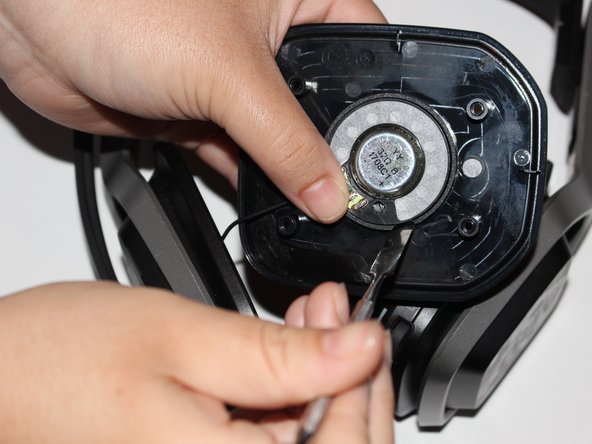
Lift the speaker area.
-
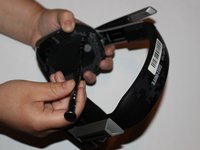
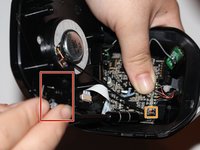
Disconnect the wires connected to the speaker.
-
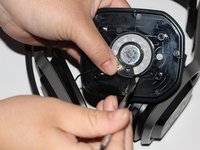
Wedge a spudger on the edge of the speaker and lift upwards to remove the speaker from the device.
-





To reassemble your device, follow these instructions in reverse order.
Annulation : je n'ai pas terminé ce tutoriel.
3 autres ont terminé cette réparation.

Équipe

University of Alabama, Team S1-G2, Bedsole Fall 2018 Membre de l'équipe University of Alabama, Team S1-G2, Bedsole Fall 2018
UA-BEDSOLE-F18S1G2
4 membres
15 tutoriels rédigés
