Aller au contenu principal
Pour réparer ensemble - Je crée un compte

August Smart Lock Accelerometer Replacement

Ce dont vous avez besoin

  1. August Smart Lock Accelerometer Replacement, Accelerometer: étape 1, image 1 de 3 August Smart Lock Accelerometer Replacement, Accelerometer: étape 1, image 2 de 3 August Smart Lock Accelerometer Replacement, Accelerometer: étape 1, image 3 de 3
    • Flip device over so the black bottom is facing you.

    • Undo latches on both sides to remove the metal cover.

    • Using a Phillips #0 screwdriver, remove the black screws to release the back cover.

    • To unscrew all of the screws, you will need to close the latches again.

    • When you lift off the cover, be careful not to lift to far up. The cover contains the speaker which is connected to the motherboard.

    Demander à FixBot
  2. August Smart Lock Accelerometer Replacement: étape 2, image 1 de 3 August Smart Lock Accelerometer Replacement: étape 2, image 2 de 3 August Smart Lock Accelerometer Replacement: étape 2, image 3 de 3
    • Grab the gears and lift them up to remove from the device

    Demander à FixBot
  3. August Smart Lock Accelerometer Replacement: étape 3, image 1 de 3 August Smart Lock Accelerometer Replacement: étape 3, image 2 de 3 August Smart Lock Accelerometer Replacement: étape 3, image 3 de 3
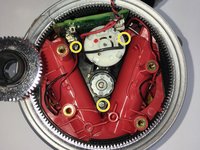
    • Remove the (3) three silver screws by the motor using a Phillips #0 screwdriver.

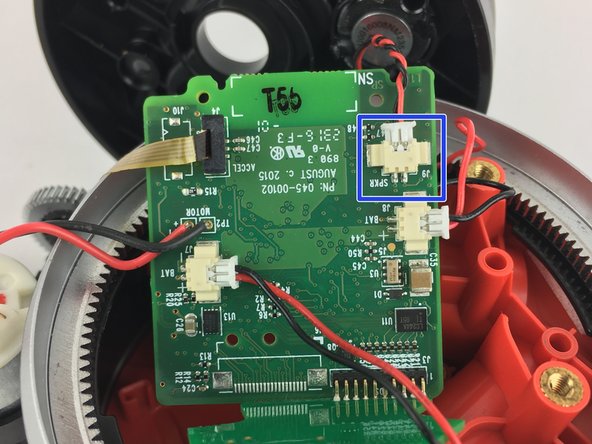
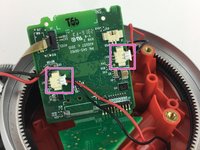
    • Disconnect the speaker plug from the motherboard

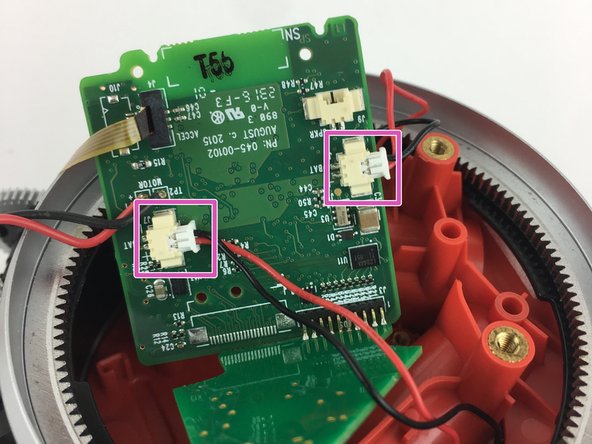
    • Disconnect the battery plugs from the motherboard.

    Demander à FixBot
  4. August Smart Lock Accelerometer Replacement: étape 4, image 1 de 1
    • Once the speaker is disconnected, remove the back cover.

    • Lift up the motherboard and motor assembly out of the device.

    Demander à FixBot
  5. August Smart Lock Accelerometer Replacement: étape 5, image 1 de 2 August Smart Lock Accelerometer Replacement: étape 5, image 2 de 2
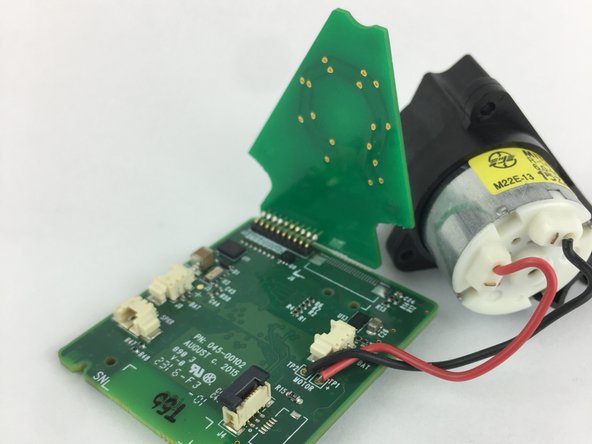
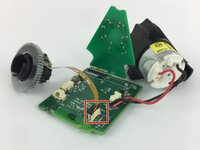
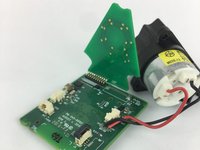
    • Locate the Accelerometer. It is attached to the motherboard by a ribbon.

    • Lift up the black tab to remove the ribbon from the motherboard.

    Demander à FixBot
Conclusion

To reassemble your device, follow these instructions in reverse order.

8 autres ont terminé cette réparation.

William Fink

Membre depuis le 09/26/17

841 Réputation

3 tutoriels rédigés

Équipe

USF Tampa, Team S11-G6, Passmore Fall 2017 Membre de l'équipe USF Tampa, Team S11-G6, Passmore Fall 2017

USFT-PASSMORE-F17S11G6

4 membres

3 tutoriels rédigés

7 commentaires de tutoriel

Any idea where can I get a new accelerometer to complete this repair?

Thai Nguyen - Réponse Partager

Where can we get a new accelerometer. My phone was not connecting because of the ribbon was broken inside

Dinesh Sharma - Réponse Partager

Same as above…. where to locate an accelerometer??

osallabe - Réponse Partager

Did anyone find out where to buy the part?

LBurd - Réponse Partager

Where can I find one

Jeff Wasilewski - Réponse Partager

Ajouter un commentaire

Nombre de vues :

Dernières 24 heures : 0

7 derniers jours : 11

30 derniers jours : 64

Total : 8,748