Introduction
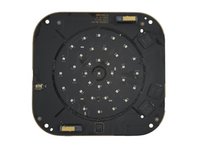
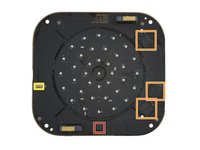
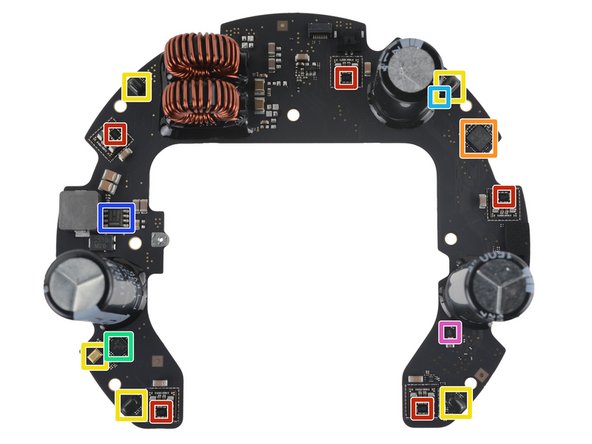
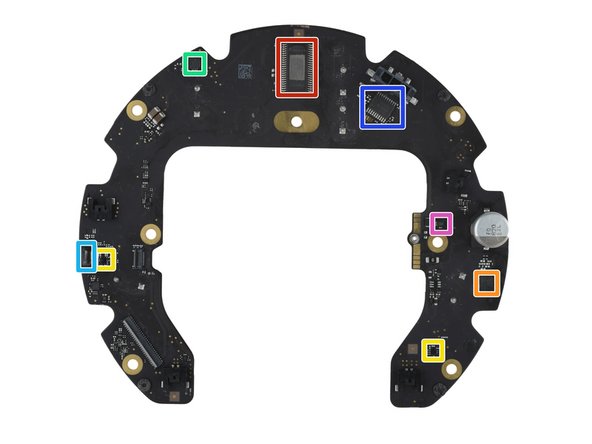
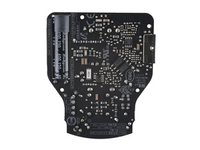
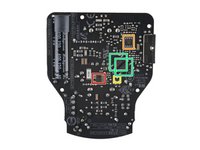
Voici un résumé de l'identification des puces de l'Apple HomePod 2023.
Consultez notre vue éclatée du HomePod 2 pour plus de détails.
Un remerciement spécial au membre de la communauté CChin pour sa contribution !
Vidéo d'introduction
-
-
-
Processeur dual-core 64 bits Apple APL1W86 / 339S01037 S7 superposé à une mémoire SDRAM LPDDR4 SK hynix H9HA28A12MNLTR-4KJ de 1,5 Go vraisemblablement et une mémoire flash NAND de 32 Go
-
Gestion de l'alimentation Apple 338S00325
-
Probablement une mémoire EEPROM série STMicroelectronics
-
Convertisseur de tension CC-CC abaisseur synchrone 1 A Texas Instruments TPS62821
-
Convertisseur buck synchrone 6 A Texas Instruments TPS56637
-
Régulateur LDO 250 mA / 3,3 V onsemi NCP160AMX330TBG
-
Transcodeur / traducteur de niveau de tension Nexperia 74AVC1T45
 Demander à FixBot
-
-
-
Transceiver de translation 2 bits Texas Instruments SN74AXC2T45
-
Double tampon de bus/line driver Nexperia 74LVC2G125
-
Porte AND simple à 2 entrées Nexperia 74LVC1G08
-
-
-
Module WiFi / Bluetooth USI 339M00243
-
Module UWB USI
-
Probablement un commutateur RF SPDT QPC8019Q de Qorvo
-
SoC Bluetooth 5.3 nRF52820 de Nordic Semiconductor
-
Module frontal 2,4 GHz SKY66404-11 de Skyworks
-
-
-
Accéléromètre 3 axes Bosch Sensortec BMA282
-
-
-
Contrôleur tactile Synaptics S3808B
-
Pilote de LED 48 canaux Texas Instruments TLC5955
-
Microphone MEMS Knowles
-
-
-
-
Capteur de luminosité ambiante
-
-
-
Amplificateur audio Analog Devices SSM3515B
-
Convertisseur N/A stéréo Texas Instruments PCM5242
-
Microphones MEMS
-
Convertisseur A/N stéréo Texas Instruments TLV320ADC3100
-
Convertisseur stéréo PDM vers I2S ou TDM Analog Devices ADAU7002
-
Convertisseur CC-CC abaisseur 5 A Texas Instruments TPS54560B
-
Amplificateur de détection de courant Texas Instruments INA210A ?
-
-
-
Régulateur LDO 200 mA / ajustable Texas Instruments TPS7A2401
-
Double tampon de bus / driver de ligne Nexperia 74LVC2G125
-
Tampon à trigger de Schmitt simple Texas Instruments SN74LVC1G17
-
Tampon simple Texas Instruments 74AUP1G126
-
Inverseur simple Texas Instruments SN74LVC1G04
-
-
-
Amplificateur audio Texas Instruments TPA3255C
-
Convertisseur analogique-numérique stéréo Texas Instruments TLV320ADC3100
-
Convertisseur PDM vers I2S ou TDM stéréo Analog Devices ADAU7002
-
Convertisseur analogique-numérique 12 bits, 8 canaux Texas Instruments TLA2528
-
Microphone MEMS
-
Amplificateur de détection de courant Texas Instruments INA253A1
-
Amplificateur de détection de courant ? Texas Instruments INA210A
-
-
-
Matrice de signaux mixtes Renesas
-
Régulateur LDO 250 mA / 1,8 V onsemi NCP160AMX180TBG
-
Régulateur LDO 200 mA / 3,3 V Texas Instruments TLV70733P
-
Régulateur LDO 200 mA / 3,6 V Texas Instruments TLV70736P
-
Bascule D simple Texas Instruments SN74AUP1G74
-
Buffer de bus / driver de ligne double Nexperia 74LVC2G125
-
Buffer simple Nexperia 74LVC1G07
-
-
-
Buffer simple Nexperia 74AXP1T34
-
Buffer simple Nexperia 74AUP1G126
-
-
-
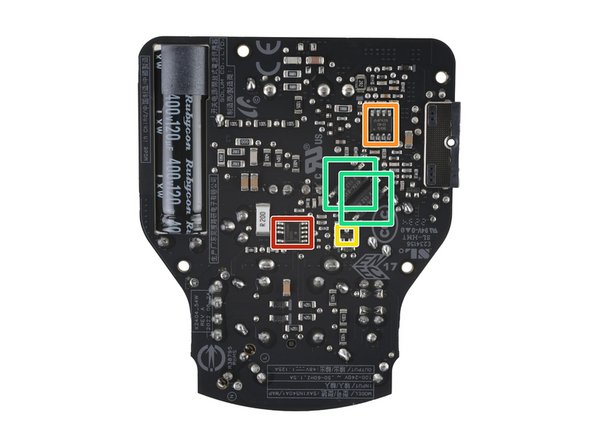
Amplificateur opérationnel simple KEC KIA75S358F
-
Optocoupleur Vishay VOL617A-8
-
-
-
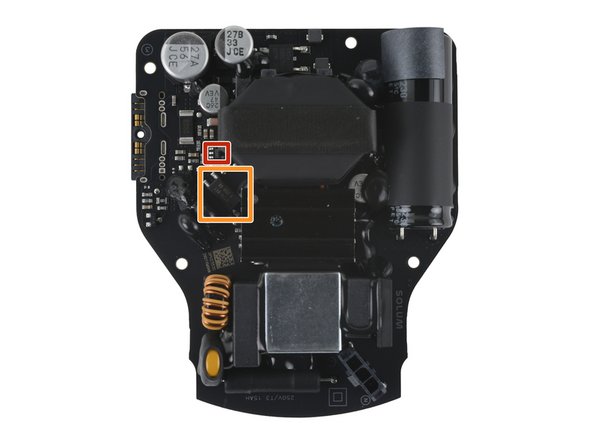
contrôleur flyback quasi-résonnant onsemi NCP1342DADBD
-
amplificateur opérationnel double avec référence de tension 2,5 V Diodes Incorporated AP4310EMTR-G1
-
régulateur de tension shunt ajustable Diodes Incorporated AP431SHANTR-G1
-
optocoupleur Vishay VOL617A-8
-
-
-
Sonde thermique HDC2010 d'humidité et de température Texas Instruments
-
-