Cette traduction a été générée automatiquement et n’a pas encore fait l’objet d’une relecture humaine. Vous parlez cette langue ? Relisez-la.
Introduction
Il s'agit d'une solution rapide qui peut grandement améliorer, voire restaurer complètement, la lecture des DVD sur un lecteur Panasonic DVD-RV31. Avec une utilisation normale, un lecteur DVD finit par s'encrasser et la lentille du laser a parfois besoin d'être nettoyée pour retrouver ses fonctionnalités.
Aucune compétence particulière n'est requise et cette réparation n'a rien d'inhabituel ; elle devrait être facile à réaliser et gratifiante une fois terminée ! Le seul outil de réparation nécessaire est un chiffon en microfibre ou une lingette pour lunettes, à utiliser sur la lentille pour éviter de la rayer pendant le nettoyage.
Ce dont vous avez besoin
-
-
-
Éjectez le tiroir à disque du lecteur DVD avant de débrancher l'alimentation.
 Demander à FixBot
-
-
-
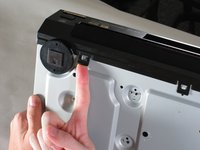
Soulevez uniformément le cache avant du tiroir à disque (sans l'incliner, comme illustré). Cela facilitera le démontage du lecteur.
-
-
-
-
-
Retirez les trois vis situées le long du bord arrière du cache.
-
Retirez les deux vis de chaque côté du cache.
-
-
-
Saisissez les bords du cache avec vos mains. Tirez légèrement vers l'extérieur, puis verticalement vers le haut.
-
-
-
-
-
-
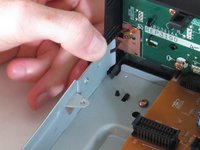
Soulevez les cinq languettes qui fixent la façade au châssis. Il y en a trois en bas et deux sur les bords intérieurs de la façade. Vous devriez ensuite pouvoir retirer la façade du lecteur.
-
-
-
-
-
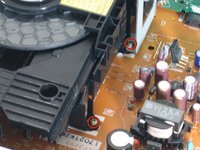
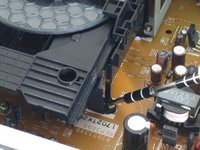
Repérez les quatre vis qui fixent le bloc du lecteur de disque. Il y en a deux de chaque côté.
-
À l'aide d'un tournevis fin, retirez les quatre vis.
-
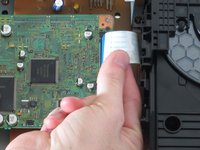
Déconnectez la nappe bleue de son connecteur. En faisant cela, soyez prudent de ne pas endommager le connecteur.
-
-
-
Soulevez l'ensemble par l'avant pour dégager le support métallique de la carte d'alimentation.
-
Tirez sur l'arrière et sortez le lecteur.
-
-
-
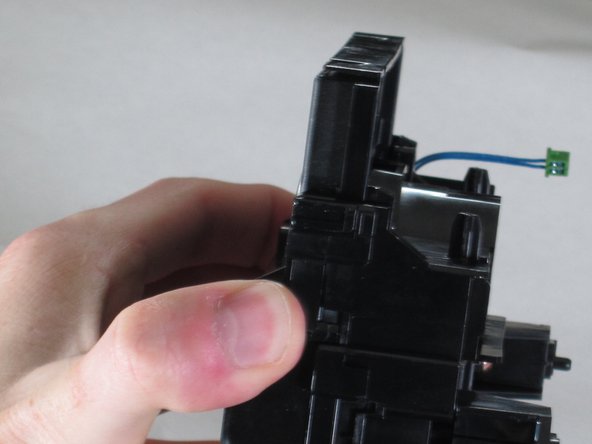
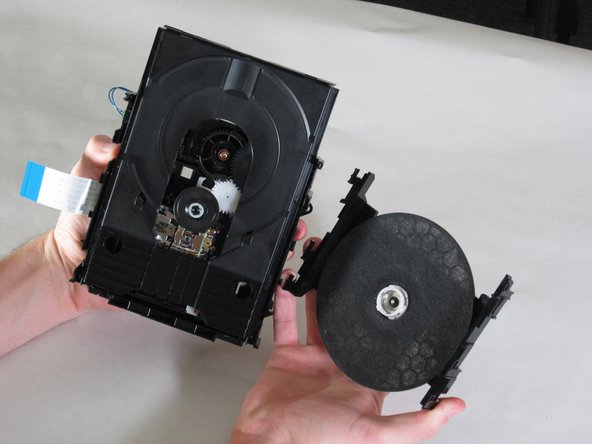
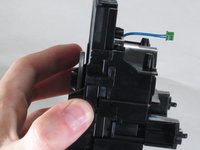
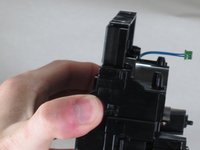
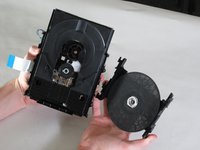
Une fois le bloc lecteur séparé du lecteur, tenez-le comme illustré et écartez les bords du support du lecteur de disque.
-
Soulevez le support et gardez-le pour le remontage.
-
-
-
-
-
Saisissez le pont au-dessus de la roue et poussez sur les languettes d'extraction situées sur le côté, comme illustré.
-
Tirez fermement vers le bas et éloignez du boîtier du laser.
-
-
-
-
Outil utilisé dans cette étape :Microfiber Cleaning Cloths$3.99
-
Assurez-vous de vous laver les mains avant de nettoyer la lentille du laser optique.
-
Prenez une microfibre ou un chiffon à lunettes et brossez doucement la lentille.
-
-








Pour remonter votre appareil, suivez ces instructions en sens inverse.
Annulation : je n'ai pas terminé ce tutoriel.
4 autres ont terminé cette réparation.

Équipe

Cal Poly, Team 18-20, Garner Spring 2011 Membre de l'équipe Cal Poly, Team 18-20, Garner Spring 2011
CPSU-GARNER-S11S18G20
4 membres
132 tutoriels rédigés
