Aller au contenu principal
Pour réparer ensemble - Je crée un compte

Hytera TC-580 Keypad Replacement

Ce dont vous avez besoin

    1. Hytera TC-580 Keypad Replacement, Battery: étape 1, image 1 de 2 Hytera TC-580 Keypad Replacement, Battery: étape 1, image 2 de 2
      • Remove the two 10mm Phillips #0 from the belt clip.

      Demander à FixBot

      Ajouter un commentaire

    2. Hytera TC-580 Keypad Replacement: étape 2, image 1 de 2 Hytera TC-580 Keypad Replacement: étape 2, image 2 de 2
      • Push in the release button and pull up on the battery to remove.

      Demander à FixBot

      Ajouter un commentaire

    1. Hytera TC-580 Keypad Replacement, Antenna: étape 3, image 1 de 1
      • Twist antenna counter-clockwise and set damaged antenna aside.

      Demander à FixBot

      Ajouter un commentaire

    1. Hytera TC-580 Keypad Replacement, Keypad: étape 4, image 1 de 1
      • Remove the volume knob by firmly lifting up on both sides of it.

      Demander à FixBot

      Ajouter un commentaire

    2. Hytera TC-580 Keypad Replacement: étape 5, image 1 de 1
      Outil utilisé dans cette étape :
      Tweezers
      $4.99
      • Remove the orange o-ring around volume knob using tweezers.

      Demander à FixBot

      Ajouter un commentaire

    3. Hytera TC-580 Keypad Replacement: étape 6, image 1 de 1
      • Remove grey nut from base of volume knob by turning it counterclockwise with a set of tweezers.

      Demander à FixBot

      Ajouter un commentaire

    4. Hytera TC-580 Keypad Replacement: étape 7, image 1 de 1
      • Remove the brass washer from the base of the antenna slot by turning it counterclockwise with a set of tweezers.

      Demander à FixBot

      Ajouter un commentaire

    5. Hytera TC-580 Keypad Replacement: étape 8, image 1 de 2 Hytera TC-580 Keypad Replacement: étape 8, image 2 de 2
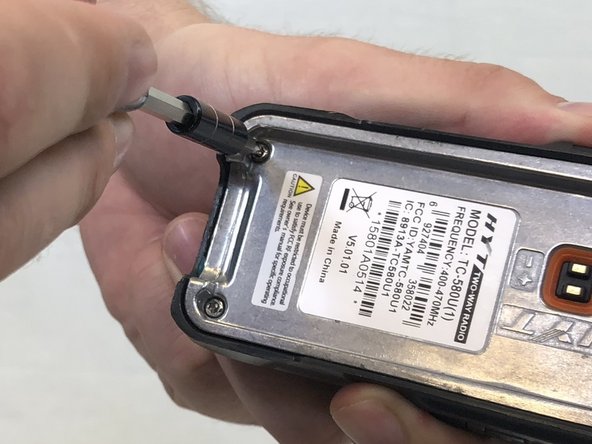
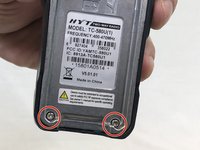
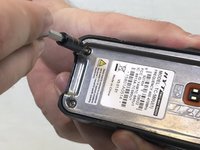
      • Remove the two 15mm T8 Torx screws from the base of the battery cavity.

      Demander à FixBot

      Ajouter un commentaire

    6. Hytera TC-580 Keypad Replacement: étape 9, image 1 de 1
      • Using a plastic opening tool, pry in between the plastic case and metal circuit board to remove the board.

      Demander à FixBot

      Ajouter un commentaire

    7. Hytera TC-580 Keypad Replacement: étape 10, image 1 de 1
      • Peel off the keypad by hand.

      Demander à FixBot

      Ajouter un commentaire

Conclusion

To reassemble your device, follow these instructions in reverse order.

Annulation : je n'ai pas terminé ce tutoriel.

2 autres ont terminé cette réparation.

Stuart

Membre depuis le 02/14/18

485 Réputation

3 tutoriels rédigés

Équipe

USF Tampa, Team S3-G4, Nance Spring 2018 Membre de l'équipe USF Tampa, Team S3-G4, Nance Spring 2018

USFT-NANCE-S18S3G4

3 membres

10 tutoriels rédigés

0 commentaires de tutoriel

Ajouter un commentaire

Nombre de vues :

Dernières 24 heures : 1

7 derniers jours : 8

30 derniers jours : 26

Total : 732