Aller au contenu principal
Pour réparer ensemble - Je crée un compte

LG Voyager Keyboard Replacement

Ce dont vous avez besoin

  1. LG Voyager Keyboard Replacement, Battery: étape 1, image 1 de 1
    • Turn over the phone so the front screen is facing down and the back side is up.

    Demander à FixBot
  2. LG Voyager Keyboard Replacement: étape 2, image 1 de 1
    • Pull down on the button at the bottom of the phone. The battery will pop up and can then be safely removed.

    Demander à FixBot
  3. LG Voyager Keyboard Replacement: étape 3, image 1 de 1
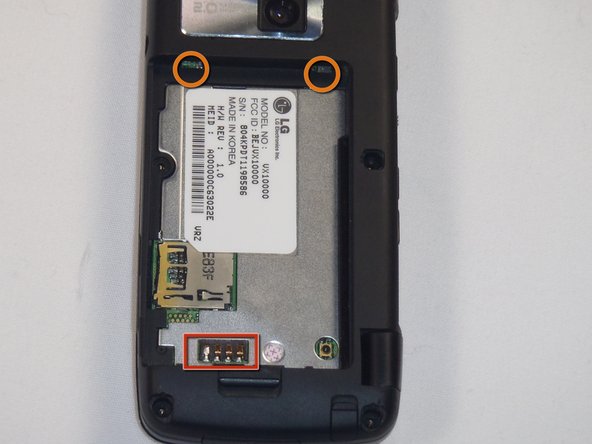
    • To install the new battery, position the battery so that the three small metal contacts of the battery are facing the three metal contacts of the phone

    • Insert the top of the battery, with the two plastic tabs, into their respective holes in the top

    • Then press down on the bottom of the battery and it should snap into place

    Demander à FixBot
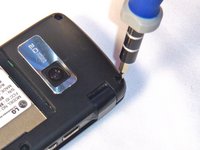
  4. LG Voyager Keyboard Replacement, Keyboard: étape 4, image 1 de 2 LG Voyager Keyboard Replacement, Keyboard: étape 4, image 2 de 2
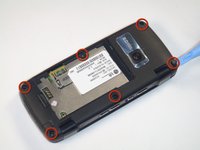
    • First remove the rubber stoppers covering the screws on the back of the phone by prying them up and away from the phone.

    Demander à FixBot
  5. LG Voyager Keyboard Replacement: étape 5, image 1 de 2 LG Voyager Keyboard Replacement: étape 5, image 2 de 2
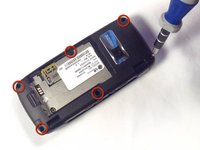
    • Remove the 3.61mm length, Phillips screws from the back of the phone using the #00 screwdriver.

    Demander à FixBot
  6. LG Voyager Keyboard Replacement: étape 6, image 1 de 2 LG Voyager Keyboard Replacement: étape 6, image 2 de 2
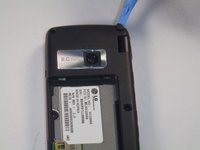
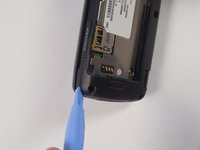
    • Now pry open the back of the phone.

    • Make sure that you use the plastic opening tool to go around the entire phone to help open the phone.

    Demander à FixBot
  7. LG Voyager Keyboard Replacement: étape 7, image 1 de 2 LG Voyager Keyboard Replacement: étape 7, image 2 de 2
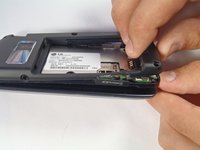
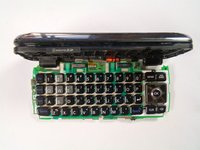
    • Carefully separate the keyboard from the top of the phone.

    • Be careful not to break the ribbon cable.

    Demander à FixBot
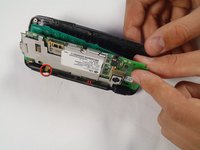
  8. LG Voyager Keyboard Replacement: étape 8, image 1 de 1
    • Detach the keyboard from the phone by taking off the little metal latches.

    • When replacing the old keyboard with a new one you will have to solder the metal latches to the new board.

    Demander à FixBot
Conclusion

To reassemble your device, follow these instructions in reverse order.

Lance Collins

Membre depuis le 04/12/12

7 Réputation

1 tutoriel rédigé

Équipe

Cal Poly, Team 17-26, Amido Spring 2012 Membre de l'équipe Cal Poly, Team 17-26, Amido Spring 2012

CPSU-AMIDO-S12S17G26

4 membres

4 tutoriels rédigés

0 commentaires de tutoriel

Ajouter un commentaire

Nombre de vues :

Dernières 24 heures : 0

7 derniers jours : 2

30 derniers jours : 40

Total : 651