Introduction
The button sheet on the Nextplay NP109CR is sometimes placed incorrectly on the device. This prevents the buttons from working correctly. This guide will fix and place the buttons correctly on to the sheet. Use this guide to disassemble the device to reach the buttons. Follow the step by step instructions to re-position the buttons.
Ce dont vous avez besoin
-
-
-
Unscrew the two screws with a Phillips #0 screwdriver on the top side of the device right in front of the eight buttons.
 Demander à FixBot
-
-
-
-
Unscrew the four screws with a Phillips #0 Screwdriver from the pink button sheet.
-
-
-
Remove the pink button sheet from the device by pulling out each button.
-
-


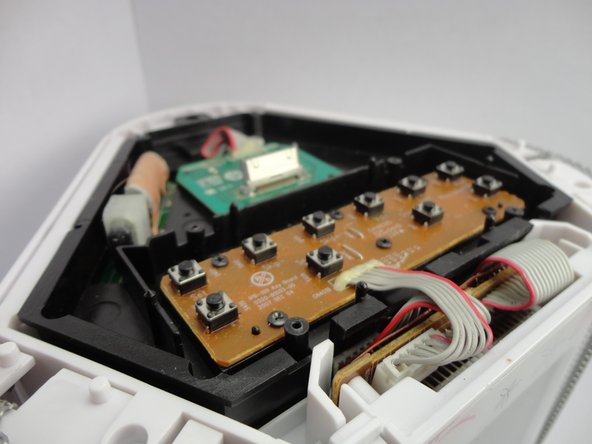
Reverse these steps to reassemble the device.
Annulation : je n'ai pas terminé ce tutoriel.
Une autre personne a terminé cette réparation.

Équipe

Cal Poly, Team 7-50, Forte Fall 2012 Membre de l'équipe Cal Poly, Team 7-50, Forte Fall 2012
CPSU-FORTE-F12S7G50
5 membres
28 tutoriels rédigés
