Aller au contenu principal
Pour réparer ensemble - Je crée un compte

Nexus 10 Display Replacement

Ce dont vous avez besoin

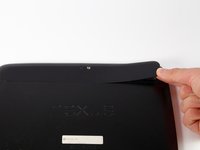
  1. Nexus 10 Display Replacement, Battery: étape 1, image 1 de 3 Nexus 10 Display Replacement, Battery: étape 1, image 2 de 3 Nexus 10 Display Replacement, Battery: étape 1, image 3 de 3
    • Using a plastic opening tool, remove the thin plastic cover from back of the tablet by prying up from its small tab.

    Demander à FixBot

    Ajouter un commentaire

  2. Nexus 10 Display Replacement: étape 2, image 1 de 1
    • Remove the five 2mm screws on the back of the device using a PH00 screwdriver.

    Demander à FixBot

    Ajouter un commentaire

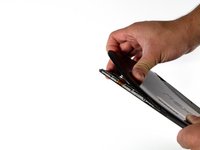
  3. Nexus 10 Display Replacement: étape 3, image 1 de 3 Nexus 10 Display Replacement: étape 3, image 2 de 3 Nexus 10 Display Replacement: étape 3, image 3 de 3
    • Pry the device apart by inserting a plastic opening tool in the seam between the plastic backing and display assembly. Use the tool to unclip the plastic tabs in between the backing and the display.

    • Pull the the plastic backing off the display assembly using your hands.

    • Do not do this step with only your hands. You will require a significant amount of force to separate the device.

    Demander à FixBot

    Ajouter un commentaire

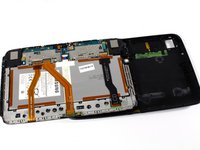
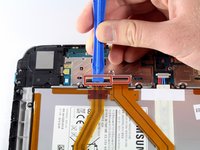
  4. Nexus 10 Display Replacement: étape 4, image 1 de 3 Nexus 10 Display Replacement: étape 4, image 2 de 3 Nexus 10 Display Replacement: étape 4, image 3 de 3
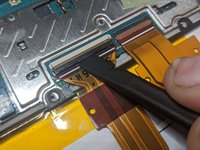
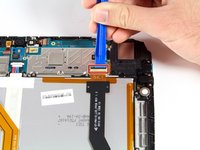
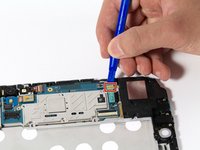
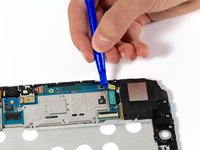
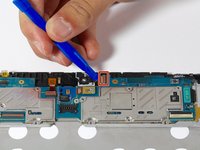
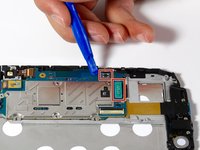
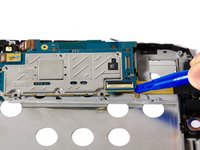
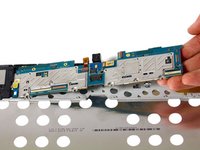
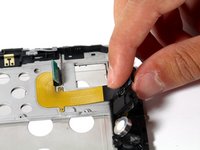
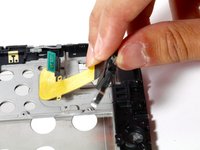
    • Detach the three connector ribbons passing over the battery using the plastic opening tool.

    Demander à FixBot

    Ajouter un commentaire

  5. Nexus 10 Display Replacement: étape 5, image 1 de 1
    • Remove the twelve 2mm screws around the perimeter of the battery with a PH00 screwdriver.

    Demander à FixBot

    Ajouter un commentaire

  6. Nexus 10 Display Replacement: étape 6, image 1 de 2 Nexus 10 Display Replacement: étape 6, image 2 de 2
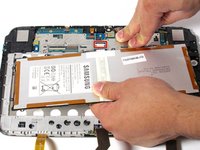
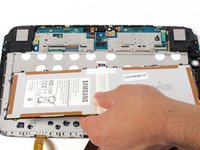
    • Disconnect the battery by lifting it upward and pulling it away from the connector.

    Demander à FixBot

    Ajouter un commentaire

  7. Nexus 10 Display Replacement, Headphone Jack: étape 7, image 1 de 1
    • Remove one screw on the logic board with a PH00 screwdriver.

    Demander à FixBot

    Ajouter un commentaire

  8. Nexus 10 Display Replacement: étape 8, image 1 de 3 Nexus 10 Display Replacement: étape 8, image 2 de 3 Nexus 10 Display Replacement: étape 8, image 3 de 3
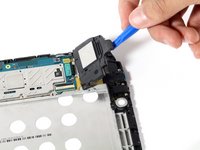
    • Disconnect right speaker connector ribbon from logic board.

    • Lift the speaker out by pulling up on its corner.

    Demander à FixBot

    Ajouter un commentaire

  9. Nexus 10 Display Replacement: étape 9, image 1 de 3 Nexus 10 Display Replacement: étape 9, image 2 de 3 Nexus 10 Display Replacement: étape 9, image 3 de 3
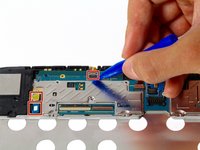
    • Disconnect connectors around the perimeter of the motherboard.

    Demander à FixBot

    Ajouter un commentaire

  10. Nexus 10 Display Replacement: étape 10, image 1 de 2 Nexus 10 Display Replacement: étape 10, image 2 de 2
    • Remove motherboard by gently pulling upward under its corner.

    Demander à FixBot

    Ajouter un commentaire

  11. Nexus 10 Display Replacement: étape 11, image 1 de 1
    • Remove the three 2mm screws along the right side of the device using a PH00 screwdriver.

    Demander à FixBot

    Ajouter un commentaire

  12. Nexus 10 Display Replacement: étape 12, image 1 de 2 Nexus 10 Display Replacement: étape 12, image 2 de 2
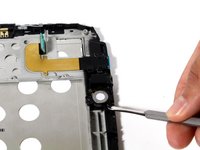
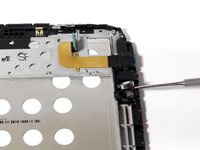
    • Unseat the small vibrator motor by gently applying upward pressure with a spudger.

    Demander à FixBot

    Ajouter un commentaire

  13. Nexus 10 Display Replacement: étape 13, image 1 de 2 Nexus 10 Display Replacement: étape 13, image 2 de 2
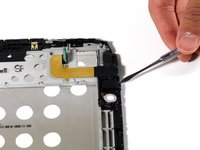
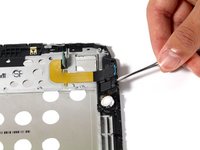
    • Lift the assembly by gently applying upward pressure with the spudger on the assembly.

    Demander à FixBot

    Ajouter un commentaire

  14. Nexus 10 Display Replacement: étape 14, image 1 de 2 Nexus 10 Display Replacement: étape 14, image 2 de 2
    • Gently pull battery-audio jack-USB assembly upward, detaching it from its adhesive.

    Demander à FixBot

    Ajouter un commentaire

  15. Nexus 10 Display Replacement, Display: étape 15, image 1 de 2 Nexus 10 Display Replacement, Display: étape 15, image 2 de 2
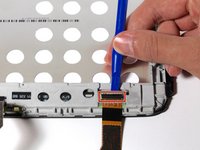
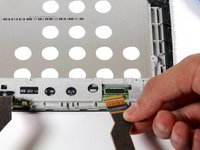
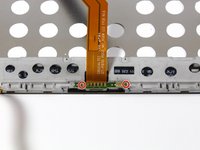
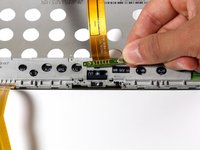
    • Detach LCD connector ribbon by pressing upward on connector latch using a plastic opening tool.

    Demander à FixBot

    Ajouter un commentaire

  16. Nexus 10 Display Replacement: étape 16, image 1 de 2 Nexus 10 Display Replacement: étape 16, image 2 de 2
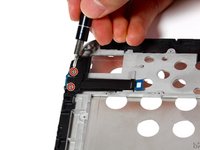
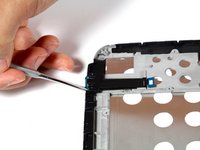
    • Unscrew the two 2mm Phillips #00 screws holding the ribbon in place.

    • Remove the board by tilting it forward and pulling outward.

    Demander à FixBot

    Ajouter un commentaire

  17. Nexus 10 Display Replacement: étape 17, image 1 de 1
    • Remove second speaker by gently tilting and pulling upward.

    Demander à FixBot

    Ajouter un commentaire

  18. Nexus 10 Display Replacement: étape 18, image 1 de 3 Nexus 10 Display Replacement: étape 18, image 2 de 3 Nexus 10 Display Replacement: étape 18, image 3 de 3
    • Unscrew the two 2mm screws securing the micro HDMI connector with a #PH00 screwdriver.

    • Remove the connector by liberally applying upward pressure.

    Demander à FixBot

    Ajouter un commentaire

  19. Nexus 10 Display Replacement: étape 19, image 1 de 3 Nexus 10 Display Replacement: étape 19, image 2 de 3 Nexus 10 Display Replacement: étape 19, image 3 de 3
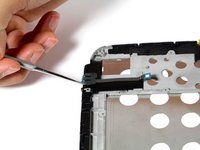
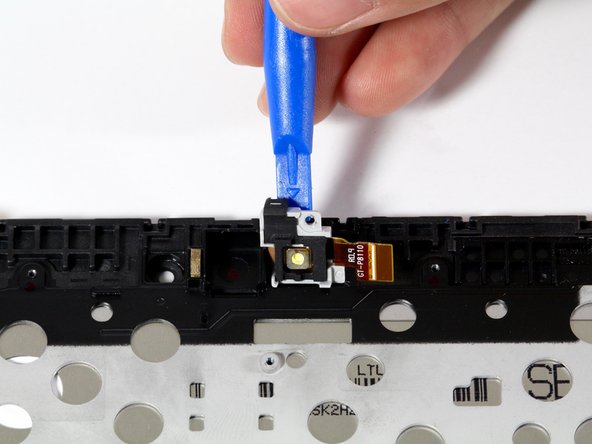
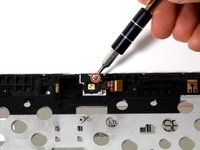
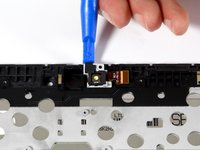
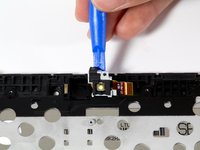
    • Unscrew the 2mm Phillips #00 screw that holds the flash enclosure.

    • Remove the flash assembly with a plastic opening tool by lifting the assembly upward.

    Demander à FixBot

    Ajouter un commentaire

Conclusion

To reassemble your device, follow these instructions in reverse order.

Annulation : je n'ai pas terminé ce tutoriel.

6 autres ont terminé cette réparation.

Benjamin Troller

Membre depuis le 04/11/16

2 239 Réputation

5 tutoriels rédigés

Équipe

Cal Poly, Team 34-18, Maness Spring 2016 Membre de l'équipe Cal Poly, Team 34-18, Maness Spring 2016

CPSU-MANESS-S16S34G18

4 membres

5 tutoriels rédigés

4 commentaires de tutoriel

I’m waiting for the instructions regarding how to remove the old screen and insert the new - it seems to be missing

John Walker - Réponse Partager

It seems you just have to buy a replacement for that whole front housing, including the screen assembly

Oliver Nichol - Réponse Partager

Still waiting to see how the screen is remove

Frank - Réponse Partager

he cambiado la bateria y he partido el presor negro del conector de LCD y no me me funciona, se puede comprar esa pieza negra?

Diego Mera - Réponse Partager

Ajouter un commentaire

Nombre de vues :

Dernières 24 heures : 2

7 derniers jours : 12

30 derniers jours : 65

Total : 9,077