Cette traduction a été générée automatiquement et n’a pas encore fait l’objet d’une relecture humaine. Vous parlez cette langue ? Relisez-la.
Introduction
Ce tutoriel a été mis à jour par l'équipe iFixit ! Lisez le nouveau tutoriel officiel ici.
Ce tutoriel vous montrera comment retirer l'écran bas.
Ce dont vous avez besoin
-
-
-
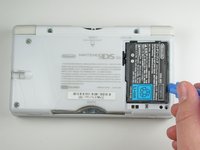
Placez votre appareil à l'envers et repérez le compartiment de la batterie.
-
Trouvez la vis cruciforme qui fixe le cache de la batterie dans le coin inférieur droit de l'appareil.
 Demander à FixBot
-
-
-
Retirez lentement le cache de la batterie avec l'outil pour ouvrir iFixit.
-
-
-
Utilisez l'outil pour ouvrir iFixit pour soulever délicatement la batterie hors du boîtier.
-
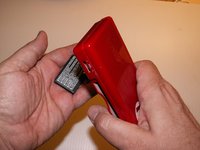
Une fois l'ancienne batterie retirée, remplacez-la par une nouvelle batterie en l'orientant dans le même sens que lors de l'ouverture du cache.
-
-
-
-
-
Retirez les sept vis suivantes qui fixent le boîtier inférieur à la DS Lite :
-
Trois vis cruciformes argentées (5 mm de long)
-
Une vis cruciforme noire (4 mm)
-
Deux vis cruciformes dorées (4 mm)
-
Une vis cruciforme argentée (3 mm)
-
Ne retirez pas encore la vis cruciforme argentée (3 mm) située dans le compartiment de la batterie. Elle maintient le circuit imprimé principal en place.
-
-
-
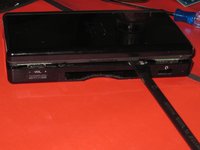
Sur le bord avant de la Nintendo DS, entre la prise jack et les commandes de volume, retirez l'insert en plastique (ou la cartouche) du logement inférieur (Slot 2).
-
-
-
-
Retournez l'appareil pour qu'il soit face vers le haut.
-
Avec une spatule (spudger), faites levier pour ouvrir l'espace entre le boîtier inférieur et le panneau avant. Faites le tour complet du boîtier jusqu'à ce que le panneau soit libre.
-
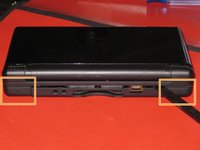
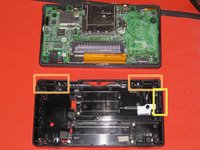
Évitez de toucher les boutons de tranche L et R, car ils se détachent facilement et sont difficiles à remonter. Gardez le boîtier inférieur bien à plat sur votre plan de travail pour aider à maintenir les boutons de tranche en place.
-
-
-
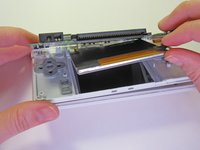
Séparez délicatement les deux pièces à la main.
-
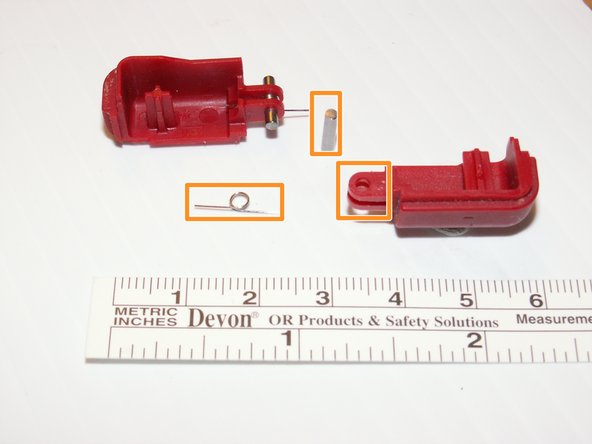
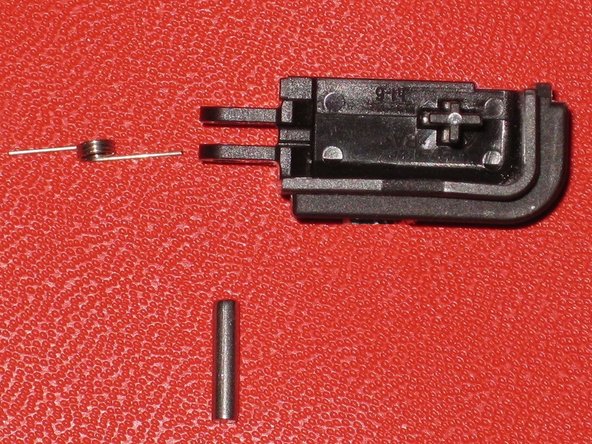
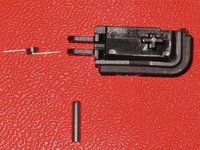
Les deux boutons de tranche sont composés de trois pièces : le bouton en plastique, une goupille et un ressort. S'ils sautent accidentellement pendant que vous travaillez, examinez l'image et assurez-vous de placer le ressort dans la bonne position.
-
-
-
-
-
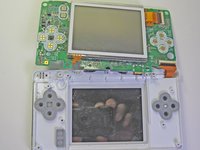
Avec un tournevis cruciforme #00, retirez les deux vis qui fixent la carte mère au reste de l'appareil.
-
-
-
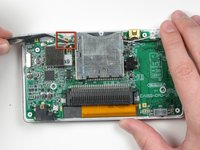
Repérez la petite nappe qui relie la vitre tactile à la carte mère. Ne tirez pas sur cette nappe.
-
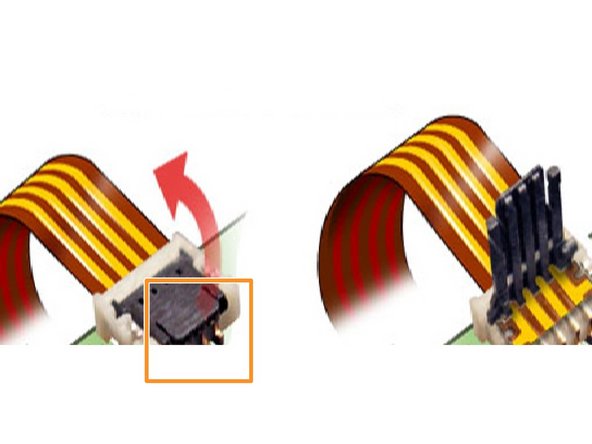
Soulevez délicatement le cache noir articulé sur le connecteur.
-
Une fois le cache noir soulevé, la nappe se déconnectera facilement.
-
-
-
Avec un outil pour ouvrir en plastique, commencez délicatement à séparer la carte mère du reste de l'appareil.
-
-
-
Retournez la carte mère de façon à ce que la vitre tactile soit orientée vers le haut.
-
-
-
Ne tirez pas sur la nappe principale.
-
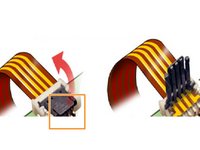
Soulevez délicatement le minuscule cache articulé sur le connecteur.
-
La nappe se déconnectera facilement.
-
Retirez la troisième nappe de la même manière.
-
-
-
Rien d'autre ne retient la vitre tactile. Soulevez-la simplement et mettez-la de côté.
-
-











Annulation : je n'ai pas terminé ce tutoriel.
13 autres ont terminé cette réparation.
Merci à ces traducteurs :
100%

Translation Bot nous aide à réparer le monde ! Vous voulez contribuer ?
Commencez à traduire ›

Équipe

Cal Poly, Team 16-30, Maness Winter 2010 Membre de l'équipe Cal Poly, Team 16-30, Maness Winter 2010
CPSU-MANESS-W10S16G30
4 membres
90 tutoriels rédigés
