Aller au contenu principal
Pour réparer ensemble - Je crée un compte

Nvidia Shield Pro Android TV Controller D-Pad Replacement

Ce dont vous avez besoin

    1. Nvidia Shield Pro Android TV Controller D-Pad Replacement, Bluetooth Controller D-Pad: étape 1, image 1 de 3 Nvidia Shield Pro Android TV Controller D-Pad Replacement, Bluetooth Controller D-Pad: étape 1, image 2 de 3 Nvidia Shield Pro Android TV Controller D-Pad Replacement, Bluetooth Controller D-Pad: étape 1, image 3 de 3
      • Remove the six T6 Torx screws from the back of the controller.

      Demander à FixBot

      Ajouter un commentaire

    2. Nvidia Shield Pro Android TV Controller D-Pad Replacement: étape 2, image 1 de 1
      • Gently open the top frame of the cover with the plastic opening tool.

      Demander à FixBot

      Ajouter un commentaire

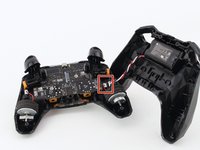
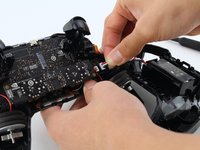
    3. Nvidia Shield Pro Android TV Controller D-Pad Replacement: étape 3, image 1 de 2 Nvidia Shield Pro Android TV Controller D-Pad Replacement: étape 3, image 2 de 2
      • Gently pull the wire connector out of its socket, separating the two halves of the controller.

      Demander à FixBot

      Ajouter un commentaire

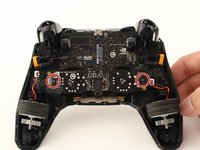
    4. Nvidia Shield Pro Android TV Controller D-Pad Replacement: étape 4, image 1 de 1
      • Remove the wire attached to the circular piece.

      Demander à FixBot

      Ajouter un commentaire

    5. Nvidia Shield Pro Android TV Controller D-Pad Replacement: étape 5, image 1 de 2 Nvidia Shield Pro Android TV Controller D-Pad Replacement: étape 5, image 2 de 2
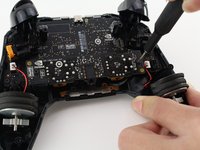
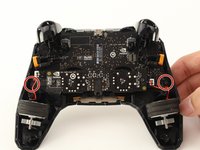
      • Carefully remove the two T6 Torx screws from either side of the motherboard.

      Demander à FixBot

      Ajouter un commentaire

    6. Nvidia Shield Pro Android TV Controller D-Pad Replacement: étape 6, image 1 de 1
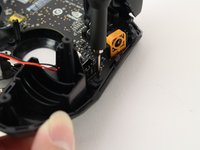
      • Remove the yellow plug from its socket.

      Demander à FixBot

      Ajouter un commentaire

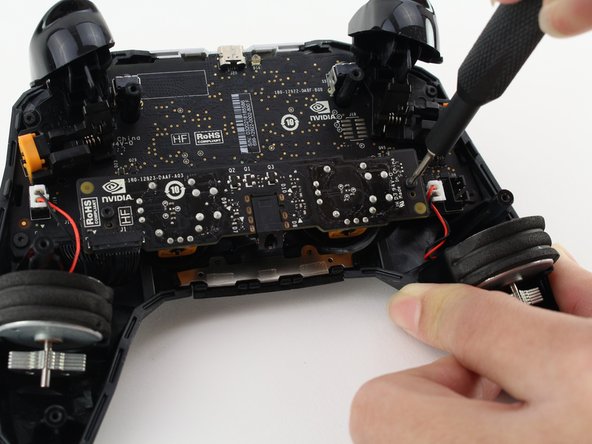
    7. Nvidia Shield Pro Android TV Controller D-Pad Replacement: étape 7, image 1 de 2 Nvidia Shield Pro Android TV Controller D-Pad Replacement: étape 7, image 2 de 2
      • Remove the two T6 Torx screws.

      Demander à FixBot

      Ajouter un commentaire

    8. Nvidia Shield Pro Android TV Controller D-Pad Replacement: étape 8, image 1 de 1
      • Slowly pull up the primary circuit board of the controller until the D-pad is revealed.

      • Carefully remove the board.

      Demander à FixBot

      Ajouter un commentaire

    9. Nvidia Shield Pro Android TV Controller D-Pad Replacement: étape 9, image 1 de 1
      • Gently remove and replace the D-Pad.

      Demander à FixBot

      Ajouter un commentaire

Conclusion

To reassemble your device, follow these instructions in reverse order.

Annulation : je n'ai pas terminé ce tutoriel.

Ben Carrasco

Membre depuis le 01/23/20

347 Réputation

2 tutoriels rédigés

Équipe

Cal Poly, Team S18-G2, White Winter 2020 Membre de l'équipe Cal Poly, Team S18-G2, White Winter 2020

CPSU-WHITE-W20S18G2

4 membres

20 tutoriels rédigés

0 commentaires de tutoriel

Ajouter un commentaire

Nombre de vues :

Dernières 24 heures : 1

7 derniers jours : 9

30 derniers jours : 41

Total : 2,286