Cette traduction a été générée automatiquement et n’a pas encore fait l’objet d’une relecture humaine. Vous parlez cette langue ? Relisez-la.
Introduction
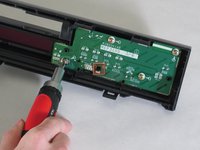
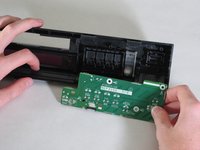
Utilisez ce tutoriel pour retirer la carte de fonction droite du panneau avant du lecteur DVD.
Ce dont vous avez besoin
-
-
-
Éjectez le tiroir à disque du lecteur DVD avant de débrancher l'alimentation.
 Demander à FixBot
-
-
-
Soulevez uniformément le cache avant du tiroir à disque (sans l'incliner, comme illustré). Cela facilitera le démontage du lecteur.
-
-
-
-
-
Retirez les trois vis situées le long du bord arrière du cache.
-
Retirez les deux vis de chaque côté du cache.
-
-
-
-
Saisissez les bords du cache avec vos mains. Tirez légèrement vers l'extérieur, puis verticalement vers le haut.
-
-
-
-
-
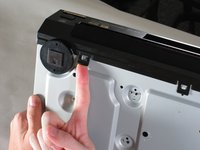
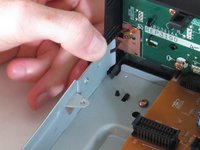
Soulevez les cinq languettes qui fixent la façade au châssis. Il y en a trois en bas et deux sur les bords intérieurs de la façade. Vous devriez ensuite pouvoir retirer la façade du lecteur.
-
-
-
-
-
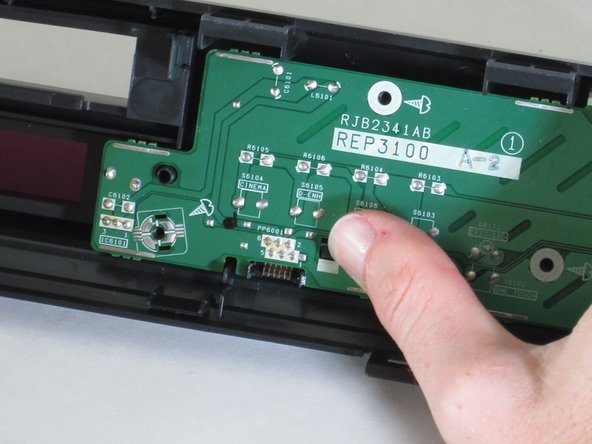
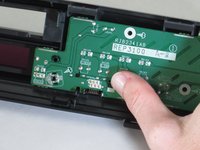
Poussez la languette de retenue en plastique sur la carte.
-
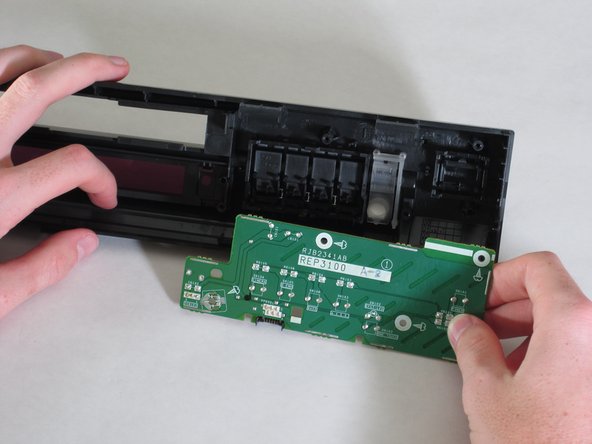
Saisissez les bords de la carte et tirez pour la sortir.
-




Pour remonter votre appareil, suivez ces instructions en sens inverse.
Annulation : je n'ai pas terminé ce tutoriel.
Une autre personne a terminé cette réparation.

Équipe

Cal Poly, Team 18-20, Garner Spring 2011 Membre de l'équipe Cal Poly, Team 18-20, Garner Spring 2011
CPSU-GARNER-S11S18G20
4 membres
132 tutoriels rédigés
