Aller au contenu principal
Pour réparer ensemble - Je crée un compte

Samsung Blackjack Keypad Replacement

Ce dont vous avez besoin

  1. Samsung Blackjack Keypad Replacement, Battery Cover: étape 1, image 1 de 3 Samsung Blackjack Keypad Replacement, Battery Cover: étape 1, image 2 de 3 Samsung Blackjack Keypad Replacement, Battery Cover: étape 1, image 3 de 3
    • Hold the device with the screen facing away from you and the camera towards you.

    • Place your thumb on the bottom half of the phone and slide the cover off while gently pushing down on the cover.

    Demander à FixBot
  2. Samsung Blackjack Keypad Replacement, Battery: étape 2, image 1 de 2 Samsung Blackjack Keypad Replacement, Battery: étape 2, image 2 de 2
    • Place your fingers on both sides of the bottom of the battery and lift upwards.

    • Pull the battery away from the phone.

    Demander à FixBot
  3. Samsung Blackjack Keypad Replacement, Back Phone Casing: étape 3, image 1 de 2 Samsung Blackjack Keypad Replacement, Back Phone Casing: étape 3, image 2 de 2
    • Use the spudger to remove the rubber stoppers from the top of the cover.

    • Use the Phillips 00 screw driver to remove the screws from each of the four corners and the two on sides (six total).

    Demander à FixBot
  4. Samsung Blackjack Keypad Replacement: étape 4, image 1 de 3 Samsung Blackjack Keypad Replacement: étape 4, image 2 de 3 Samsung Blackjack Keypad Replacement: étape 4, image 3 de 3
    • Use the spudger to loosen and separate the front and back covers.

    • Pick up the back cover once loosened.

    • The front and back covers will be attached to each other by a gold wire.

    • Remove the gold wire connecting the back cover to the motherboard to completely separate the covers.

    Demander à FixBot
  5. Samsung Blackjack Keypad Replacement, Motherboard: étape 5, image 1 de 2 Samsung Blackjack Keypad Replacement, Motherboard: étape 5, image 2 de 2
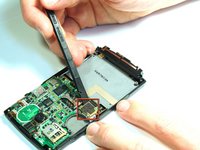
    • Use the spudger to unsnap the black rectangular connection from the motherboard.

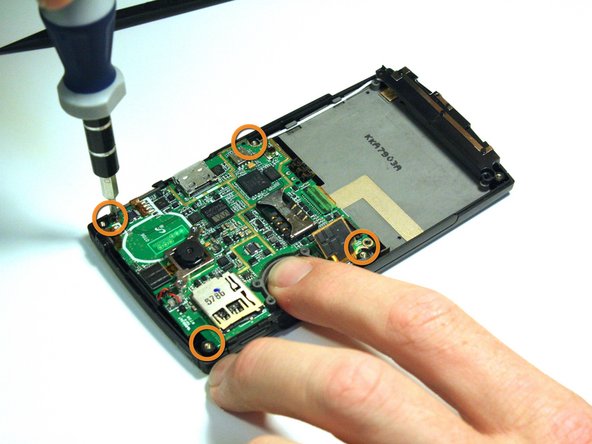
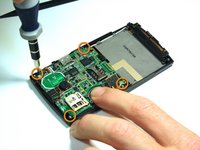
    • Use the Phillips 00 screwdriver to remove all of the screws that hold the motherboard in place.

    Demander à FixBot
  6. Samsung Blackjack Keypad Replacement: étape 6, image 1 de 2 Samsung Blackjack Keypad Replacement: étape 6, image 2 de 2
    Outil utilisé dans cette étape :
    Tweezers
    $4.99
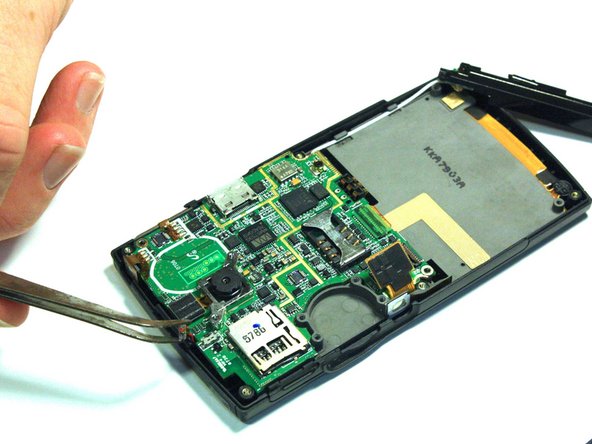
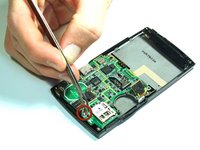
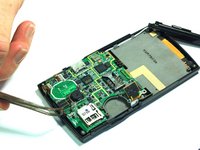
    • Use the tweezers to unsnap the connection between the motherboard and the speaker. The speaker is attached to the front casing.

    Demander à FixBot
  7. Samsung Blackjack Keypad Replacement: étape 7, image 1 de 2 Samsung Blackjack Keypad Replacement: étape 7, image 2 de 2
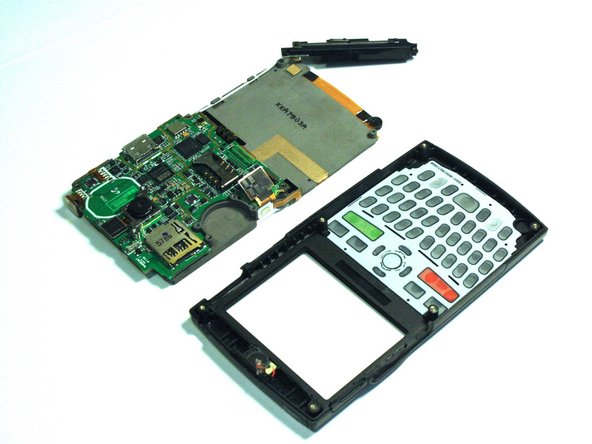
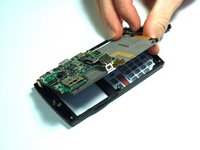
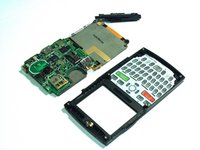
    • Once all of the connections have been snapped off of the motherboard, the motherboard can be removed.

    • Lift up on the motherboard and it will come free of the front casing.

    Demander à FixBot
  8. Samsung Blackjack Keypad Replacement, Keypad: étape 8, image 1 de 1
    • Hold the front cover with the keypad facing you.

    • Push down on the keypad to remove it from the case. The keypad will come right out because there is nothing connecting it to the front casing.

    Demander à FixBot
Conclusion

To reassemble your device, follow these instructions in reverse order.

Kristin Manna

Membre depuis le 10/22/12

29 Réputation

10 tutoriels rédigés

Équipe

Clemson, Team 14-4, Benson Fall 2012 Membre de l'équipe Clemson, Team 14-4, Benson Fall 2012

CLEM-BENSON-F12S14G4

3 membres

14 tutoriels rédigés

0 commentaires de tutoriel

Ajouter un commentaire

Nombre de vues :

Dernières 24 heures : 1

7 derniers jours : 8

30 derniers jours : 72

Total : 718