Cette traduction a été générée automatiquement et n’a pas encore fait l’objet d’une relecture humaine. Vous parlez cette langue ? Relisez-la.
Introduction
Beaucoup d'utilisateurs de Samsung Galaxy Core Prime rencontrent des problèmes avec leur batterie. Vous pourrez changer votre batterie en suivant ce tutoriel. Vous aurez seulement besoin d'une batterie de rechange pour suivre ce tutoriel.
-
-
-
Éteignez le smartphone à l'aide du bouton de marche situé sur le côté droit.
 Demander à FixBot
-
-
-
Retournez le smartphone de façon à ce que la caméra arrière soit orientée vers le haut.
-
-
-
-
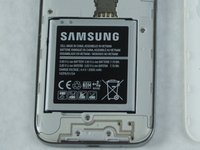
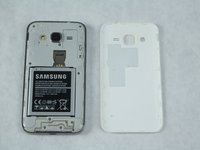
Repérez la batterie près du bas du téléphone. La batterie est carrée, plate et porte la mention 'SAMSUNG'.
-
-



Pour remonter votre appareil, suivez ces instructions en sens inverse.
Annulation : je n'ai pas terminé ce tutoriel.
7 autres ont terminé cette réparation.

Équipe

Sam Houston State, Team S11-G2, Blackburne Fall 2018 Membre de l'équipe Sam Houston State, Team S11-G2, Blackburne Fall 2018
SHSU-BLACKBURNE-F18S11G2
4 membres
60 tutoriels rédigés
