Cette traduction a été générée automatiquement et n’a pas encore fait l’objet d’une relecture humaine. Vous parlez cette langue ? Relisez-la.

Changement bouton de marche Samsung TL220

chelsa et 3 autres contributeurs
Dernière mise à jour le 17 août 2026
Vues: 710
Afficher les statistiques :
- Dernières 24 heures :
- 2
- Sept derniers jours :
- 26
- Trente derniers jours :
- 100
- Total :
- 710
Commentaires: 0
Personne n'a commenté ce tutoriel. Serez-vous le premier ?
Aller aux commentaires de tutorielTerminé: 2 3
2 personnes ont marqué ce tutoriel comme « terminé ». Serez-vous la prochaine ?
3 personnes ont marqué ce tutoriel comme « terminé ». Dont vous — super travail !
Favoris: 0 1
Personne n'a mis ce tutoriel en favori (ni ne s'y est abonné). Serez-vous le premier ?
1 personne a mis ce tutoriel en favori (et s'y est abonnée) – et c'est vous !
Problème de balise
Ce tutoriel nécessite de meilleures balises. Améliorez-le en corrigeant ou rajoutant des balises.
Découpez pour améliorer
Les étapes de ce tutoriel nécessitent d'être sous-divisées et réparties dans une série de tutoriels prérequis.
Introduction
Passez à l'étape 1 ↓Tout ce dont vous avez besoin pour ce tutoriel est la volonté de réparer votre appareil photo. Bonne chance !
Ce dont vous avez besoin
Outils


-
-
-
Vérifiez l'absence de débris et de poussière autour du bouton de marche pour vous assurer qu'il est propre.
-
Si aucune poussière n'est présente, commencez par dévisser les sept vis Phillips de 4 mm du boîtier extérieur avec le tournevis Phillips.
-
Maintenant, faites délicatement levier pour ouvrir le boîtier arrière avec l'outil pour ouvrir iFixit.
 Demander à FixBot
-
-
-
Maintenant que le boîtier arrière est retiré, retirez délicatement l'écran LCD de l'appareil photo.
-
Ensuite, dévissez les trois vis Philips de 4 mm situées sur le panneau arrière avec le même tournevis (voir image).
-
-
Outil utilisé dans cette étape :Tweezers$4.99
-
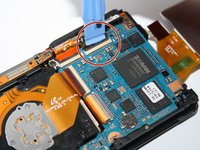
Déclipsez les quatre connecteurs qui maintiennent les nappes de cuivre orange avec l'outil pour ouvrir.
-
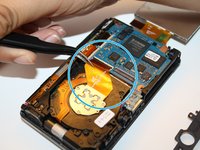
Ensuite, retirez délicatement les trois nappes avec les pincettes iFixit.
-
-
-
-
Retirez la vis cruciforme de 4 mm située au-dessus de la nappe centrale avec le tournevis cruciforme. Cela permettra au châssis supérieur de se desserrer pour pouvoir le retirer.
-
-
-
Ensuite, tirez vers la droite sur la griffe noire située en bas à droite de l'appareil photo, avec l'outil pour ouvrir. Elle maintient la plaque principale en place.
-
-
-
Soulevez lentement le châssis supérieur de la caméra avec vos doigts pour accéder au bouton de marche.
-
-




Pour remonter votre appareil, suivez ces instructions en sens inverse.
Annulation : je n'ai pas terminé ce tutoriel.
2 autres ont terminé cette réparation.


